

Firewall as a service is a cloud-delivered security platform that gives you next-generation firewall protection, deep packet inspection, intrusion prevention, and web filtering, without racking a single physical appliance. If your team is distributed, your apps live in SaaS platforms, and you need to scale protection up or down without a hardware order, FWaaS is worth serious evaluation. It fits neatly into a SASE architecture, but it also shifts real operational responsibility onto your policy governance and vendor relationship.
TL;DR:
- Cloud-native FWaaS removes patching and hardware management but depends on the provider’s feature roadmap and tenancy model.
- Traffic inspection varies by vendor, with proxy-based methods offering deeper encryption visibility and inline methods favoring lower latency.
- Features like TLS scope, DNS security, application awareness, and SIEM integration are critical, but vendors often differ in throughput and policy limits.
- Migration should be staged with thorough planning, including traffic mapping, baseline measurements, and clear rollback criteria to minimize disruption.
- Long-term governance benefits from treating firewall policies as code, with version control and automated testing to maintain control and compliance.
Table of Contents
- What Is Firewall as a Service, and How Do the Terms Fit Together?
- How Does Firewall as a Service Work?
- What Features Should You Evaluate in an FWaaS Platform?
- What Are the Real Benefits and Trade-Offs of FWaaS?
- FWaaS vs. NGFW, VPNs, and SD-WAN: Where Are the Boundaries?
- How Does FWaaS Fit Into SASE and Zero Trust?
- How Do You Plan a Low-Risk FWaaS Migration?
- How Do You Govern FWaaS Long-Term Without Losing Control?
- What Do FWaaS Pricing Models Actually Look Like?
- When Should You Bring in a Managed Provider Instead of Self-Managing FWaaS?
- What Should IT Leaders Actually Do Next?
- Ready to Move Forward With FWaaS? Here's the Practical Path
- Where to Read Further on FWaaS and Cloud Security
- Sources
What Is Firewall as a Service, and How Do the Terms Fit Together?
FWaaS delivers the same protective functions as a traditional next-generation firewall, deep packet inspection, intrusion prevention, URL and DNS filtering, but runs entirely in the provider's cloud infrastructure and gets billed as a subscription. There's no appliance to rack, patch, or replace when it reaches end of life. You point your traffic at the service, apply policy through a console, and the provider handles the underlying compute and scaling.
That sounds simple, but vendor language gets muddy fast. Here's where the confusion usually starts:
- Cloud-native FWaaS runs as a multi-tenant service built for the cloud from day one. You're consuming shared infrastructure with logical separation between customers.
- Cloud-managed on-prem appliances are physical or virtual firewalls you still own and maintain, just administered through a cloud console. You still handle firmware, capacity planning, and hardware refresh cycles.
- Virtual firewall solutions can mean either of the above, or a firewall instance you deploy yourself inside a public cloud environment like AWS or Azure.
- Cloud firewall is often used interchangeably with FWaaS, and generally refers to the same thing: a firewall that lives in the cloud rather than your data center. Cloud firewalls centralize policy and logging while removing the throughput bottlenecks that come with a single physical box.
The distinction between cloud-native and cloud-managed matters more than most procurement teams realize. A cloud-native service removes patching burden entirely, but you inherit the provider's tenancy model and feature roadmap. A cloud-managed appliance keeps you closer to familiar NGFW behavior, but you're still on the hook for lifecycle management. Confusing the two during a vendor conversation is one of the most common and costly procurement mistakes in this category.
How Does Firewall as a Service Work?
FWaaS platforms route your traffic, whether it's coming from a branch office, a remote laptop, or a cloud workload, through the provider's global network of inspection points before it reaches its destination. The mechanics vary by vendor, but three architectural decisions shape almost every deployment.
- Inspection method. Some platforms use proxy-based architecture, terminating the connection and re-establishing it after inspection. Others use inline, pass-through inspection that examines packets without fully breaking the session. Proxy-based setups tend to give deeper visibility into encrypted traffic; inline setups often trade a bit of inspection depth for lower latency.
- TLS handling. Because most traffic today is encrypted, the firewall needs to decrypt, inspect, and re-encrypt it, or it's inspecting nothing but headers. This is where performance and privacy trade-offs get real. Decrypting everything gives you full visibility but adds compute overhead and raises questions about what gets logged.
- Traffic routing pattern. Traditional networks used hub-and-spoke, sending all branch traffic back to a central data center before it went anywhere. FWaaS flips this toward local internet breakouts, where a user's traffic gets inspected at the nearest cloud point of presence rather than detouring across the country. Client-to-cloud connections, common for remote workers, skip the branch entirely and connect straight into the security fabric.
Once traffic passes inspection, logging and telemetry data need somewhere to go. Most FWaaS platforms integrate directly with the customer's SIEM or with cloud provider logging services. Azure Firewall, for example, offers stateful inspection with direct integration into virtual network and platform logging, which matters if you're already standardized on a particular cloud provider's monitoring stack.
The practical takeaway: ask any vendor exactly where TLS gets decrypted, how routing decisions get made for different user locations, and where your logs actually land. If the vendor provides vague answers to any of those questions, consider evaluating other options.
What Features Should You Evaluate in an FWaaS Platform?
Feature checklists for FWaaS tend to look similar on paper. The differences that matter show up in the limits, not the bullet points.
- Deep packet inspection and IPS. Confirm throughput limits under full inspection load, not just marketing benchmarks. Some platforms quietly downgrade inspection depth when traffic spikes.
- TLS inspection scope. Ask whether inspection covers all ports and protocols or just standard web traffic. Gaps here are a common blind spot.
- DNS security and URL filtering. These stop a large share of opportunistic threats before they ever reach deeper inspection layers.
- Application awareness. Look for granular control by application, not just by port and protocol, especially for SaaS platforms your teams depend on daily.
- Identity integration. The platform should tie policy to user and group identity, not just IP address, particularly if you're building toward zero trust.
- Centralized logging and SIEM integration. Confirm the platform exports to your existing tools, whether that's Splunk, Sentinel, or another SIEM, without a separate paid connector.
FWaaS platforms are commonly bundled into SASE architectures that combine SD-WAN and zero trust network access with firewall enforcement, which is worth factoring into any evaluation. If your roadmap includes SASE at all, evaluating FWaaS in isolation from that broader architecture is short-sighted.
Pro Tip: Ask for the vendor's availability SLA in writing, not a sales deck bullet point. "Highly available" means nothing without a specific uptime percentage and defined remedy for breaches.
Availability matters more with FWaaS than it did with an on-prem box you controlled. When the service goes down, so does your organization's internet access, unless failover is designed correctly from day one.
What Are the Real Benefits and Trade-Offs of FWaaS?
The upside is straightforward: elastic scaling without capital purchases, faster onboarding for new SaaS applications, and consistent policy enforcement regardless of where an employee happens to be working. The broader industry shift driving FWaaS adoption is a move away from perimeter-based security toward user- and application-centric protection, which reflects how work actually happens now: scattered across home offices, coworking spaces, and cloud workloads rather than one building with one network edge.
The trade-offs deserve equal attention, though:
- Provider dependency. Your internet access now runs through someone else's infrastructure. If their network has a bad day, so does yours.
- Latency risk from misconfiguration. Poorly designed routing, sending traffic to a distant inspection point instead of the nearest one, can add noticeable lag for users who never had that problem with a local appliance.
- Configuration sprawl. Consolidating enforcement into a single cloud console feels simpler, but it actually raises the stakes on policy governance rather than lowering them. One inconsistent rule set can now affect every site and every user simultaneously.
- Cloud-managed versus cloud-native confusion. Buying what you think is a fully cloud-native service, only to discover it's a virtual appliance you still have to patch, is a recurring and expensive surprise during procurement.
None of these trade-offs are reasons to avoid FWaaS. They're reasons to plan the migration deliberately instead of treating it as a simple hardware swap.
FWaaS vs. NGFW, VPNs, and SD-WAN: Where Are the Boundaries?
FWaaS doesn't replace every piece of network infrastructure you own, and understanding where it stops is as important as understanding where it starts.
Physical NGFW appliances still make sense in a handful of scenarios: environments under strict regulatory requirements demanding physical data isolation, facilities with ultra-low-latency requirements like manufacturing floors, or organizations with existing hardware investments still inside their depreciation window. Ripping out a functioning appliance purely to chase a cloud label rarely makes financial sense.
Traditional site-to-site VPNs, by contrast, are a much easier case for replacement. FWaaS platforms typically absorb VPN functionality as part of their client-to-cloud connectivity model, giving remote users secure access without a separate VPN client and concentrator to manage. Where FWaaS really shows its strength is pairing with SD-WAN inside a SASE framework, combining intelligent traffic routing with consistent security enforcement across every location.
For most organizations, the realistic path is a hybrid one:
- Keep existing NGFW appliances where regulation or latency genuinely demands them.
- Migrate branch offices and remote users to FWaaS in phases, starting with the lowest-risk site.
- Run both environments in parallel during a defined transition window, with clear rollback criteria if something breaks.
- Reevaluate hardware refresh cycles against FWaaS costs before renewing any appliance contract.
A phased, co-managed approach beats an all-at-once cutover almost every time.
How Does FWaaS Fit Into SASE and Zero Trust?
FWaaS acts as one enforcement layer inside a broader SASE architecture, working alongside zero trust network access, secure web gateway functions, and cloud access security broker controls. SASE platforms bundle these functions together specifically to give distributed workforces consistent protection regardless of where a user connects from.
The practical value shows up in a few specific patterns:
- Identity-aware policy. Rules follow the user and their role, not just their network location, which is the foundation of zero trust.
- Local internet breakouts. Traffic gets inspected at the nearest cloud point rather than routing back through a central office, cutting latency for remote employees.
- Consistent branch and remote-worker treatment. A user at headquarters and a user working from home get the same policy enforcement, not two different security postures.
- Cloud workload protection. The same enforcement layer that protects office traffic can extend into cloud-hosted applications, closing a gap that pure endpoint security tools miss.
If your organization already has identity and access management maturing, FWaaS becomes significantly more powerful, since identity-aware policy depends entirely on clean, reliable identity data feeding into the firewall's decision engine.
How Do You Plan a Low-Risk FWaaS Migration?
Rushing an FWaaS rollout is how organizations end up with broken applications, angry users, and a rollback scramble. A deliberate, staged approach avoids most of that pain.
- Inventory your applications and map traffic flows. You can't protect what you haven't documented. Identify which applications are cloud-hosted, which still sit on-premises, and how users actually reach each one.
- Baseline current telemetry. Capture existing latency, throughput, and incident data before you change anything, so you have a real comparison point after migration.
- Select a low-risk pilot group. One office or one department, not your entire organization, and validate TLS inspection behavior, logging accuracy, and performance under real load.
- Rationalize existing policy before you migrate it. Old firewall rule sets accumulate years of exceptions nobody remembers the reason for. Clean the rules before porting them into a new platform, not after.
- Define rollback criteria and change windows in advance. Know exactly what triggers a rollback and who has authority to call it, before the migration starts, not during an outage.
- Confirm connectivity requirements. Check bandwidth at each site, peering arrangements with the provider, and whether your local breakout design actually reduces latency instead of adding a new detour.
- Get stakeholder sign-off at each stage. Network, security, and application owners all need visibility before the pilot expands to the next group.
Pro Tip: Run your pilot for at least one full billing cycle before expanding. Some performance and cost issues only surface once real monthly traffic volume, not a two-week test window, hits the platform.
Resources like Ventis Consulting Group's guidance on cloud security best practices can help frame the baselining and vendor evaluation work that precedes any pilot.
How Do You Govern FWaaS Long-Term Without Losing Control?
The migration is the easy part compared to keeping a cloud firewall environment clean six months later. Config sprawl creeps in fast once multiple administrators start editing policy without a shared process.
ITIL-style change control gives you a documented approval trail for every policy change, which reduces the accidental outages that come from someone pushing an untested rule during business hours. Pair that with treating rule sets as code: version-controlled, tested through a CI/CD pipeline, and deployed through automation rather than manual console edits.
Treating firewall rules as infrastructure-as-code, with version control and automated testing before deployment, replaces error-prone manual edits with a consistent, auditable process that catches mistakes before they reach production.
That shift toward security as code isn't just a developer convenience. It gives auditors a clear trail, gives your team a rollback path when something breaks, and gives you the same discipline you'd expect from application code review applied to security policy.
Build governance around these anchors:
- Document every policy change with an approval record, not just a ticket number.
- Push rule changes through automated testing before they hit production.
- Retain logs long enough to satisfy your compliance obligations and support incident investigation.
- Confirm your provider's SLA covers both uptime and support response time, not uptime alone.
- Align monitoring practices with CISA's guidance on incident detection and response so your logging strategy actually supports investigation, not just storage.
Clarifying who owns which part of this process, provider or customer, is worth revisiting early; Ventis Consulting Group's resource on security responsibility is a useful starting point for that conversation.
What Do FWaaS Pricing Models Actually Look Like?
FWaaS billing rarely matches a simple per-seat number, and the fine print is where budgets get blown. Cloud NGFW and FWaaS offerings often bill based on throughput or feature tier, which means your monthly cost can shift as traffic volume grows, not just as headcount grows.
Common billing structures include:
- Throughput-based billing, charged per gigabyte of inspected traffic, which rewards lean traffic design and penalizes unnecessary data flows.
- Per-user or per-site pricing, more predictable for budgeting but sometimes less efficient for organizations with uneven usage across locations.
- Feature-tier pricing, where DPI, TLS inspection, or advanced threat intelligence sit behind a higher-priced tier than the base subscription.
- Add-on costs for logging retention and cross-region egress, which rarely appear in the headline price quote but show up on the first real invoice.
Comparing FWaaS operating cost against the capital cost of appliance refresh cycles gives a clearer total cost of ownership picture than looking at either number alone. A comparison of network security approaches can help frame that math against your current infrastructure spend.
When Should You Bring in a Managed Provider Instead of Self-Managing FWaaS?
Self-procuring FWaaS makes sense when you already have a security team with bandwidth to own policy design, migration planning, and ongoing governance. Most small and midmarket organizations don't have that spare capacity, and that's exactly where a managed provider earns its keep.
Ventis Consulting Group works with small to mid-sized businesses to plan and manage exactly this kind of transition, combining Network as a Service with managed security oversight so the pilot, the policy cleanup, and the change control process don't fall entirely on an already-stretched internal team. A consultative approach, rather than a one-size-fits-all rollout, is the difference between a migration that gets stuck halfway and one that actually finishes.
A 5-star client rating reflects a service model built on transparency: clear scope, clear pricing, and no buried terms in the service agreement. For organizations weighing self-procurement against a managed path, that transparency is often the deciding factor.
What Should IT Leaders Actually Do Next?
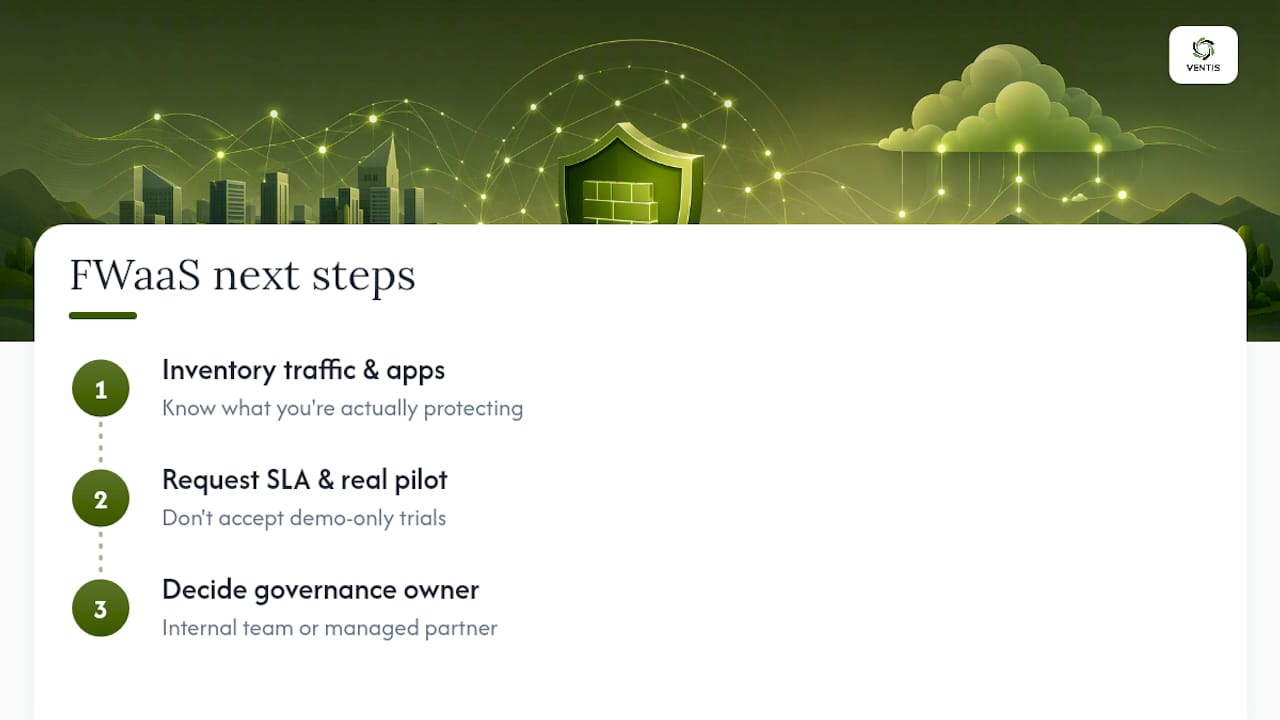
Evaluate FWaaS with three concrete steps, not a vague intention to "look into cloud security" sometime this quarter. First, inventory your current traffic flows and application footprint so you know what you're actually protecting. Second, request a written SLA and a real pilot from any vendor, not a demo environment dressed up as a trial. Third, decide upfront whether your team has the bandwidth to own ongoing policy governance or whether that work needs a managed partner.
Watch for three red flags during procurement: opaque logging or egress fees buried in the fine print, a vendor unwilling to run a genuine pilot before contract signature, and a change management process that amounts to "just call support." Any of those should slow you down.
The organizations that get FWaaS right treat it as an operational shift, not a hardware swap. Plan accordingly, and the migration pays off. Skip the governance work, and you've just moved your config sprawl problem into the cloud.
— Greg
Ready to Move Forward With FWaaS? Here's the Practical Path
Some consultative teams give Pittsburgh-area businesses a direct alternative to muddling through an FWaaS migration alone by running the pilot, cleaning up the policy sprawl, and handling the change control process most in-house IT staff simply don't have hours for.

Some assessments start with a real look at your current network setup: what traffic goes where, which applications matter most, and where a cloud firewall would actually reduce risk instead of just adding another subscription. From there, you get a phased rollout plan built around your business, not a generic template, backed by personalized service.
If your organization is also weighing unified communications alongside network security upgrades, Ventis Consulting Group's unified communications solutions page is a good next stop. Reach out to schedule an assessment and find out what a properly governed FWaaS rollout looks like for your team.
Where to Read Further on FWaaS and Cloud Security
For readers who want to go deeper on the technical and regulatory side of this topic, a few sources are worth bookmarking. Palo Alto Networks' guide to firewall as a service covers the core architecture in more technical depth than most vendor pages attempt. Fortinet's FWaaS glossary entry is a solid reference for how FWaaS sits inside SASE. Cloudflare's explainer on cloud firewalls is useful for understanding centralized policy and logging benefits.
On the cloud provider side, Azure Firewall's product documentation shows how a major cloud platform implements stateful inspection and virtual network integration directly. For governance and automation practices, the OWASP Infrastructure as Code Security Cheat Sheet is a practical reference for treating firewall policy as version-controlled code, and CISA's incident detection and response guidance rounds out the monitoring side of the equation.
Sources
- What Is Firewall as a Service (FWaaS)? | A Complete Guide
- Firewall As A Service (FWaaS) | Fortinet CyberGlossary
- What is a cloud firewall? What is firewall-as-a-service (FWaaS)? | Cloudflare