

Require passphrases of at least 15 characters, mandatory MFA on every privileged and remote account, a blocklist that screens out common and breached passwords, and enterprise password managers for everyone else. That combination reflects the NIST length-first standard and the CISA recommendation to pair every password with multifactor authentication. The implementation details, including how to roll this into Active Directory, Azure AD, and your existing SSO setup, follow below.
TL;DR:
- Passwords should be at least 15 characters long, encouraging passphrases over complexity rules, to improve security and user memorability.
- MFA must be mandatory for privileged, remote, and cloud account access to reduce risks of account compromise.
- Blocklists should target common and breached passwords meeting minimum length, and breach-check services should be used with privacy considerations.
- Regular policy reviews, exception management, and MFA adoption tracking are crucial for maintaining effective password security.
- SMBs often fail to enforce policy across environments, so phased deployment and vendor support are key to consistent implementation.
Table of Contents
- What Should a Password Policy Actually Require?
- How Do You Roll This Out Across Active Directory, Azure AD, and SSO?
- Which Technical Controls Actually Back Up the Policy?
- How Often Should You Review and Enforce the Policy?
- What Ventis Sees Go Wrong in Real SMB Environments
- Why Length and Usability Beat Legacy Complexity Rules
- Ready to Put This Policy Into Practice?
- Sources
What Should a Password Policy Actually Require?
Length beats complexity, and NIST has said so plainly: password length is the single biggest factor in password strength, and the agency's baseline is a minimum of 15 characters. CISA suggests a practical minimum length somewhat longer than the baseline for business accounts. Neither number is arbitrary. A 15 character passphrase like "horseradish7window" takes a modern cracking rig meaningfully longer to brute force than an 8 character password stuffed with symbols, and it is far easier for a human to type and remember.
That means composition rules, the old requirement for one uppercase letter, one number, one symbol, should stop being your primary control. NIST has moved away from mandatory complexity because it tends to produce predictable patterns: "Summer2024!" satisfies every rule and gets guessed in seconds. Allow spaces. Allow full sentences. Let people build passphrases rather than forcing them into a puzzle they'll solve the lazy way.
Here's what an actual policy should require:
- Minimum length: a minimum of about 15 characters for standard users, with longer encouraged for privileged accounts
- No mandatory complexity rules: allow (and encourage) passphrases with spaces
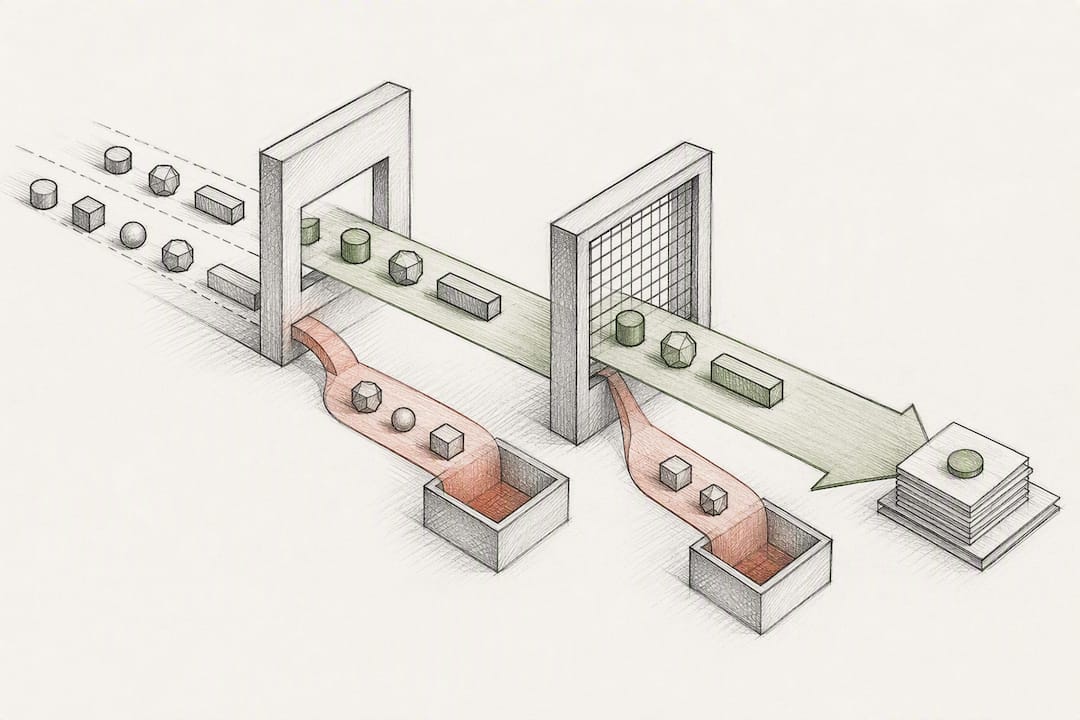
- Blocklist enforcement: screen new passwords against lists of common and previously breached credentials
- Mandatory MFA: required for all privileged accounts, remote access, and any cloud identity provider login
- Password manager provisioning: the organization supplies and manages one rather than leaving it to individual choice
- Documented exceptions: service accounts, machine accounts, and API keys get handled through a secrets vault, not a human-memorable password
Service accounts deserve their own line item. They should never share a password policy with human users. A machine account doesn't need to be "memorable," so give it a randomly generated 32+ character credential stored in a vault, rotated automatically, and never typed by a person.
Pro Tip: Draft your blocklist criteria before you pick a vendor. A policy that says "block the top 100,000 breached passwords that meet minimum length" is enforceable and auditable. A vague instruction to "block weak passwords" is not.
How Do You Roll This Out Across Active Directory, Azure AD, and SSO?
Writing the policy is the easy part. Getting it consistently enforced across a mixed environment of on-premises Active Directory, Azure AD, and third-party SaaS logins takes a sequence, not a single toggle.
- Update your Group Policy or Fine-Grained Password Policy in AD to set minimum length to 15 characters, disable forced complexity where feasible, and configure password history to prevent immediate reuse.
- Mirror the settings in Azure AD through Microsoft's own admin tools, which now recommend a 14+ character minimum and blocklisting of easy-to-guess terms tied to your organization's name and products, per Microsoft's guidance.
- Configure your identity provider or SSO platform to require MFA at login, not just on first enrollment, and confirm it accepts longer passphrases without truncating them (some legacy connectors silently cap input at 16 or 20 characters).
- Procure an enterprise password manager and integrate it with SSO so employees log in once and let the manager generate and store the rest, rather than juggling a dozen browser prompts.
- Move every service account, script credential, and API key into a secrets vault instead of a shared spreadsheet or a password that hasn't changed since 2019.
The Azure AD and SSO layers are where most SMBs stall, mostly because conditional access rules get set once and forgotten. Reviewing conditional access policies on a quarterly basis catches drift before it becomes a gap an attacker finds first, and mapping identity settings correctly matters even more once you've moved core workloads to cloud infrastructure.
Which Technical Controls Actually Back Up the Policy?
A written policy without backend enforcement is a suggestion, not a control. A few pieces have to work together.
Rate limiting and account lockout involve a real trade-off. Lock an account after three failed attempts and you've handed an attacker an easy denial-of-service lever against your own employees. NIST's guidance leans toward throttling, slowing repeated attempts, rather than hard lockouts, combined with monitoring for patterns that suggest credential stuffing.
Storage matters just as much as policy language. NIST SP 800-63 lays out expectations for verifiers: passwords must be salted and run through an iterative hashing algorithm, never stored in plain text or a reversible format. If your vendor can tell you what a user's password is, that vendor has already failed the basic requirement.
- Keep blocklists focused on common and breached passwords that meet your minimum length, not an exhaustive dictionary that generates constant false positives
- Screen against breach-check services where privacy handling is documented and defensible
- Log every failed authentication attempt and flag spikes tied to a single account or IP range
On authenticator types, not all MFA is equal. SP 800-63 maps authentication methods to assurance levels (AAL1 through AAL3), and phishing-resistant options, authenticator apps, passkeys, hardware security keys, sit well above SMS or email one-time codes. If you're securing a mobile workforce, the same logic that protects business email from phishing applies to the device holding your MFA app, and travelers relying on public networks should follow mobile security precautions that keep that authenticator out of reach of anyone else.
How Often Should You Review and Enforce the Policy?
A password policy isn't a document you file and forget. It needs a review cadence, an exception process, and a way to measure whether it's actually working.
- Review the policy annually or after any significant breach disclosure affecting your vendors
- Route exceptions (legacy systems that can't handle long passphrases, for instance) through a documented approval with compensating controls like network segmentation
- Track MFA adoption rate, blocked breached-password attempts, and helpdesk reset volume as your core health metrics
- Train users on building memorable passphrases and spotting phishing rather than lecturing them on symbol requirements
- Force a reset only when there's evidence of compromise, not on a fixed calendar
Forced rotation on a fixed schedule, the old "change your password every 90 days" rule, tends to backfire. Users facing constant forced changes gravitate toward predictable patterns like incrementing a number at the end, which undercuts the whole point. Reserve resets for actual compromise events, and pair every one with a clear notification to affected users about what happened and what to do next. Documenting that process alongside your broader compliance framework gives you something concrete to point to during an audit.
What Ventis Sees Go Wrong in Real SMB Environments
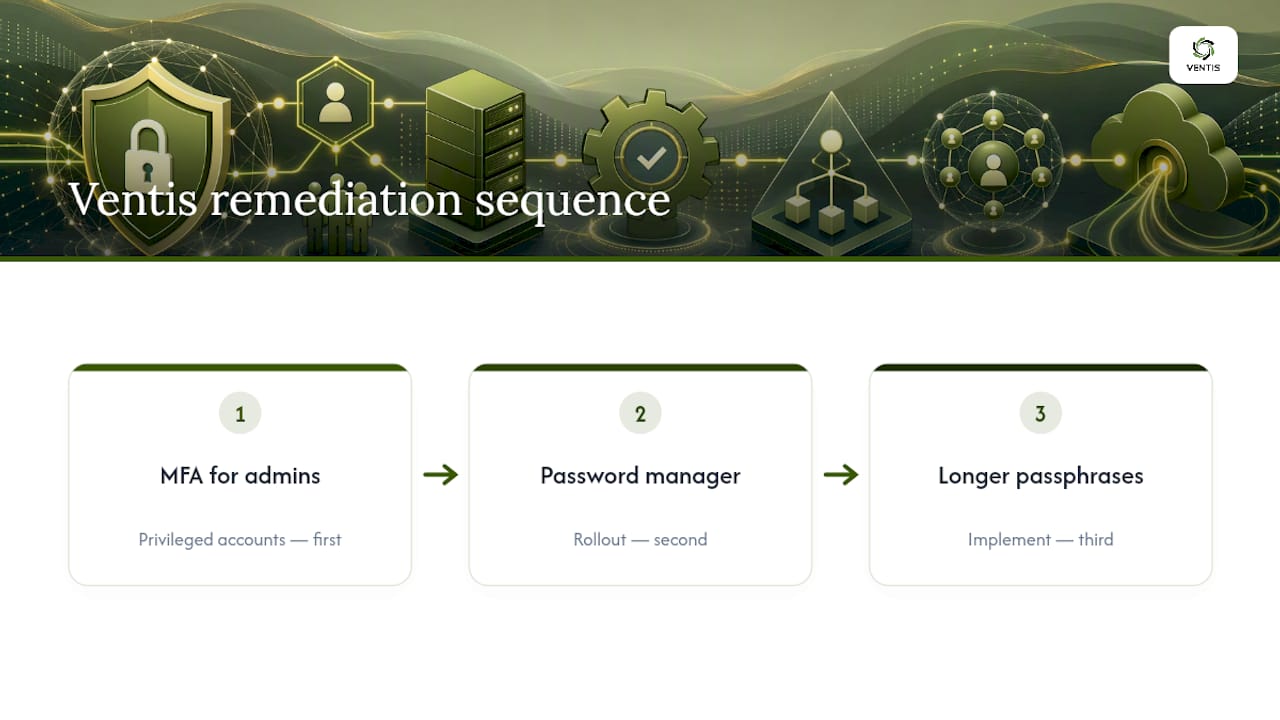
The recurring failure isn't a weak policy document. It's the gaps a policy never touched: a shared admin login on the office router still set to its factory default, or a finance team's shared drive protected by a password nobody's changed since the account was created. When budget and time are limited, Ventis tells clients to sequence the work: MFA on privileged accounts first, a password manager rollout second, longer passphrases third. Our cybersecurity assessment checklist is a reasonable starting point for finding those gaps before someone else does.
Why Length and Usability Beat Legacy Complexity Rules
Complexity rules feel rigorous and produce weak passwords in practice. Length, MFA, and a password manager cost users less friction and deliver better outcomes. Organizations that lead with passphrases and manager provisioning tend to see MFA adoption climb and helpdesk reset tickets drop, because the policy stops fighting the way people actually behave. Roll it out in phases. Privileged accounts first, everyone else on a measured timeline, never as one disruptive mandate on a Monday morning.
— Greg
Ready to Put This Policy Into Practice?
Writing the policy is one afternoon. Enforcing it correctly across Active Directory, Azure AD, your SSO provider, and every SaaS login your team touches is where most in-house IT teams run out of hours. Some providers handle that full deployment for small and mid-sized businesses: drafting the policy language, configuring conditional access rules, rolling out enterprise password managers with SSO integration, and getting MFA enforced on every account that needs it, not just the ones someone remembered.

Engagements typically start with a short assessment to see where your current setup stands against the length, MFA, and blocklist baseline covered above, then move into phased deployment so nothing breaks for your users on day one. If you're ready to see where your organization's identity controls actually stand, get in touch through our unified communications and security services page and we'll walk through what a rollout looks like for your environment.
Sources
- How Do I Create a Good Password? | NIST
- NIST Special Publication 800-63: Digital Identity Guidelines (SP 800-63)
- Require Strong Passwords | CISA
- Password policy recommendations for Microsoft 365 passwords