

To protect business email from phishing attacks right now, enforce multi-factor authentication (MFA), publish SPF/DKIM/DMARC records, activate email filtering, and run an immediate containment check if an attack is already active. CISA guidance and the UK NCSC layered defense model both put technical controls first, because no amount of training alone stops a well-crafted phishing email. Ventis Consulting Group helps SMBs in Pittsburgh and Western PA implement exactly this kind of layered approach.
Your 24-hour priority checklist:
- Enable MFA on every email account (Microsoft 365, Google Workspace, or both)
- Verify SPF, DKIM, and DMARC DNS records are published and enforced
- Activate your email gateway's spam and phishing filters at maximum sensitivity
- If an attack is active: isolate the affected account, force a password reset, and revoke active sessions
- Notify your IT lead or managed provider immediately so they can begin containment
Table of Contents
- Why email is your biggest attack surface
- What technical controls every SMB must deploy
- How to limit damage if phishing succeeds
- How to run a phishing awareness program that actually works
- Your 24-hour, 30-day, and 90-day implementation roadmap
- When should you hire a managed IT or security partner?
- Key Takeaways
- The case for technical-first defenses
- Ventis Consulting Group can build this for you
- Useful sources and further reading
Why email is your biggest attack surface
Email is the single largest entry point for cyberattacks on small and mid-sized businesses, and securing it protects the entire network. A single phishing click can hand an attacker valid credentials, giving them access to file shares, financial systems, and cloud storage in minutes. From there, the path to ransomware or business email compromise is short.
One campaign sent thousands of emails. The vast majority were stopped by server-side filtering before reaching any employee. The NCSC documented this case to show exactly what a properly configured email gateway does before a single employee ever sees a malicious message.
The consequences of a successful attack go beyond the immediate breach. Under U.S. state data breach notification laws, a compromised email account containing customer or employee personal information triggers mandatory disclosure obligations. For most SMBs, the legal and reputational cost of that notification far exceeds the cost of prevention.
What technical controls every SMB must deploy
The non-negotiables are SPF/DKIM/DMARC, phishing-resistant MFA, a secure email gateway or advanced threat protection (ATP), attachment sandboxing, URL rewriting, and outbound monitoring with data loss prevention (DLP). Sophos and the NCSC both recommend shifting to a technical-first model because sophisticated phishing will eventually bypass human detection.
Configuration checklist:
- SPF: Publish a DNS TXT record listing every server authorized to send on your domain. Common pitfall: forgetting third-party senders like your CRM or marketing platform.
- DKIM: Enable signing in your mail platform (Microsoft 365 or Google Workspace). Verify the public key is published in DNS.
- DMARC: Start with
p=noneto monitor, then move top=quarantineorp=rejectonce you confirm no legitimate mail is failing. The Canadian Centre for Cyber Security lists this progression as foundational. - MFA: Hardware security keys (FIDO2) or authenticator apps are phishing-resistant. SMS codes are not. Fortinet guidance ranks MFA as the single highest-impact account protection.
- Secure Email Gateway / ATP: Enable link rewriting (URLs are re-scanned at click time), sandboxing for attachments, and anti-spoofing rules.
- Outbound DLP: Monitor outgoing mail for sensitive data patterns. An attacker who has already compromised a mailbox will use it to exfiltrate data or pivot to other employees.
Pro Tip: Business Email Compromise (BEC) attacks use clean text and no malicious links, so signature-based filters miss them entirely. Enable behavioral analytics or mailbox intelligence in your gateway. These tools analyze historical communication patterns and flag messages that deviate from normal sender behavior, catching impersonation attempts that look legitimate on the surface.
How to limit damage if phishing succeeds

Technical defenses reduce hits, but operational controls limit blast radius and speed recovery when something gets through. The goal is to make sure one compromised account cannot become a company-wide incident.
Start with least privilege. Every employee should have access only to the systems and data their role requires. Service accounts are a common weak point: they often carry broad permissions and rarely get reviewed. Audit them quarterly and restrict them to specific IP ranges or tasks where possible.
Network segmentation keeps a compromised endpoint from reaching your entire environment. Even a basic VLAN separation between your finance team and general staff reduces lateral movement significantly. Pair that with role-based access controls in Microsoft 365 or Google Workspace, and an attacker who steals one set of credentials hits a wall quickly.
Verified, offline backups are your recovery safety net. Test restores monthly, not just the backup job itself. A backup that has never been tested is not a backup. The NCSC recommends a rehearsed incident response plan alongside fast detection, because the speed of containment directly determines how much damage a breach causes.
How to run a phishing awareness program that actually works
Training is necessary, but it must be continuous and integrated with your technical controls. CISA is direct on this point: once-a-year training is not enough. Threats evolve constantly, and employees need regular reinforcement to stay sharp.
Training best practices:
- Run simulated phishing exercises at least quarterly, varying the lure type (invoice, HR notice, IT alert)
- Track click rates and report rates separately. A falling click rate with a rising report rate is the goal.
- Keep training sessions short (10–15 minutes) and scenario-based rather than lecture-style
- Reward reporting, never punish clicking. A culture where employees fear embarrassment will suppress reports.
- Assign a designated person (IT lead or managed provider) to share threat updates between formal sessions, per CISA guidance
Employee reporting workflow:
- Employee receives a suspicious email.
- Do not click any link, open any attachment, or reply to the message.
- Do not use any phone number or contact detail listed in the suspicious email.
- Use a known phone number or a trusted internal directory to verify the request out-of-band. This is the verification method CISA recommends for all suspicious requests.
- Forward the email as an attachment to your IT lead or managed provider's designated reporting address.
- Document the report in your incident log (date, sender, action taken).
For deeper guidance on building this culture, see Ventis Consulting Group's guide on employee cybersecurity awareness training.
Your 24-hour, 30-day, and 90-day implementation roadmap
Focus on containment and basic authentication in the first 24 hours, add MFA and filtering within 30 days, then advance to behavioral analytics and segmentation by 90 days.
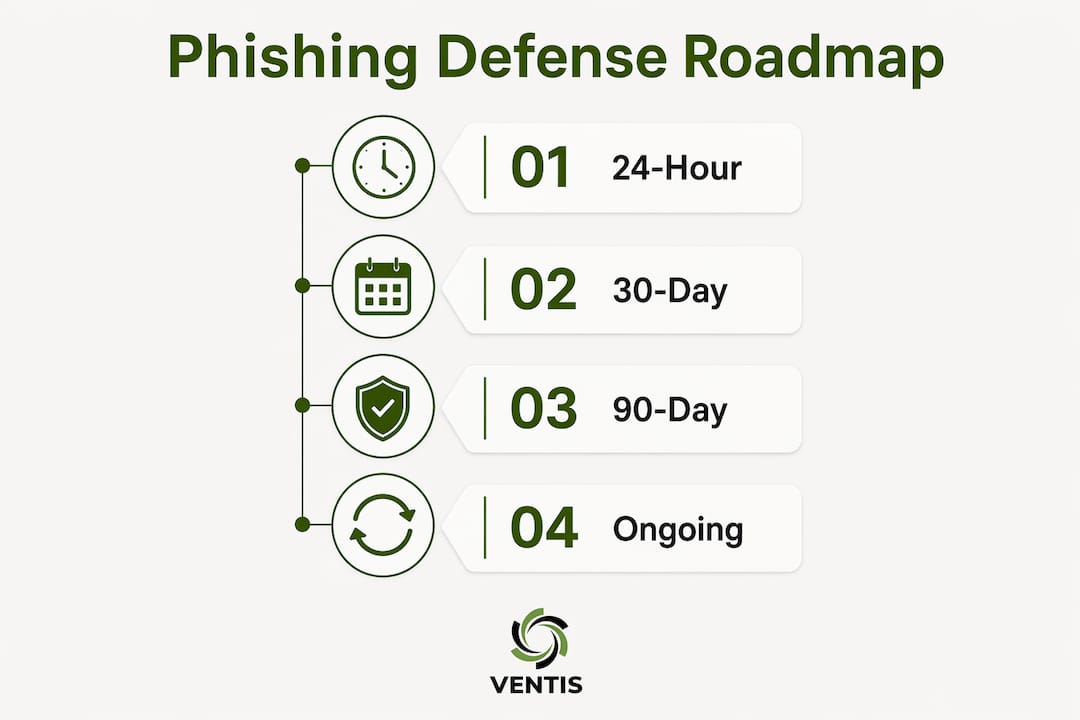
| Phase | Actions | Owner | Cost Band |
|---|---|---|---|
| 24 hours | Force MFA on all email accounts; verify SPF/DKIM/DMARC; isolate any active incident | IT lead / MSP | Low ($0–$50) |
| 30 days | Deploy secure email gateway or ATP; enable URL rewriting and sandboxing; publish DMARC at quarantine | IT lead / MSP | Medium ($50–$200/mo) |
| 90 days | Enable behavioral analytics / mailbox intelligence; implement network segmentation; launch phishing simulation program; test backup restores | IT lead / MSP | Medium–High ($200–$400/mo) |
Prioritization checklist:
- Fewer than 10 employees: focus on MFA and DMARC first; use built-in Microsoft 365 Defender or Google Workspace protections before adding a third-party gateway
- 10–50 employees: add a dedicated secure email gateway and begin quarterly simulations
- 50+ employees: invest in behavioral analytics, MDR integration, and a formal incident response playbook
When should you hire a managed IT or security partner?
Hire a partner when your in-house team cannot implement or sustain technical-first layered defenses and continuous monitoring. For most SMBs, that threshold arrives quickly.
Questions to ask any provider:
- What is your SLA for incident detection and response?
- Do you support phishing-resistant MFA (FIDO2 / hardware keys)?
- How do you integrate with Microsoft 365 or Google Workspace?
- Do you have a documented incident response playbook you can share?
- What logging and anomalous sign-in detection do you provide?
- Can you support breach notification documentation if required?
Red flags:
- No incident response playbook or unwilling to share one
- Cannot provide references from SMB clients in your industry
- Pricing is unclear or changes significantly after onboarding
- No support for phishing-resistant MFA methods
Ventis Consulting Group handles the full scope for SMBs: email gateway deployment, MFA rollout, DMARC configuration, monitoring, simulated phishing, and incident response. Their managed detection and response service keeps eyes on your environment around the clock, so your team does not have to.
Key Takeaways
A technical-first, layered approach to email security is the most reliable way to protect business email from phishing attacks, combining authentication protocols, MFA, gateway filtering, and continuous training.
| Point | Details |
|---|---|
| Start with MFA and DMARC | These two controls deliver the highest immediate impact and can be deployed in under 24 hours. |
| Layer technical controls | SPF, DKIM, DMARC, a secure email gateway, sandboxing, and behavioral analytics work together to stop what individual tools miss. |
| Make training continuous | CISA confirms that once-a-year training is insufficient; quarterly simulations and a clear reporting workflow are the standard. |
| Limit blast radius operationally | Least privilege, network segmentation, and tested backups determine how much damage a successful attack actually causes. |
| Ventis Consulting Group | Provides managed email security, MFA rollout, monitoring, and incident response for SMBs in Pittsburgh and Western PA. |
The case for technical-first defenses
Most phishing guidance still leads with employee training. That instinct is understandable, but it puts the heaviest burden on the people least equipped to carry it. A well-crafted spear-phishing email will fool a careful, experienced employee. Behavioral analytics and a properly configured email gateway will not be fooled the same way, because they are not reading for meaning. They are comparing patterns, sender history, and authentication signals against a baseline.
That does not make training irrelevant. It makes training the second line of defense, not the first. The combination works: technical controls stop the bulk of attacks automatically, and a trained workforce catches the edge cases and reports them quickly. Neither alone is enough. The businesses that get this right are the ones that stop treating security awareness as a compliance checkbox and start treating it as a reinforcement layer on top of solid technical infrastructure.
Ventis Consulting Group's 5-star client rating reflects what happens when SMBs get both layers right, with a local team that knows their environment and stays ahead of emerging threats.
Ventis Consulting Group can build this for you
Phishing protection is not a one-time project. It is an ongoing program that requires the right technical stack, regular tuning, and a team that responds when something gets through. Ventis Consulting Group delivers exactly that for SMBs across Pittsburgh and Western PA: managed email security, MFA deployment, secure gateway configuration, behavioral monitoring, simulated phishing exercises, and incident response support, all under a single managed services agreement with no guesswork about who handles what.

If you are ready to move from reactive to protected, start with a security assessment. Ventis Consulting Group will map your current email security posture, identify the gaps, and give you a prioritized plan you can act on immediately. Reach out through Ventis Consulting Group's managed communications and security page to schedule your assessment today.
Useful sources and further reading
- Teach Employees to Avoid Phishing | CISA — CISA's step-by-step guidance for SMBs on phishing recognition, reporting workflows, and continuous training programs.
- Phishing attacks: defending your organisation | NCSC — The UK NCSC's four-layer mitigation model, including the 1,800-email campaign case study demonstrating the value of server-side filtering.
- Email security best practices (ITSM.60.002) | Canadian Centre for Cyber Security — Foundational guidance on SPF, DKIM, DMARC, encryption, and BEC threat context.
- What is email security? | Microsoft Security — Explains layered email defenses including ATP, DLP, MFA, and Zero Trust architecture for business environments.
- What is email security? | Sophos — Covers secure email gateways, behavioral analytics, sandboxing, and the technical-first argument for SMB defenses.
- 8 Best Practices for Enterprise Email Security | Fortinet — Practical MFA and password hygiene recommendations applicable to SMB environments.