

Most business owners think of security cameras as a tool you check after something goes wrong. That framing is costing them money. Research shows that visible cameras deter 60% of burglaries before they even start, meaning the biggest value comes before any incident occurs. Understanding why businesses need security cameras goes well beyond recording footage. Done right, commercial video surveillance protects your assets, reduces operating costs, resolves disputes faster, and gives you documentation that holds up legally. This guide covers all of it, with the detail you need to make a smart decision.
Table of Contents
- Key Takeaways
- Why businesses need security cameras: crime deterrence first
- The real cost comparison: cameras vs. guards
- Operational benefits beyond crime prevention
- Managing footage for disputes, legal claims, and privacy
- My take on what most businesses get wrong with cameras
- How Ventisconsulting can help you get this right
- FAQ
Key Takeaways
| Point | Details |
|---|---|
| Cameras deter crime proactively | Visible placement stops most theft attempts before they happen, not just after. |
| Cameras cost less than guards | Remote 24/7 monitoring through a camera system runs far cheaper than staffed security personnel. |
| Insurance discounts are real | Well-documented surveillance systems can lower your premiums by 5% to 20%. |
| Footage resolves disputes fast | Clear video timelines cut through conflicting accounts in customer claims and workplace incidents. |
| Cameras support, not replace, safety programs | Video documentation strengthens workplace safety records but does not substitute OSHA compliance. |
Why businesses need security cameras: crime deterrence first
The term used in security circles is "commercial video surveillance," and its deterrence effect is more powerful than most people realize. When a potential thief scans your property and spots cameras positioned at entry points and high-value areas, they typically move on. That is not opinion. It is documented behavior in studies on criminal decision-making.
For small retailers, the financial stakes are particularly sharp. Shoplifting losses run thousands per incident for small businesses, and those numbers accumulate fast across a year. Cameras placed correctly at cash registers, stockrooms, and exits change that math significantly.
Beyond passive deterrence, modern systems add active detection. Smart cameras differentiate between routine movement and suspicious behavior, sending targeted alerts rather than triggering false alarms constantly. That means you or your team can respond to real threats in real time, not just review footage hours later.
"Security cameras are not just evidence collectors. They are continuous awareness tools that shift the risk calculation for anyone considering targeting your business."
A layered security strategy combines cameras with access controls, alarm systems, and proper lighting. Cameras alone are powerful. Cameras as part of a coordinated system are far more effective.
- Cameras at entry and exit points catch the majority of unauthorized access attempts
- Interior cameras near high-value merchandise or cash handling create a secondary deterrent layer
- Exterior cameras covering parking lots extend protection beyond your four walls
- 24/7 continuous monitoring and playback capability means no coverage gaps, even overnight
Pro Tip: Position at least one camera so that it captures clear facial images at your main entrance. Footage of poor quality is nearly useless in law enforcement referrals.
The real cost comparison: cameras vs. guards
One of the clearest advantages of business security is the cost structure. Hiring a single full-time security guard in the Pittsburgh area costs upward of $35,000 to $50,000 per year when you factor in wages, benefits, and scheduling. A well-designed camera system with cloud storage and remote access can cover the same property around the clock at a fraction of that cost.

Cameras allow remote monitoring from any device with internet access, which means you are not paying for someone to sit in a control room. You check in when you need to. Your managed IT provider monitors continuously in the background. That flexibility matters for businesses operating with lean staffing.
Here is a straightforward comparison to put the numbers in context:
| Security Option | Approximate Annual Cost | Coverage Hours | Remote Access |
|---|---|---|---|
| Full-time security guard | $35,000 to $50,000+ | 40 hours/week per guard | No |
| Part-time guard (evenings only) | $15,000 to $25,000 | Limited hours | No |
| Camera system with remote monitoring | $3,000 to $10,000 | 24/7/365 | Yes |
| Camera system with managed IT support | $5,000 to $15,000 | 24/7/365 | Yes, with alerts |
The insurance angle adds another layer of financial return. Premium discounts tied to surveillance systems commonly range from 5% to 20%, depending on your carrier and the quality of your setup. For a business paying $10,000 per year in commercial property insurance, that translates to $500 to $2,000 back annually. Over five years, the system has paid for itself in insurance savings alone, before you count a single prevented theft or resolved dispute.
Insurance companies treat footage quality as a direct risk indicator. Higher resolution, better coverage angles, and documented retention policies all factor into how insurers assess your risk profile.
Pro Tip: Ask your insurance broker specifically about surveillance discounts before installing your system. Some carriers require documentation of camera specs and storage policies to apply the discount.
Operational benefits beyond crime prevention
Here is where the security camera ROI for businesses gets underappreciated. Cameras do not just protect against crime. They create a record of how your business actually operates day to day, and that record has real value.
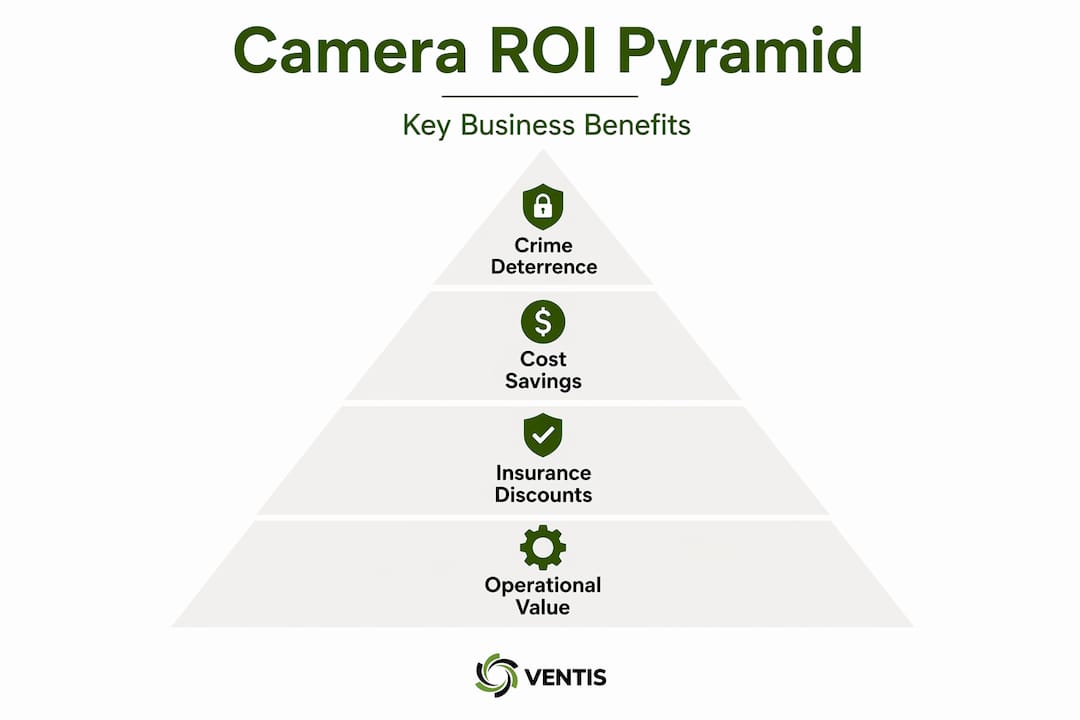
For operations with multiple employees or physical workflows, video review helps managers identify bottlenecks, confirm that procedures are being followed, and reconstruct the sequence of events after an incident. You are not relying on memory or second-hand accounts. You are looking at what actually happened.
Workplace safety is a significant piece of this. Video documentation supports safety investigations by confirming timelines, identifying contributing factors, and documenting whether safety protocols were in place at the time of an incident. If a worker's compensation claim goes to dispute, having objective footage is a substantial advantage. That said, cameras support OSHA compliance efforts but do not replace required safety programs, training, or documentation under federal guidelines.
The perception effect matters too. Employees and customers who see cameras in place feel safer. That feeling translates into real behavior:
- Employees are less likely to take safety shortcuts when they know incidents are documented
- Customers feel more confident in your store or facility, which influences purchasing behavior
- Delivery personnel and contractors operate more carefully in monitored spaces
- Incidents of internal theft, which accounts for a significant share of retail losses, drop noticeably
The key to getting operational value from footage is having a system that makes review fast and accessible. A modern cloud-based setup lets you pull up a specific camera, jump to a time stamp, and export a clip in minutes. If your system requires digging through physical DVRs or slow downloads, the operational benefit disappears in frustration.
Pro Tip: Set up named camera locations and consistent naming conventions in your recording software from day one. When you need to find footage quickly during a dispute or investigation, organized labeling saves significant time.
Managing footage for disputes, legal claims, and privacy
Having video is one thing. Using it effectively is another. Strong business security practices around footage management determine whether your recordings actually hold up when you need them most.
Here is a practical approach to managing video evidence:
- Retain footage for an appropriate window. Most businesses keep footage for 30 to 90 days. For higher-risk environments or active incidents, extend retention on relevant clips immediately. Overwritten footage cannot be recovered.
- Create cause-and-effect clips for external sharing. Sharing specific clip segments that show the sequence leading to and following an incident gives investigators what they need without exposing unrelated footage.
- Apply redaction before external release. Face and license plate blurring protect individuals not involved in the incident and reduce your liability exposure when footage is shared with insurers or law enforcement.
- Restrict access to footage. Limit who can view, export, or delete recordings. Audit logs that track who accessed footage and when add an important accountability layer.
- Document your retention and access policies in writing. If a dispute ever reaches litigation, you want to show that your footage management follows a consistent, documented policy. This strengthens the credibility of the evidence you provide.
The strongest evidentiary value of footage comes from its ability to replace conflicting witness accounts with an objective timeline. Customer return fraud, slip-and-fall claims, and delivery damage disputes are all categories where a clear video record resolves the situation quickly and conclusively.
Privacy considerations do apply. Post visible notices that surveillance is in use, review state-specific rules on audio recording, and avoid placing cameras in areas where employees have a reasonable expectation of privacy, such as restrooms or break rooms.
My take on what most businesses get wrong with cameras
I've worked with a lot of small and mid-sized businesses on security planning, and the pattern I see most often is this: owners install cameras, feel like the job is done, and never build the systems around them that make the investment worthwhile.
Cameras are a tool. Without a clear policy on who reviews footage, how long it's retained, and what triggers a review, you have hardware that creates a false sense of security. I've seen businesses confidently show me their camera setup, then discover during an actual incident that the storage was full, the resolution was too low to identify anyone, or nobody could log into the system because the password had been lost.
The other thing I'd push back on is treating cameras as a substitute for employee trust. Monitoring your team is a legitimate operational need. But if cameras are deployed as a way to catch employees rather than protect the business as a whole, the culture damage is real. Be transparent with your team about what cameras cover, why they're there, and how footage is used. That conversation takes ten minutes and prevents months of morale problems.
My practical advice: integrate your camera system with your broader IT infrastructure from the start. Cameras connected to your business network need the same cybersecurity protections as any other device. A camera with an unchanged default password is a network vulnerability, not a security asset.
— Greg
How Ventisconsulting can help you get this right

Security cameras are only as effective as the infrastructure behind them. At Ventisconsulting, we help small and mid-sized businesses in Pittsburgh design, deploy, and manage surveillance systems that actually work within their IT environment. That means cameras connected securely to your network, footage stored and accessible the right way, and a clear plan for how your system integrates with the rest of your technology.
We handle everything from initial assessment through ongoing managed IT support for your security setup. You get professional installation, remote monitoring options, and a team that knows your system when you need help fast. Our consultative approach means you get recommendations built around your actual business, not a generic package.
Ready to see what the right security setup looks like for your operation? Explore our managed IT and security solutions and let's talk about what fits.
FAQ
How much do security cameras deter crime for businesses?
Research shows that visible cameras prevent roughly 60% of burglary attempts, making deterrence the single largest return on a camera investment for most businesses.
Can security cameras lower my business insurance premiums?
Yes. Many commercial insurers offer discounts ranging from 5% to 20% for documented surveillance systems, depending on camera quality, coverage, and your retention policies.
Are security cameras worth the cost compared to hiring a guard?
A camera system with remote monitoring typically costs a fraction of a full-time guard while providing 24/7 coverage. For most small businesses, cameras offer better cost efficiency than on-site personnel.
Do business security cameras help with legal disputes?
Yes. Clear video timelines replace conflicting witness accounts in customer claims, workplace incidents, and delivery disputes, making footage one of the most defensible forms of evidence available to a small business owner.
Do security cameras replace OSHA safety requirements?
No. Cameras support workplace safety programs by documenting incidents and timelines, but they do not substitute for the training, procedures, and compliance documentation required under OSHA safety regulations.