

Your security cameras were installed to protect your business. But right now, they may be doing the opposite. Why security camera cybersecurity matters is not a question reserved for large enterprises with dedicated IT teams. Small and mid-sized businesses are actively targeted, often because attackers know their cameras are less likely to be properly secured. The threats are real, they are accelerating, and the consequences go well beyond a privacy violation. This article breaks down exactly what you are up against and what you can do about it today.
Table of Contents
- Key takeaways
- Why security camera cybersecurity matters: the real consequences
- Common vulnerabilities putting your cameras at risk
- How to secure your security cameras: practical strategies
- Emerging technology trends in camera cybersecurity
- How camera breaches actually disrupt your business
- My take on camera cybersecurity for SMBs
- Protect your camera network with Ventisconsulting
- FAQ
Key takeaways
| Point | Details |
|---|---|
| Cameras are network entry points | Compromised cameras can give attackers access to your entire business network, not just your video feed. |
| Exploitation happens fast | The window between a vulnerability being discovered and it being actively exploited has shrunk to as little as 4 days. |
| Default settings are dangerous | Most cameras ship with weak default credentials that most business owners never change, making them easy targets. |
| Segmentation limits damage | Placing cameras on their own isolated network segment prevents an attacker from moving laterally into your core systems. |
| Automation is now required | Manual patching can no longer keep up with the speed of modern exploits; automated lifecycle management is a necessity. |
Why security camera cybersecurity matters: the real consequences
Most business owners think of a compromised security camera as a privacy problem. Someone might see footage they should not. That concern is valid, but it seriously underestimates the threat.
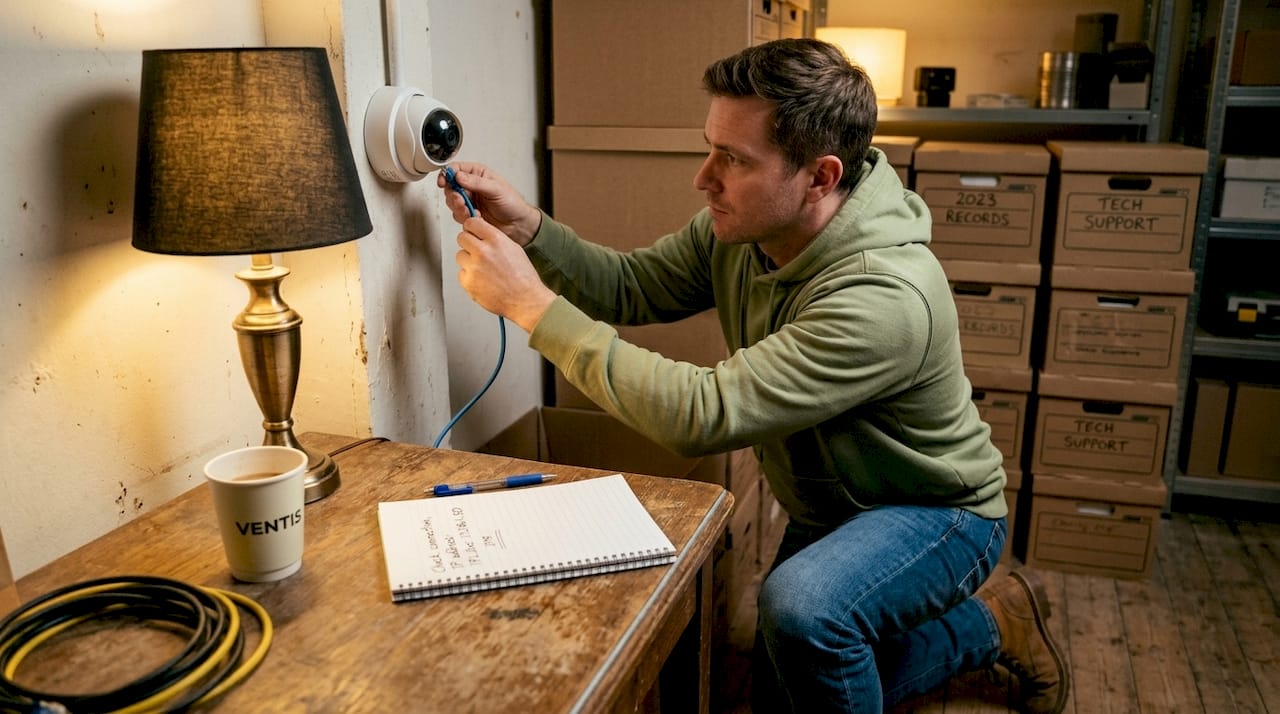
Cameras connected to your network are network devices. Full stop. When an attacker gains access to one, they do not just see what the camera sees. They get a foothold inside your infrastructure. Compromised cameras can be exploited as a launching point to infiltrate broader business networks and deploy ransomware. Your file servers, point-of-sale systems, and customer data are all potentially reachable from that one unsecured camera on the loading dock.
The exposure goes even further when you factor in the physical consequences. Cyber breaches can disable building access controls and safety systems. An attacker who controls your cameras may also control who can enter your building. That is not a cybersecurity problem anymore. That is a physical safety problem.
Here is what is at stake when your surveillance system is left unprotected:
- Privacy violations. Footage of employees, customers, and sensitive areas can be accessed and weaponized or sold.
- Network infiltration. Cameras serve as an open door to servers, workstations, and cloud applications.
- Operational disruption. Ransomware deployed through cameras can lock down your entire business.
- Physical security failures. Access control and alarm systems tied to your network become controllable by outsiders.
"Camera cybersecurity is no longer just an IT issue. It is a critical part of business continuity and physical safety." — Security Today
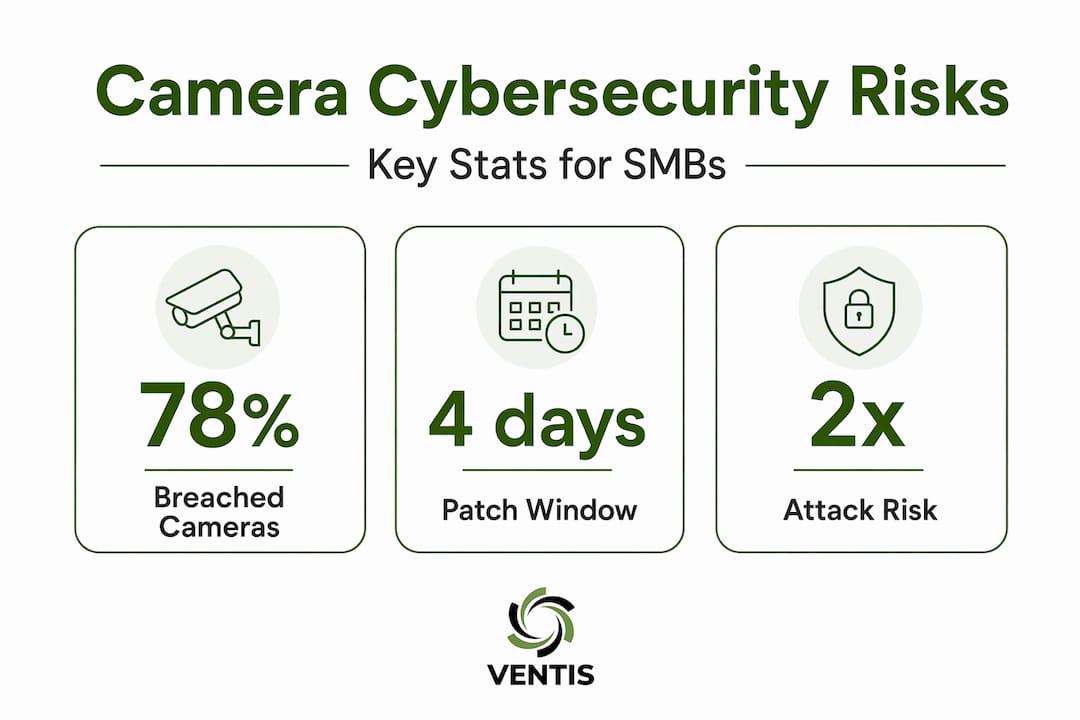
The scope of the problem is broader than most realize. 78% of security and risk professionals reported experiencing potential breaches involving physical security systems in the past year. And as cameras take on more business intelligence roles, the stakes go up. Video surveillance use for business intelligence nearly doubled from 20% to 38% between 2024 and 2025. More data processed by cameras means more to lose if they are compromised.
Common vulnerabilities putting your cameras at risk
Understanding how cameras get compromised is the first step toward stopping it. The weaknesses are well-documented and, frankly, avoidable with the right approach.
Default credentials that nobody changes
Most IP cameras ship with a factory-set username and password like "admin/admin" or "admin/12345." Attackers use automated tools to scan the internet for these devices and log in within minutes of finding one. Default credentials, backdoor accounts, and outdated firmware are among the most commonly exploited weaknesses in networked camera systems. Changing those defaults at installation is basic, but it is skipped more often than you would think.
The Action Gap in firmware updates
Here is a statistic that should get your attention. The time between vulnerability disclosure and exploitation dropped to just 4 days in 2025, compared to 63 days in 2019. That window is what security professionals call the "Action Gap." If you are waiting for an IT person to manually update firmware across a dozen cameras spread across multiple locations, you will almost certainly miss that window. Automated patching is no longer optional.
Open ports and internet-facing devices
Many cameras are configured with ports left open for remote viewing convenience. That same convenience is what attackers look for. A camera exposed directly to the internet with no firewall protection is essentially an unlocked door. Reducing internet-facing exposure through proper firewall rules and VPN-based remote access closes this attack vector significantly.
Weak cloud management portal security
If you manage your cameras through a cloud dashboard, the security of that portal matters as much as the cameras themselves. Compromised admin credentials on cloud portals give attackers full system control. Without strong multi-factor authentication and strict access controls, a single phished password hands over your entire surveillance system. Two-factor authentication must be implemented thoughtfully, because weak recovery workflows can bypass it entirely.
Pro Tip: When evaluating cloud-managed camera systems, ask the vendor specifically about their MFA options, session timeout policies, and whether admin access is logged and auditable. These are often overlooked but matter a great deal.
- Change all default usernames and passwords immediately after installation.
- Disable any ports or services on the camera that you are not actively using.
- Require MFA for every cloud management portal tied to your surveillance system.
- Document your camera firmware versions and set a scheduled review cadence.
- Confirm with your vendor whether automatic updates are supported and enable them.
How to secure your security cameras: practical strategies
Good news: the most effective protections are not complicated, and most of them are within reach for any small or mid-sized business. What matters is prioritizing them and staying consistent.
Network segmentation is your first line of defense
Put your cameras on their own isolated VLAN or guest network, completely separate from your core business systems. Segmenting cameras into isolated VLANs drastically reduces risk because even if a camera is compromised, the attacker cannot move laterally into your file servers or internal workstations. This single step eliminates the most dangerous consequence of a camera breach.
Apply zero trust principles to your camera network
Zero trust means no device is trusted automatically, regardless of where it sits on your network. Zero trust architecture prevents lateral movement and limits damage from any compromised device. Applied to cameras, this means each device must authenticate before communicating with other systems, access is limited strictly to what the camera needs, and nothing gets a free pass just because it is on your network already.
Pro Tip: You do not need an enterprise security budget to apply zero trust thinking. Start by asking: does this camera need access to anything beyond its recording destination? If not, block everything else at the network level.
Here is a side-by-side look at how secured and unsecured camera environments compare:
| Factor | Unsecured cameras | Secured cameras |
|---|---|---|
| Network access | Connected to main business network | Isolated on dedicated VLAN |
| Credentials | Default factory settings | Unique, strong passwords per device |
| Firmware | Manually updated, infrequent | Automated, monitored continuously |
| Cloud portal access | Password only | MFA with access logging |
| Breach impact | Full network exposure | Contained to camera segment |
Monitor traffic and audit access regularly
Unusual camera behavior, like unexpected outbound connections or traffic spikes at odd hours, is often the first sign of a compromise. Set up network monitoring that includes your camera segment, and review access logs on your cloud management portal at least monthly. Most SMBs skip this step entirely, which means a compromise can go undetected for weeks.
- Watch for cameras initiating connections to unfamiliar external IP addresses.
- Set alerts for any new device added to your camera network.
- Review cloud portal login history and flag any access from unrecognized locations.
- Confirm that all cameras are running the latest approved firmware version on a scheduled basis.
Emerging technology trends in camera cybersecurity
The tools available to protect camera systems are improving rapidly. Understanding what is coming helps you make smarter purchasing and infrastructure decisions today.
Zero Trust Connectivity at the network layer is one of the most promising developments. It protects IoT devices like cameras without requiring endpoint agents or centralized decryption, which makes it well suited for surveillance environments where privacy of footage is paramount.
AI-powered anomaly detection is being built into camera management platforms, flagging unusual device behavior automatically rather than relying on manual log reviews. Hybrid edge and cloud architectures are also changing how video data is processed, reducing the volume of sensitive footage that ever leaves your premises.
| Trend | What it means for your business |
|---|---|
| Zero Trust Connectivity | Network-level protection for cameras without complex software installs |
| AI anomaly detection | Automated alerts when camera behavior deviates from normal patterns |
| Automated firmware management | Patch deployment measured in hours, not weeks |
| Secure supply chain standards | Vendors proving device authenticity before deployment |
| Edge processing | Sensitive footage analyzed locally, reducing cloud exposure |
Automation in patching and lifecycle management is no longer a nice-to-have. Given that exploitation windows now measure in days, synchronized and simultaneous patch deployment across all your camera devices is the only realistic way to stay ahead. The businesses that still rely on someone manually logging into each camera to push updates are running a serious risk.
How camera breaches actually disrupt your business
Let's get specific about what a breach looks like when it hits a small or mid-sized business. The scenarios are more common than you might expect.
A retail business in a mid-sized city had its IP cameras compromised through unchanged default credentials. The attacker used that access to move laterally across the network and deploy ransomware on the point-of-sale system. The business was offline for three days. The ransom demand was $40,000. The cost of proper camera security would have been a fraction of that.
Beyond the immediate financial hit, camera breaches carry cascading consequences:
- Regulatory fines. If camera footage includes customer faces or payment areas, a breach may trigger GDPR, CCPA, or state-level privacy obligations, each with real financial penalties.
- Insurance complications. Cyber liability policies increasingly require documented security controls. An undocumented, unprotected camera network can give your insurer grounds to deny a claim.
- Reputational damage. Customers and employees who learn their footage was exposed lose trust fast, and that trust is hard to rebuild.
- Physical security failures. If your cameras tie into door locks or alarm systems, a compromised camera can mean an unlocked building or a disabled alarm.
"When IT problems become facility problems, the line between cybersecurity and physical safety disappears entirely." — Security Today
Reviewing your cybersecurity compliance practices alongside your camera infrastructure is a smart move before a problem forces the conversation.
My take on camera cybersecurity for SMBs
I have worked with small and mid-sized businesses long enough to recognize a pattern. Owners invest real money in physical security equipment and then treat it as a closed topic. Cameras go up, recording works, and nobody thinks about them again until something breaks or something happens.
What I have seen repeatedly is that the weakest link in a business's network is often a device that was never considered part of the IT conversation at all. A camera, a printer, a smart thermostat. These sit on the network for years without updates, without monitoring, and without anyone asking whether they are still secure.
The uncomfortable truth is that most SMBs are one unpatched camera away from a serious network incident. The good news is that fixing this does not require a massive budget. It requires awareness and a plan. Segmenting your camera network, enabling MFA on your cloud portal, and setting up automated firmware updates are things you can start on this week.
I would also push back on the idea that cameras are too different from IT to be treated as IT assets. They are connected devices on your network. They need to be managed like connected devices on your network. That shift in thinking, more than any single tool, is what closes the gap for most businesses.
What I have found works best is treating camera security the same way you treat endpoint security. Inventory every device, know its firmware version, know who has access, and build a process around keeping it current. Everything else follows from that discipline.
— Greg
Protect your camera network with Ventisconsulting
Your security cameras should protect your business, not expose it. At Ventisconsulting, we work with small and mid-sized businesses every day to make sure that is exactly what happens.

Our managed IT services include automated patch management for networked devices like cameras, network segmentation to keep your surveillance traffic isolated, continuous monitoring to catch anomalies before they become incidents, and compliance guidance to protect you from regulatory exposure. We also offer network segmentation solutions built specifically to separate your camera infrastructure from your business-critical systems.
If you are not sure whether your current setup is secure, that uncertainty is reason enough to reach out. Contact Ventisconsulting for a no-pressure consultation and find out exactly where you stand.
FAQ
Why do security cameras need cybersecurity protection?
Security cameras are network-connected devices that can be exploited as entry points for ransomware, lateral network attacks, and privacy breaches. Treating them as IT assets with proper security controls is the only way to prevent these risks.
What are the biggest security risks with unprotected cameras?
Default credentials, unpatched firmware, open ports, and weak cloud portal access are the most common vulnerabilities. Any one of these can give an attacker a foothold into your broader business network.
How do I secure my business security cameras?
Start by changing default passwords, isolating cameras on a separate VLAN, enabling MFA on your cloud management portal, and setting up automated firmware updates. These four steps address the majority of known attack vectors.
How fast can attackers exploit a camera vulnerability?
The exploitation window dropped to just 4 days in 2025, meaning manual patching processes are no longer fast enough. Automated patching and lifecycle management tools are now required to close vulnerabilities before attackers act.
Can a compromised camera really cause a full network breach?
Yes. Compromised cameras are frequently used as a beachhead to access servers, workstations, and cloud applications on the same network. Network segmentation is the most effective way to contain that risk.