
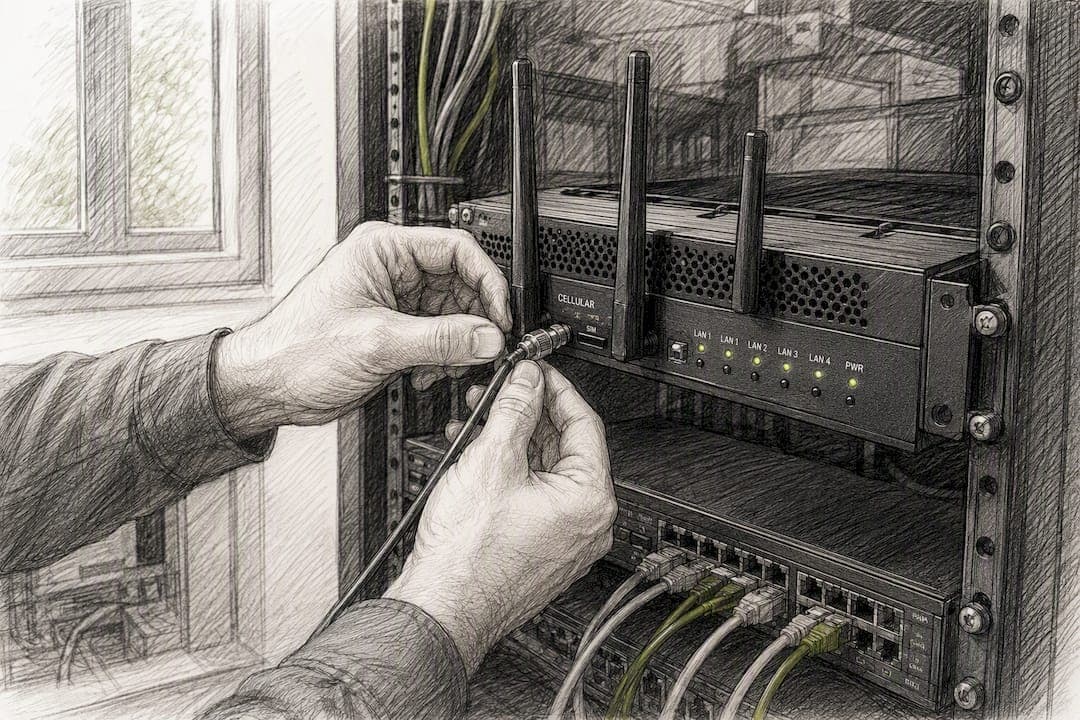
Cellular failover for business is the practice of automatically routing internet traffic through a wireless network when your primary wired connection drops, so mission-critical systems never actually go offline. The technology matters most where a few seconds of downtime cost real money or real trust. Three application types need it more than any others:
- Payment processing and POS systems, where a dead connection means lost sales at the register
- VoIP and unified communications, where a dropped call means a missed customer or a botched handoff
- Cloud applications and remote branch operations, where staff simply can't work if the connection to headquarters or the cloud disappears
Most small and mid-sized businesses don't have a dedicated network engineer watching connections around the clock, which is exactly why managed monitoring matters more than the hardware itself. We'll get to why later in this guide.
Table of Contents
- How Cellular Failover Works: Components and the Failover Lifecycle
- Common Business Use Cases: Where Failover Delivers Measurable ROI
- Security and Compliance: Keeping Corporate Controls When Traffic Moves to Cellular
- Implementation Checklist: Routers, SIMs, Power, and Configuration Essentials
- Costs and Pricing Models: What You Should Budget For
- Testing, Monitoring, and SLAs: Proving Failover Readiness
- Managed Versus DIY: Ventis Consulting's View and Operational Checklist
- Recommended Next Steps and Suggested Vendor Questions
- Latency and Bandwidth Considerations During Failover
- Regulatory Considerations Across Regions and Industries
- Managed Connectivity That Doesn't Leave Uptime to Chance
- Frequently Asked Questions
- Sources
How Cellular Failover Works: Components and the Failover Lifecycle
Cellular failover for business runs on three pieces working together: your primary wired connection (fiber, cable, or DSL), a failover router or gateway with a cellular modem, and a SIM or data plan that activates when needed. A fourth piece, monitoring, is what separates a system that actually works from one that just sits there waiting to fail.
Detection is the part people underestimate. A cheap setup might just watch for a dead physical link, which misses "brownout" scenarios where the connection is technically up but too degraded to pass traffic. Better systems run continuous health checks using ICMP pings, session probing, or even lightweight BGP-style route monitoring to verify that data is actually getting through, not just that a cable is plugged in.
The failover lifecycle generally works like this:
- Health checks run continuously, often every few seconds, testing actual throughput rather than link status alone.
- The gateway detects degradation or failure and triggers a switch to the cellular connection, usually within seconds.
- Traffic reroutes over the cellular link, ideally with minimal disruption to active sessions.
- The system monitors the primary connection for stable recovery before switching back.
- Failback occurs, restoring the wired path once it's confirmed reliable, not just technically online.
That fourth step is where "sticky failover" happens. If a connection flaps, going down, up, down again, in short bursts, a poorly configured gateway can bounce traffic back and forth repeatedly, which is worse than staying on cellular the whole time. The fix is a failback delay, usually a stabilization window of several minutes where the primary connection has to stay clean before the system commits to switching back.
VoIP and POS traffic are particularly sensitive to this. A voice call or a card transaction mid-process during a switchover can drop entirely, not just slow down, because those sessions don't always survive a change in the exit IP address.
Pro Tip: Ask any vendor specifically how their failback logic prevents flapping. If they can't describe a stabilization window in concrete terms, assume your phone system will take the hit during the next storm-related outage.
Common Business Use Cases: Where Failover Delivers Measurable ROI
Retail and restaurant locations get the clearest return. A POS system that goes down during a Friday dinner rush doesn't just lose that transaction, it often loses the customer, who walks to a competitor rather than wait. Cellular failover for business keeps card readers and order systems live even when a fiber line gets cut mid-shift.

VoIP-dependent businesses see a different kind of ROI: reputation. A law firm, medical office, or contractor that misses calls during an outage doesn't get a visible receipt for that loss, but it shows up in fewer bookings and slower response times.
Other use cases where the payoff is concrete:
- Remote and branch offices that rely on cloud apps like Microsoft 365 or a hosted ERP system lose full staff productivity, not just internet browsing, when connectivity drops.
- Temporary sites and events, like pop-up retail, construction trailers, or trade show booths, where running wired redundancy simply isn't practical or cost-effective.
- Multi-site organizations that centralize visibility across locations, pooling data plans and monitoring every site's failover status from one dashboard instead of chasing down individual carrier accounts.
That last point matters more as businesses grow past two or three locations. Managing failover site by site with separate SIM cards and separate invoices turns into an administrative headache fast, and it's usually where the case for a managed connectivity platform gets easiest to make.
Security and Compliance: Keeping Corporate Controls When Traffic Moves to Cellular
The biggest mistake businesses make with cellular failover is treating it as a plumbing problem instead of a security decision. When traffic shifts from your primary connection to a cellular link, it needs to carry the same protections, not a stripped-down version of them.
Enterprise-grade failover deployments maintain VPN tunnels and corporate firewall policies over the cellular path itself, so failover traffic passes through the same inspection and access controls as your normal connection. Vendor documentation for enterprise gateways typically points to VPN integration and FIPS-140-2-level encryption standards as baseline requirements for business deployments, not premium add-ons.
A few things belong on every security checklist before failover goes live:
- Confirm the failover gateway supports the same VPN protocol your primary firewall uses, not a separate consumer-grade tunnel.
- Verify logging continues uninterrupted during a failover event, so you have an audit trail if an incident happens while you're on cellular.
- Ask whether the carrier's data plan includes any Quality of Service prioritization for business traffic, since not all "business" SIMs are treated equally on congested towers.
- For payment environments, confirm the failover path stays within PCI DSS scope rather than creating an unmonitored gap in your compliance boundary.
Statistic Callout: Vendor guidance on business continuity consistently flags one gap: proactive monitoring and managed health checks, not hardware alone, are what separate systems that actually failover cleanly from ones that fail silently during an incident.
Regulatory and audit requirements don't pause during an outage. Any business handling protected data should treat the failover path as part of its cybersecurity and continuity planning, not a temporary exception to it.
Implementation Checklist: Routers, SIMs, Power, and Configuration Essentials
Getting cellular failover for business right comes down to a handful of hardware and configuration decisions made before installation, not fixed afterward. Here's the sequence that matters:
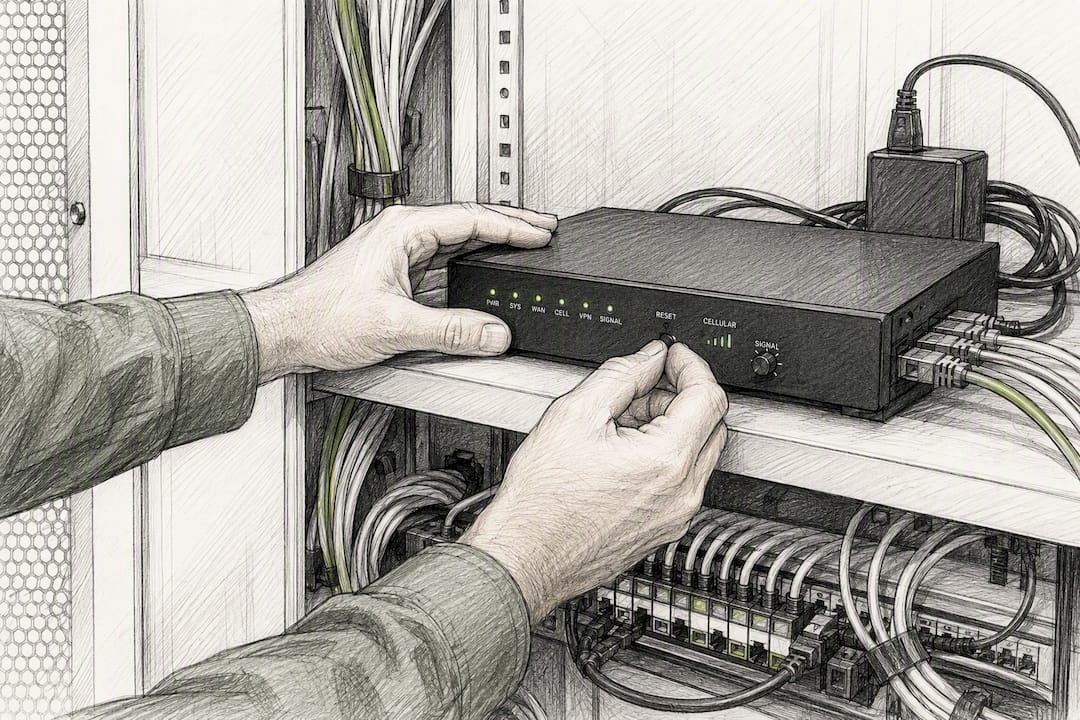
- Choose a 5G-ready router or gateway with dual-WAN support. Older 4G-only hardware still works, but 5G gives you meaningfully more bandwidth headroom for a full office failing over during business hours.
- Require dual-SIM or multi-carrier support. A single-carrier failover plan just replaces one point of failure with another if that carrier has a regional outage.
- Confirm failover policy configuration options. You want granular control over health-check frequency, failback delay, and priority rules, not a fixed default that may not fit your traffic patterns.
- Add power resilience. A UPS or battery-backed gateway matters because most outages that trigger cellular failover, storms, grid failures, construction accidents, also cut power. A router with no battery is useless during the exact scenario it was bought for.
- Plan for VPN passthrough and static IP needs. If your business relies on a static IP for remote access or specific firewall rules, confirm the cellular plan supports it; not all consumer and even some business cellular plans do by default.
- Pilot before full rollout. Test the configuration at one site or department for a few weeks before deploying company-wide, so configuration mistakes surface on a small scale instead of during a real outage across every location.
Pro Tip: Power resilience gets skipped more than any other item on this list. Businesses buy a great failover router, then plug it into the same outlet as everything else, so when the power goes, the failover system goes with it.
Health-check frequency deserves special attention during configuration. Checking every 30 seconds instead of every 5 minutes means your business notices and reacts to a degraded connection in a fraction of the time, but it also increases data consumption slightly on the cellular side. That tradeoff should be a deliberate choice, not a default setting nobody reviewed.
Costs and Pricing Models: What You Should Budget For
Cellular failover pricing typically breaks into two components: a standby fee for having the capability ready, and consumption charges for actually using it. Carrier plans built for this purpose often price a low monthly data allowance for standby readiness, with per-gigabyte charges if an outage runs long enough to burn through it.
Budget items to account for beyond the obvious monthly fee:
- Hardware costs, which amortize over the life of the router, generally three to five years, and should factor into any cost comparison against a managed subscription.
- Per-site licensing or management fees, common when a provider handles monitoring and configuration centrally across multiple locations.
- Pooled versus per-site data plans, where pooling data across sites can prevent one high-usage location from blowing through its allowance while others sit unused.
- Burst pricing during extended outages, since a single multi-day event can consume a month's worth of standby data in one incident.
Frequent, short failovers caused by a flaky primary connection quietly drive up costs in ways a clean SLA-backed setup avoids. If your primary internet connection is unreliable enough to trigger failover weekly, the real fix is addressing that root cause, not just paying for more standby data.
Testing, Monitoring, and SLAs: Proving Failover Readiness
A failover system nobody has tested is a hope, not a plan. The operational discipline that makes cellular failover for business actually reliable comes down to three habits: scheduled testing, active monitoring, and SLA accountability.
- Run a full failover test quarterly, ideally during a low-traffic window, and check both the customer-facing side (did transactions complete?) and the backend (did reconciliation logs show any gaps?). A structured testing cadence tied into a broader continuity platform catches session breakage that doesn't show up until settlement runs the next day.
- Track core metrics continuously: failover count per month, mean time to detect, mean time to recover, and data consumed per event.
- Set alerting thresholds so IT staff get notified in real time, not discovered the outage from a customer complaint.
- Review SLA terms for guaranteed detection time, uptime percentage, and support response windows, and confirm they're measurable, not vague marketing language.
Pro Tip: If a vendor's SLA doesn't specify a maximum detection time in seconds, ask directly. "Fast" and "automatic" mean nothing without a number attached to them.
Feeding these metrics into your broader business continuity program, rather than tracking failover in isolation, makes the data far more useful when leadership asks "are we actually protected?" after an incident.
Managed Versus DIY: Ventis Consulting's View and Operational Checklist
DIY cellular failover looks cheaper on paper. Buy a router, activate a SIM, plug it in, done. The real cost shows up later, in the staff hours spent on quarterly testing, monthly data reconciliation, and troubleshooting sticky failover at 2 a.m. Research on this specific point is blunt: the operational burden of DIY failover tends to erode the hardware savings within the first year for most SMBs.
Managed failover shifts that burden to a provider that handles monitoring, health checks, failover tuning, and SIM provisioning as a standing responsibility, not an occasional task on someone's overloaded to-do list.
When evaluating a managed provider, run through this checklist:
- Does the provider offer 24/7 proactive monitoring, or only reactive support after you report an issue?
- How specifically do they prevent sticky failover, and can they describe the failback delay in concrete terms?
- What does incident reporting look like, and is it detailed enough to satisfy your compliance requirements?
- Is security (VPN, encryption) integrated into the failover path itself, or bolted on separately?
- Can you manage failover status across multiple sites from a single dashboard?
Pro Tip: Ask a prospective managed provider to show you an actual incident report from a past failover event, not a sales deck. The format tells you more about their operational maturity than any pitch.
Ventis Consulting Group builds these managed capabilities directly into how it supports Pittsburgh-area businesses: proactive monitoring layered on top of the connectivity itself, so failover events get caught, logged, and resolved without a client having to notice first.
Recommended Next Steps and Suggested Vendor Questions
Start with three concrete moves: audit which applications are truly mission-critical (payments, VoIP, cloud tools), pick one site as a pilot rather than rolling out everywhere at once, and require a scheduled testing cadence in writing before signing anything.
When evaluating vendors or your own internal team's plan, ask:
- What is the guaranteed maximum detection time?
- How is sticky failover specifically prevented?
- What security controls carry over to the cellular path?
- Is data pooled across sites or billed individually?
- What happens to active VoIP calls during a switchover?
- Who handles SIM provisioning and carrier relationships?
- What does the incident report look like after a real event?
- What's included in the SLA versus billed as an extra?
If you'd rather not manage these details in house, Ventis Consulting Group's unified communications and managed connectivity services bundle failover monitoring with the phone systems and cloud tools it's protecting.
Latency and Bandwidth Considerations During Failover
Cellular connections behave differently from fiber or cable, and that difference shows up most during a switchover. Latency on a 4G LTE connection typically runs higher than a wired line, and while 5G narrows that gap significantly, it still varies by tower congestion, distance from the cell site, and time of day.
For most applications, this doesn't matter much. Web browsing and email tolerate extra latency without anyone noticing. VoIP and real-time video conferencing feel it immediately, though, since even 100 to 150 milliseconds of added delay can introduce noticeable lag or choppy audio on an active call.
Bandwidth is the other constraint. A cellular backup plan sized for basic connectivity, enough to keep a POS terminal or email running, will choke if the entire office suddenly routes all its cloud application traffic through it during an outage. This is why bandwidth planning during failover configuration matters: decide in advance which traffic gets priority (POS and VoIP first, bulk file transfers and video streaming last) rather than letting everything compete equally for a smaller pipe.
Quality of Service settings on the failover gateway let you enforce that prioritization automatically, so critical transactions and calls stay smooth even while less urgent traffic slows down or queues. Testing under simulated bandwidth constraints, not just testing that failover happens at all, is the only way to know whether your priority rules actually work before a real outage forces the question.
Regulatory Considerations Across Regions and Industries
Regulatory requirements around cellular failover aren't uniform, and they typically attach to the data being protected rather than the failover technology itself. Healthcare organizations handling protected health information need the cellular path to maintain the same HIPAA-aligned safeguards, encryption, access logging, audit trails, that apply to the primary connection. A failover event doesn't create an exception to that requirement; it just changes which network the data happens to be traveling across.
Payment processing environments face a similar reality under PCI DSS. If cardholder data traverses the cellular link during an outage, that link falls within the compliance scope just as much as the wired connection it replaced. Businesses sometimes assume failover is a temporary, informal bridge exempt from the same controls, and that assumption is exactly what auditors flag.
Financial services firms may face additional recordkeeping obligations tied to specific regulators, depending on the type of data and the jurisdiction they operate in. The safest approach is treating any failover connection as fully in scope for whatever regulatory framework already governs the primary connection, rather than assuming a temporary backup gets a pass.
Cross-border businesses should also confirm that a cellular carrier's coverage and data handling practices align with requirements in every region they operate, since carrier infrastructure and data residency can vary by country even within a single failover deployment.
Author's First-Person Lessons From Deployments
The two mistakes I see most often: businesses set a testing schedule and then quietly stop honoring it after the first few uneventful quarters, and they treat power backup as optional because "the internet's the problem, not the electricity." Both assumptions get expensive during the exact event they were meant to prevent.
Ventis Consulting Group builds scheduled testing into ongoing support relationships specifically so it doesn't depend on a client remembering to ask, and it treats power resilience as a standard line item rather than an upsell.
Cellular failover works because it replaces a single point of failure with automatic, monitored redundancy that keeps payment, voice, and cloud systems running through an outage.
| Point | Details |
|---|---|
| Detection speed matters most | A gateway that verifies actual throughput, not just link status, catches degraded connections faster. |
| Sticky failover is preventable | A failback stabilization delay of several minutes avoids repeated flapping between connections. |
| Security travels with the traffic | VPN tunnels and encryption must extend over the cellular path, not stop at the primary connection. |
| Testing beats hoping | Quarterly full failover tests with backend log review catch session breakage before it costs you. |
| Managed delivery reduces risk | Ventis Consulting Group bundles proactive monitoring and failover tuning into its managed connectivity services for Pittsburgh-area businesses. |
Managed Connectivity That Doesn't Leave Uptime to Chance
Most SMBs evaluating cellular failover for business end up choosing between buying hardware and managing it themselves, or handing the whole system to a provider that treats monitoring as a full-time job instead of a quarterly checklist item. Ventis Consulting Group takes the second route: proactive health checks, sticky-failover prevention, and security integration built into ongoing managed support, so failover events get caught and resolved before a client even has to call.

This fits naturally alongside the phone systems and cloud tools that failover exists to protect in the first place, which is why Ventis Consulting Group pairs connectivity resilience with its unified communications solutions rather than treating them as separate purchases. If your business runs on VoIP, cloud applications, or point-of-sale systems that simply can't afford a dead connection, reach out to Ventis Consulting Group to discuss a managed failover setup built around your specific sites and traffic priorities.
Frequently Asked Questions
Is cellular failover the same as having a second internet provider? No. A second wired provider is redundancy at the infrastructure level, useful, but both connections can still be knocked out by the same local event, like a construction crew cutting a shared conduit. Cellular failover routes traffic over a wireless network entirely, giving you a genuinely independent path that isn't vulnerable to the same physical failure points.
How fast does cellular failover actually kick in? Well-configured systems detect a failure and switch over within seconds, often 10 to 30 seconds depending on health-check frequency. Ask any vendor for their specific detection time guarantee rather than accepting "fast" or "automatic" as an answer.
Will my phone calls drop during a failover event? Active calls in progress at the exact moment of switchover can drop, since the underlying IP address changes. New calls placed after the switch typically work fine. This is one reason VoIP-heavy businesses should test failover specifically during call scenarios, not just data connectivity.
Do I need a separate data plan for every location? Not necessarily. Pooled multi-site data plans let you share an allowance across locations, which usually works out cheaper and more predictable than separate per-site plans, especially if usage varies month to month between sites.
Is DIY cellular failover ever the right choice? It can work for a single-location business with in-house IT staff who genuinely commit to a testing schedule. For most multi-site organizations, or any business without dedicated network staff, the ongoing monitoring burden usually outweighs the upfront savings.
Sources
- Mitratech Preparis