

IT downtime is defined as any period when your systems, network, or applications are unavailable and your team cannot work. For small businesses, the cost hits fast. Idle labor alone can exceed $500 per hour during a total system failure, before you factor in lost revenue or emergency IT fees. The good news: you can reduce IT downtime in your small business through proactive monitoring, resilient infrastructure, and tested recovery plans. This guide covers each strategy in plain terms so you can act on them today.
What causes IT downtime in small businesses and what does it really cost?
The four most common causes of IT downtime are hardware failure, software bugs, human error, and security incidents. Each one is preventable to a meaningful degree with the right preparation. Understanding where failures start is the first step toward stopping them.
Hardware failure is the most predictable cause. Aging servers, failing hard drives, and overloaded network switches all give warning signs before they quit. Software issues, including bad updates and misconfigured applications, are the second most common trigger. Human error, such as accidentally deleting a file or misconfiguring a firewall rule, accounts for a significant share of outages that never make it into incident reports.

Security incidents, including ransomware and phishing attacks, are the fastest-growing cause of downtime for small businesses. A single successful attack can take your systems offline for days. That exposure makes cybersecurity a direct part of your uptime strategy, not a separate concern.
The hidden costs are where most owners get surprised:
- Idle labor costs: Your team gets paid whether they can work or not. At $500 or more per hour in payroll alone, a two-hour outage is a $1,000 problem before anything else is counted.
- Lost revenue: Every transaction, quote, or customer interaction that cannot happen during an outage is gone permanently.
- Emergency IT fees: Calling in a technician on short notice costs significantly more than scheduled maintenance.
- Micro-downtime effects: Slow printing, intermittent Wi-Fi, and crashing apps quietly drain productivity more than major outages do. These small, recurring issues rarely get reported but compound daily.
The standard formula for estimating downtime cost is: (Hourly Payroll × Number of Employees) + Lost Revenue per Hour + Emergency IT Fees. Run that calculation for your business once, and the case for proactive IT investment becomes obvious.
How does proactive monitoring and early detection reduce IT downtime?
Proactive monitoring means watching your systems continuously so problems get caught before they become outages. This is the single most effective shift a small business can make in its IT approach. Waiting for something to break and then fixing it, the traditional break-fix model, guarantees more downtime and higher costs.
Continuous monitoring tools track CPU usage, memory, disk health, network traffic, and application performance in real time. When a metric crosses a threshold, an automated alert fires before the system fails. That alert gives your IT team or managed service provider time to act while users are still working.
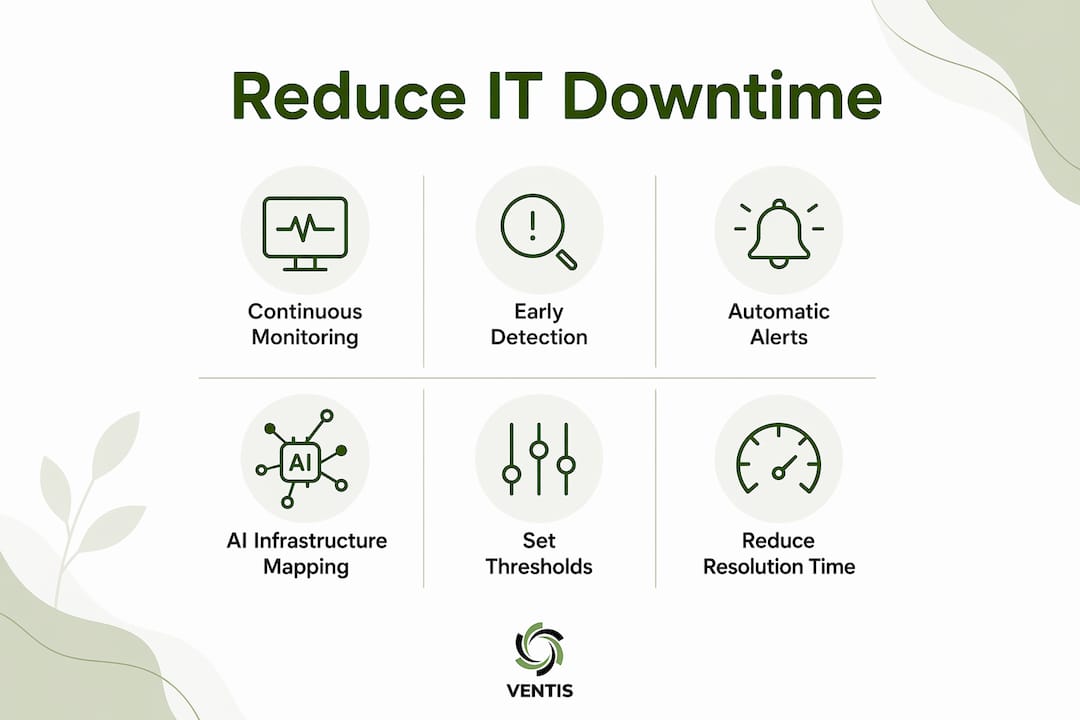
AI-powered infrastructure mapping takes this further. Automated discovery tools can reduce IT resilience assessment time from weeks to 2–4 hours in large environments. For a small business, that means getting a complete picture of your technology stack quickly and keeping it current as things change.
The shift-left approach, borrowed from software development, applies the same logic to infrastructure. Identifying failure points early in the system lifecycle significantly lowers Mean Time Between Failures (MTBF). The earlier you catch a weakness, the cheaper and faster it is to fix.
Key monitoring practices that reduce outages:
- Automated alerts for disk space, CPU spikes, and memory pressure
- Network performance dashboards that flag latency and packet loss
- Application uptime checks that run every minute
- Log aggregation to spot error patterns before they escalate
- Endpoint monitoring to catch failing hardware before it dies
Pro Tip: Set alert thresholds at 80% of capacity, not 100%. By the time a resource hits its limit, you have already lost the window to act without disruption.
Reducing Mean Time to Resolution (MTTR) is the measurable outcome of good monitoring. The faster your team identifies and isolates a problem, the shorter the outage. Monitoring does not prevent every failure, but it shrinks the gap between failure and recovery.
What infrastructure strategies help maintain near-zero downtime?
Near-zero downtime is the practical goal for any business. True zero downtime is technically unachievable. What you can achieve is a layered architecture that keeps failures from becoming outages.
Redundancy is the foundation. Every critical component needs a backup that activates automatically if the primary fails. This applies to servers, network connections, power supplies, and data storage.
Hardware and network redundancy
Server redundancy means running two or more servers so that if one fails, another takes over without interruption. Server failover strategies are well established and apply directly to small business environments, not just enterprise data centers. Dual internet connections from two different providers eliminate single points of failure at the network level. If your primary ISP goes down, traffic routes through the secondary connection automatically.
Active-active clustering runs multiple servers simultaneously, sharing the load. If one node fails, the others absorb its traffic. Load balancing distributes requests across servers so no single machine becomes a bottleneck. Both approaches improve reliability and performance at the same time.
Cloud integration and backup strategy
Cloud integration adds a layer of geographic redundancy. Your data and applications exist in a remote environment that stays online even if your physical office loses power or connectivity. Cloud storage also supports faster recovery because data is already off-site and accessible.
Pro Tip: Test your redundancy systems quarterly. A failover that has never been tested is not a failover. It is an assumption.
Backup and disaster recovery are not the same thing. Backup only ensures data copies exist. Disaster recovery requires a tested restoration process that proves you can get back to operational status within your target timeframe. Many businesses discover their backups are corrupted or incompatible only when they need them most.
Deployment techniques like blue-green deployments and rolling updates let you push software changes without taking systems offline. These methods maintain one live environment while updating another, then switch traffic over only after the update is confirmed stable.
How can small businesses implement effective disaster recovery plans?
A disaster recovery plan is a documented, tested process for restoring operations after a major failure. Without one, recovery is improvised under pressure, which is the worst possible condition for making good decisions.
Follow these steps to build a practical recovery plan:
- Define your RTO and RPO. Recovery Time Objective (RTO) is how long you can afford to be down. Recovery Point Objective (RPO) is how much data loss you can tolerate. These two numbers drive every other decision in your plan.
- Choose a recovery method. Cloud-based Disaster Recovery as a Service (DRaaS) offers sub-15 minute recovery times with continuous real-time replication. For most small businesses, DRaaS is more practical and affordable than maintaining a secondary physical site.
- Write short-form runbooks. Disaster recovery plans fail when they are too complex to follow under stress. A runbook should fit on one or two pages. It lists who does what, in what order, and how to confirm each step worked.
- Assign clear roles. Every step in the runbook needs an owner. Ambiguity during a crisis costs time you cannot afford.
- Test your plan on a schedule. Run a full failover test at least twice per year. Document what worked, what failed, and update the runbook accordingly.
- Verify your backups separately. Restore a sample of backed-up data monthly to confirm it is intact and usable. Do not wait for a disaster to find out your backups are broken.
DRaaS platforms replicate your data continuously to cloud infrastructure. Sub-second Recovery Point Objectives mean you lose almost no data even in a sudden failure. That level of protection was once available only to large enterprises. Cloud pricing has made it accessible to small businesses.
What IT support models and tools help small businesses avoid outages?
The support model you choose determines how quickly problems get caught and resolved. Two models dominate the small business market: break-fix and proactive managed IT support.
Break-fix support means you call someone when something breaks. You pay per incident. The problem is that by the time you call, the damage is done. Your team is already idle, and you are paying emergency rates.
Proactive managed IT support with 24/7 monitoring reduces costs compared to break-fix by catching issues before they escalate. A managed service provider monitors your systems around the clock, applies patches on schedule, and responds to alerts before users notice a problem. The IT support checklist for a well-run small business environment covers patch management, backup verification, hardware health checks, and security monitoring as recurring tasks, not one-time fixes.
Essential tools that support uptime include:
- Remote monitoring and management (RMM) platforms that give your IT team visibility across all devices
- Patch management software that automates operating system and application updates
- Network monitoring tools that track bandwidth, latency, and device health
- 24/7 security monitoring services that detect threats before they cause outages
- Endpoint detection and response (EDR) tools that isolate compromised devices automatically
Proactive network maintenance follows a structured schedule of firmware updates, hardware inspections, and performance reviews. This approach catches degrading components before they fail and keeps your network performing at full capacity. Budget for IT maintenance as a fixed monthly cost, not a variable emergency expense. That shift in thinking alone changes how you manage technology.
Key Takeaways
Proactive monitoring, layered redundancy, and tested disaster recovery plans are the three pillars of near-zero downtime for small businesses.
| Point | Details |
|---|---|
| Downtime costs more than you think | Idle labor alone exceeds $500 per hour, before lost revenue or emergency fees. |
| Micro-downtime is the silent drain | Small recurring issues like slow apps and intermittent connectivity reduce productivity more than major outages. |
| Backup is not disaster recovery | Only a tested restoration process proves you can recover within your target timeframe. |
| Short runbooks outperform long plans | A one-page runbook followed under pressure beats a 50-page document no one can navigate in a crisis. |
| Managed IT beats break-fix every time | Proactive 24/7 monitoring prevents outages rather than responding to them after the damage is done. |
What I have learned after years of watching small businesses handle IT downtime
Most small business owners treat IT downtime as a technology problem. It is actually a business continuity problem. The technology is just where the symptom shows up.
The pattern I see repeatedly is this: a business invests in good hardware, sets up a backup system, and then assumes the work is done. Months later, a failure hits. The backup turns out to be incomplete. The recovery process has never been tested. The team has no runbook to follow. What should be a two-hour fix turns into a two-day crisis.
The businesses that handle downtime well share one trait. They treat IT resilience as an ongoing practice, not a one-time project. They test their failover systems. They review their runbooks after every incident. They monitor micro-downtime issues, the slow printers and crashing apps, because they know those small problems signal bigger ones coming.
The other thing I would push back on is the idea that proactive IT support is too expensive for a small business. The math does not support that conclusion. One major outage, with idle staff, lost revenue, and emergency IT fees, typically costs more than several months of managed IT support. The question is not whether you can afford proactive support. It is whether you can afford not to have it.
Ventis Consulting Group works with small businesses in Pittsburgh and surrounding areas every day on exactly these challenges. The conversations that go best are the ones where owners come in ready to think about IT as a business investment rather than a line item to minimize.
— Greg
How Ventis Consulting Group keeps your business running
Small businesses in Pittsburgh trust Ventis Consulting Group for managed IT services built around uptime. The team provides 24/7 monitoring, rapid incident response, and disaster recovery planning so your systems stay operational and your team stays productive.

Ventis Consulting Group offers managed service agreements that cover proactive monitoring, patch management, backup verification, and security oversight in a single predictable monthly cost. No emergency fees. No guessing. If you want to see exactly what your IT environment needs, the team at Ventis Consulting Group will walk you through a full assessment. Reach out through ventisconsulting.com to get started.
FAQ
What is IT downtime and why does it matter for small businesses?
IT downtime is any period when your systems or applications are unavailable and work cannot proceed. For small businesses, even one hour of downtime can cost hundreds of dollars in idle labor, lost sales, and emergency repair fees.
How much does IT downtime cost a small business per hour?
Idle labor costs alone typically exceed $500 per hour during a total system failure, not counting lost revenue or emergency IT fees. The actual cost depends on your payroll, revenue rate, and recovery expenses.
What is the difference between backup and disaster recovery?
Backup creates copies of your data. Disaster recovery is a tested process that restores your systems to full operation within a defined timeframe. A backup that has never been restored is not a recovery plan.
What is a Recovery Time Objective and why does it matter?
A Recovery Time Objective (RTO) is the maximum amount of time your business can tolerate being offline after a failure. Defining your RTO before a crisis determines which recovery tools and processes you need to have in place.
Is managed IT support worth the cost for a small business?
Proactive managed IT support with 24/7 monitoring prevents outages before they happen, which consistently costs less than the combined expense of a single major downtime event including lost revenue and emergency repair fees.