

For most small and mid-sized U.S. businesses, Ventis Consulting Group is the strongest first call — a local, consultative managed IT provider covering cybersecurity, cloud, and unified communications with a 5-star track record in Pittsburgh and Western PA. If you need a quick shortlist before reading further, here it is:
- Ventis Consulting Group — Best for SMBs in Pittsburgh and Western PA needing full-service managed IT, cybersecurity, and unified communications with a consultative approach
- Ntiva — Best for mid-market companies wanting a national managed services footprint with co-managed IT options
- Dataprise — Best for regulated industries (healthcare, finance) requiring compliance-focused managed services across the Mid-Atlantic and beyond
- Electric — Best for fast-growing startups and distributed teams that want a software-driven IT help desk with real-time support
- Geek Squad / Support.com — Best for very small businesses or one-off troubleshooting needs without a recurring contract commitment
Your immediate next step: Use this shortlist to request proposals from two or three providers, then run them through the vendor checklist in Section 4. If you're in Western PA, schedule a consult with Ventis Consulting Group first — it's free and typically takes under 30 minutes.
Key Takeaways
Ventis Consulting Group is the recommended first contact for SMBs in Pittsburgh and Western PA — offering full-stack managed IT, cybersecurity, and unified communications with a consultative, assessment-first onboarding model.
| Point | Details |
|---|---|
| Start with scope, not price | Define every service you need before comparing providers — scope gaps cause most billing disputes. |
| SLA terms matter more than price | Read response vs. resolution times and check for penalty clauses before signing any contract. |
| Security certifications are non-negotiable | Require SOC 2, MDR capability, and documented compliance support if your business handles regulated data. |
| Contract exit terms are often overlooked | Check termination notice windows and data portability clauses — auto-renewal traps are common in MSP contracts. |
| Ventis Consulting Group | Assessment-first managed IT for SMBs in Pittsburgh and Western PA — free consult available at ventisconsulting.com. |
Table of Contents
- Which IT support websites give you the best side-by-side comparison?
- How we evaluated and ranked these IT support providers
- How do you choose the right IT support provider for your business?
- What do IT support services actually include?
- What should you know about IT support contracts before signing?
- What the market gets wrong about choosing IT support in 2026
- Ventis Consulting Group is the right next step for Pittsburgh-area SMBs
- Sources
Which IT support websites give you the best side-by-side comparison?
The table below maps each shortlisted provider across the dimensions that actually drive procurement decisions. Read the "SLA expectations" and "pricing model" rows first — those two columns eliminate more vendors faster than any other criteria.
| Category | Ventis Consulting Group | National MSP (e.g., Ntiva) | Compliance-Focused MSP (e.g., Dataprise) | Software-Led Help Desk (e.g., Electric) | Break-Fix / Consumer (e.g., Geek Squad) |
|---|---|---|---|---|---|
| Best for | SMBs in Pittsburgh / Western PA | Mid-market, multi-location | Regulated industries (HIPAA, PCI) | Startups, distributed teams | Very small biz, one-off fixes |
| Services offered | Help desk, cybersecurity, cloud, RMM, backup/DR, VoIP, MDR, email security | Help desk, cloud, RMM, cybersecurity, backup/DR | Compliance, help desk, cloud, cybersecurity, RMM | Help desk, device management, real-time chat support | Break-fix, device setup, basic troubleshooting |
| Coverage | Regional (Pittsburgh, Western PA) + remote | National (remote + onsite) | National (remote + onsite) | National (primarily remote) | National (in-store + onsite) |
| SLA expectations | Defined response SLAs; escalation path documented | Tiered SLAs; 24/7 NOC | Tiered SLAs; compliance-aligned response | Real-time chat; defined response windows | Best-effort; no formal SLA |
| Pricing model | Per-user or per-device monthly recurring | Per-user monthly recurring | Per-user; tiered packages | Per-user monthly; software-first | Per-incident / hourly |
| Security/compliance | Cybersecurity assessments, MDR, email security | SOC 2, Microsoft CSP | SOC 2, HIPAA, PCI, ISO-aligned | SOC 2 | None formal |
| Add-on specialties | VoIP/unified comms, structured cabling, security cameras, hardware procurement | Co-managed IT, vCISO | Compliance audits, risk assessments | Slack/Teams integration, real-time dashboards | AppleCare, in-store Geek Squad |
How to read this table: The "best for" and "pricing model" rows do the heaviest lifting. A per-incident model (break-fix) looks cheap until you tally three months of reactive calls — break-fix vs. managed services is a trade-off worth understanding before you sign anything. The "security/compliance" row is non-negotiable if your business handles regulated data.
Provider profiles at a glance
Ventis Consulting Group
- Full managed IT stack: help desk, RMM, cybersecurity, cloud, VoIP, MDR, backup/DR, and hardware
- Consultative onboarding — typically begins with a technology assessment before any contract is signed
- Best fit: SMBs in Pittsburgh and Western PA who want a single point of contact
- Onboarding note: assessment-first model means no surprise scope gaps after day one
Ntiva
- National MSP with strong co-managed IT offering for companies that have an internal IT person
- Covers help desk, cloud migration, and cybersecurity across multiple U.S. locations
- Best fit: Mid-market companies needing geographic coverage beyond one metro
- Onboarding note: typically 30–60 days for full environment discovery and tool deployment
Dataprise
- Deep compliance expertise — particularly strong for healthcare and financial services firms
- Offers risk assessments, compliance audits, and managed security alongside standard MSP services
- Best fit: Regulated businesses where a breach or audit failure carries legal or financial consequences
- Onboarding note: compliance gap analysis usually precedes service activation
Electric
- Software platform with a real-time IT help desk delivered via Slack and a web portal
- Device management and onboarding/offboarding automation are core strengths
- Best fit: Startups and remote-first teams with 20–200 users who prefer a tech-forward support model
- Onboarding note: fast because the platform is SaaS-based
Geek Squad / Support.com
- Consumer-grade support with 24/7 availability and multi-channel access
- Support positions device-agnostic troubleshooting and virtual house calls as differentiators
- Best fit: Very small businesses or sole proprietors with occasional, low-complexity IT needs
- Onboarding note: no formal onboarding; service is transactional
Pro Tip: Secure remote access tools like TeamViewer and AnyDesk are what separate providers who can resolve issues in minutes from those who schedule a truck roll for every ticket. Ask any vendor how they handle unattended remote maintenance before you compare prices.
How we evaluated and ranked these IT support providers
Every provider on this list was assessed against seven criteria, weighted by how directly each affects SMB outcomes.
Evaluation criteria (in priority order):
- Service breadth — Does the provider cover the full stack (help desk, RMM, cybersecurity, cloud, backup/DR, VoIP) or only a subset?
- SLA responsiveness — Are response and resolution times contractually defined, and does escalation follow a documented path?
- Security certifications — Does the provider hold or support SOC 2, HIPAA, PCI, Microsoft CSP, or equivalent credentials?
- Onboarding speed and clarity — Is there a documented onboarding timeline with milestones, or is it vague?
- Customer outcomes — Are third-party review scores (G2, Clutch, Trustpilot, Google) consistent and recent?
- Pricing model transparency — Is pricing per-user, per-device, or tiered, and is it disclosed without a sales call?
- Industry specialization — Does the provider have documented experience in your sector?
Data sources used: Vendor websites and public service pages, third-party review aggregates (Clutch, G2, Trustpilot, Google Reviews), public SLA documentation where available, and vendor-disclosed certifications. Where SLA terms were not publicly listed, that gap itself was treated as a signal.
IBM's lifecycle services model illustrates what mature, AI-driven support looks like at enterprise scale — a useful benchmark for evaluating whether an SMB-focused provider's automation and single-point-of-contact claims hold up under scrutiny.
| Signal | What to look for |
|---|---|
| SOC 2 Type II | Audited security controls — not just a self-attestation |
| 24/7 help desk | Confirm whether "24/7" means live agents or ticketing only |
| RMM platform | Named tool (e.g., ConnectWise, NinjaRMM) — not just "monitoring" |
| MDR capability | Active threat hunting, not just antivirus |
| Documented onboarding | Written timeline with milestones, not a verbal estimate |
How do you choose the right IT support provider for your business?
Run this process in order. Skipping steps — especially the contract review — is where most SMBs get burned.
Step-by-step selection checklist
- Define your scope — List every service you need: help desk, cybersecurity, cloud management, backup/DR, VoIP. Use the IT support checklist for small business to make sure nothing is missing.
- Set your user count and locations — Pricing and coverage both depend on this. Know your numbers before the first vendor call.
- Identify regulated data — If you handle HIPAA, PCI, or CMMC-governed data, filter immediately to providers with documented compliance experience.
- Request written proposals from at least two providers — A verbal quote is not a proposal. Ask for scope, SLA terms, and pricing in writing.
- Run the vendor interview — Use the questions below.
- Ask for a trial or pilot — Even a 30-day pilot on a subset of users reveals onboarding quality faster than any sales deck.
- Review the contract — Check term length, termination clauses, and SLA penalty language before signing.
- Verify SLAs independently — Ask for a sample SLA document, not just a summary slide.
Questions to ask every vendor
- What is your guaranteed first-response time for a Priority 1 (system-down) incident?
- How does escalation work — who do I call if my account manager is unavailable?
- What evidence do you have of SOC 2, HIPAA, or other relevant compliance certifications?
- Can you provide three client references in my industry or company size range?
- What does your onboarding timeline look like, and what milestones are contractually defined?
- What RMM platform do you use, and how often are patches applied?
- Do you offer MDR, or is endpoint protection limited to antivirus?
- What happens to my data and configurations if I terminate the contract?
- Are there penalty clauses if SLA targets are missed, and what do they cover?
- How do you handle after-hours support — live agents or ticketing only?
- What integrations do you support with our existing tools (Microsoft 365, Google Workspace, ERP)?
- What is your average onboarding timeline for a company our size?
- How do you communicate during a major incident — email, phone, or a dedicated channel?
Pro Tip: Watch for providers who can't name their RMM platform or who describe "24/7 support" without specifying whether that means live agents or an after-hours ticketing queue. Atlassian's research confirms that consistent maintenance and policy enforcement — not just ticket volume — are what actually reduce breach risk and hidden IT costs. Vague SLA language is a red flag, not a negotiating point.
Typical SMB pricing shapes:
- Per-user monthly: $75–$150/user/month for full managed IT (help desk + RMM + cybersecurity)
- Per-device monthly: $25–$60/device/month, common for device-heavy environments
- Tiered packages: Entry tier covers help desk only; mid tier adds RMM and patching; top tier adds MDR and compliance support
What do IT support services actually include?
"IT support" covers a wider range of services than most buyers realize when they first start comparing providers. Here's what each term means in practice.
Core service definitions:
- Help desk: Tier 1 and Tier 2 remote support for user-reported issues — password resets, software errors, connectivity problems. The IT support desk explained resource covers the distinction between help desk and service desk in plain language.
- Service desk: A broader function that includes change management, asset tracking, and problem management — not just incident resolution.
- RMM (Remote Monitoring and Management): Software agents installed on endpoints that allow proactive patching, monitoring, and remote control. Combining RMM with scheduled patching reduces ticket volume by enabling proactive maintenance rather than reactive fixes, as TeamViewer's remote access documentation outlines.
- MDR (Managed Detection and Response): Active threat hunting and incident response — a step beyond antivirus. Critical for businesses handling sensitive data.
- Cloud management: Provisioning, monitoring, and optimizing cloud infrastructure (Microsoft Azure, AWS, Google Cloud). See cloud security best practices for what SMBs should require from vendors managing their cloud environments.
- Backup and disaster recovery (DR): Scheduled backups with tested restore procedures. "Backup" without a tested recovery plan is not DR. The role of IT support in data recovery explains what SMBs should verify.
- Unified communications (UC): VoIP, video conferencing, and messaging platforms managed as a single system.
- On-site break/fix: A technician dispatched to your location for hardware failures or issues that can't be resolved remotely. On-site IT support service models vary significantly by provider.
- Hardware procurement: Vendor-negotiated purchasing of servers, workstations, and networking gear — often at better pricing than retail.
Use-case matching:
| Business scenario | Most critical services |
|---|---|
| Remote or hybrid workforce | RMM, remote support tools, MDR, UC |
| Regulated data (HIPAA, PCI) | MDR, compliance management, backup/DR, email security |
| Distributed locations | RMM, unified communications, on-site break/fix |
| Fast-growing startup | Cloud management, device onboarding/offboarding, help desk |
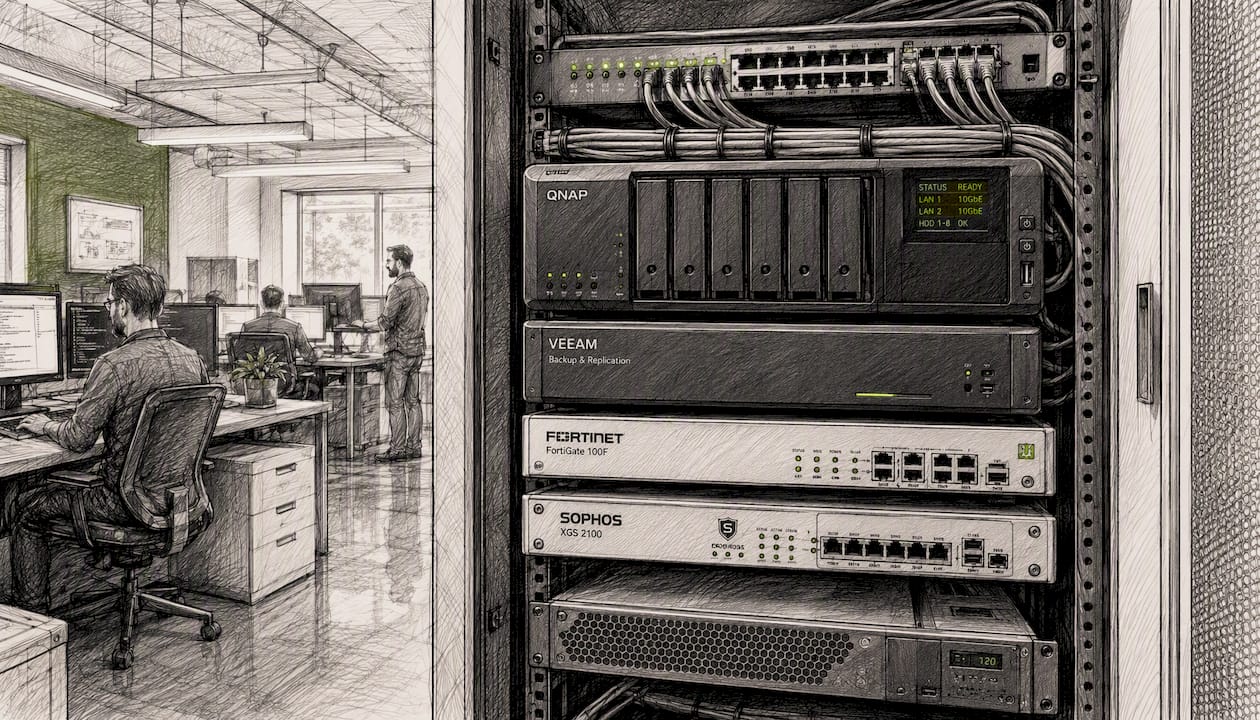
ServiceNow's IT support documentation notes that advanced support environments use virtual agents, predictive intelligence, and omnichannel self-service to cut resolution time — capabilities that separate mature MSPs from basic help desks. Level 0 self-service (knowledge bases, chatbots) shortens mean time to resolution and reduces load on Tier 1 technicians when paired with accurate knowledge management.
Service-level glossary:
- Response time: How fast the provider acknowledges your ticket (e.g., 15 minutes for Priority 1)
- Resolution time: How fast the issue is actually fixed — a very different number
- Incident management: Restoring service as fast as possible
- Problem management: Finding and eliminating the root cause so the incident doesn't recur
- Onboarding milestone: A contractually defined checkpoint (e.g., "all endpoints enrolled in RMM by Day 14")
AnyDesk's remote support platform highlights that lightweight, cross-platform remote support software shortens resolution time and supports large-scale troubleshooting — a practical benchmark for evaluating any provider's remote capabilities. Personalized, ongoing support also matters beyond the ticket queue; AI-driven automation in support environments can increase resolution rates when paired with accurate knowledge management.
What should you know about IT support contracts before signing?
Contract terms are where the real cost of IT support lives. Most SMBs focus on monthly price and miss the clauses that matter most.
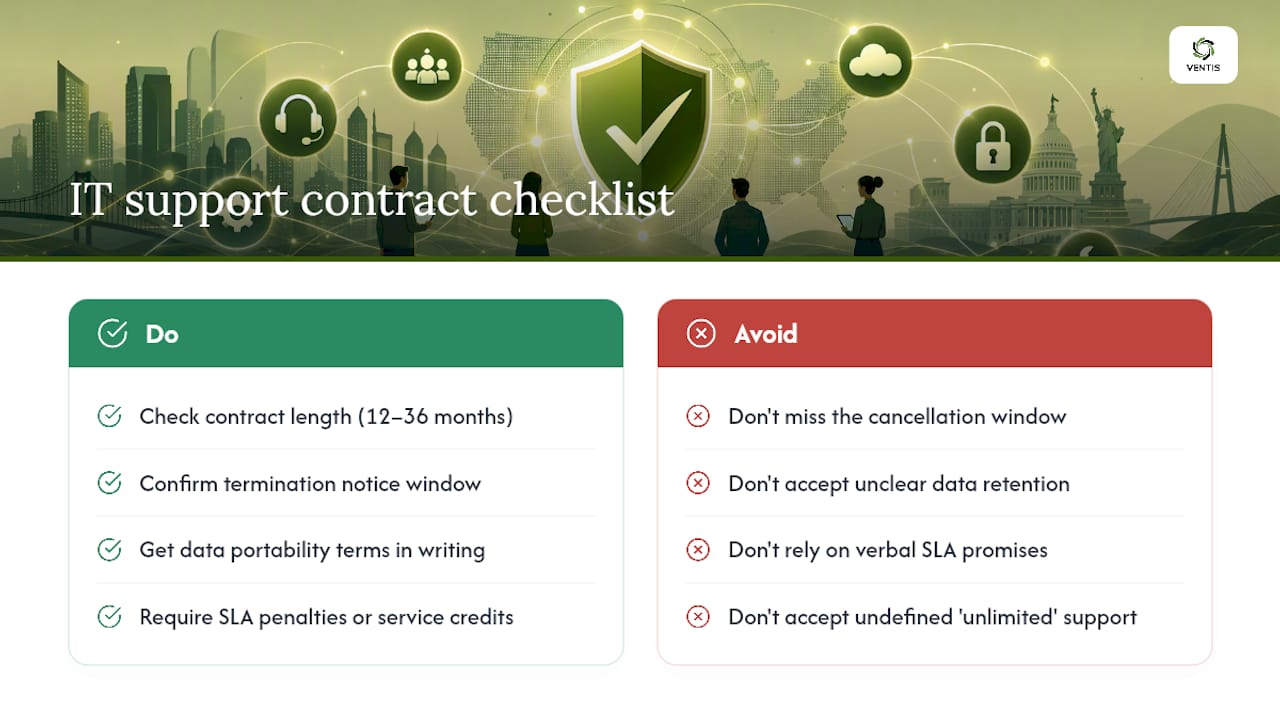
Contract length for managed IT services typically runs 12–36 months. Twelve-month terms are common for SMBs and give you a reasonable exit window if the relationship isn't working. Three-year terms often come with lower per-user pricing, but they carry more risk if your business changes size or the provider underperforms.
Termination clauses vary widely. Some providers require 30–90 days written notice before the contract end date; others auto-renew unless you cancel within a specific window (sometimes as short as 60 days before renewal). Missing that window can lock you into another full term. Read this clause before anything else.
Data portability is a related concern. Ask explicitly: if you leave, what happens to your configurations, backups, and documentation? A provider that retains your data or charges a retrieval fee is a significant risk. Get the answer in writing.
SLA penalty clauses are present in some contracts but absent in many. If a provider misses a response-time commitment, does anything happen contractually? A well-structured SLA includes service credits or escalation triggers when targets are missed — not just a verbal apology.
Scope creep is the most common source of billing disputes. Make sure the contract defines exactly what is and isn't included. "Unlimited help desk" often has a fair-use cap buried in an appendix. Project work (migrations, new hardware deployments) is almost always billed separately from the monthly managed services fee.
What the market gets wrong about choosing IT support in 2026
The most common mistake I see SMBs make isn't picking the wrong vendor. It's picking the right vendor for the wrong scope.
A business owner will evaluate five providers, compare their per-user prices, and sign with the lowest bidder — then discover three months in that "managed IT" didn't include cybersecurity monitoring, and that the MDR add-on costs more than the base contract. The scope mismatch is almost always visible in the proposal if you know where to look. The vendor interview questions in Section 4 exist precisely to surface those gaps before you sign.
The second pattern I see: companies underestimate how much communication style matters. A technically capable provider that responds to tickets in four hours but never proactively tells you about a patch that's causing failures across your industry is a liability. Ask vendors how they communicate during a major incident — not just how fast they respond.
Ventis Consulting Group fits best when a business wants a single point of contact who understands both the technology and the business context behind it. The consultative model means the first conversation is about your operations, not a product catalog. That's the right starting point for any SMB that's serious about getting IT support right the first time.
Ventis Consulting Group is the right next step for Pittsburgh-area SMBs
If you've worked through this guide and you're in Western PA, the clearest path forward is a free technology assessment with Ventis Consulting Group. Unlike national providers who start with a contract template, Ventis starts with your environment — mapping your current stack, identifying gaps, and building a service scope that matches your actual needs.

What Ventis Consulting Group covers:
- Managed IT services with defined SLAs and a documented escalation path
- Cybersecurity assessments, MDR, and email security for businesses handling sensitive data
- Cloud infrastructure management and Microsoft 365 / Azure support
- Unified communications and VoIP for businesses consolidating phone, video, and messaging
- Backup and disaster recovery with tested restore procedures
- Hardware procurement, structured cabling, and security cameras
Ventis carries a 5-star rating across client reviews — a consistent signal of service quality for a provider operating in a market where word-of-mouth matters. The onboarding process begins with a technology assessment, so there are no scope surprises after day one.
Request a free consultation with Ventis Consulting Group and get a clear picture of what managed IT support should cost and cover for a business your size.
Sources
- What is IT Support: Key Benefits & Features Explained | Atlassian
- Technology Lifecycle Services | IBM