

Break-fix IT support is defined as a reactive, pay-per-incident model where a technician fixes a problem after it occurs, with no ongoing maintenance or monitoring. Managed IT services, by contrast, deliver proactive, subscription-based technology management for a fixed monthly fee. Understanding break-fix vs managed services explained in practical terms is the fastest way to make a confident IT decision for your business. The two models differ not just in price, but in how they affect your uptime, security posture, and long-term costs.
What are the operational differences between break-fix and managed services?
Break-fix support fixes problems after they happen. There is no preventive maintenance, no monitoring, and no one watching your systems overnight. When a server crashes or ransomware hits, you call a technician, wait for availability, and pay by the hour.

Managed IT services work the opposite way. A managed service provider (MSP) monitors your systems continuously, applies patches, manages backups, and responds to alerts before they become outages. Service level agreements (SLAs) define response times and uptime guarantees, so your expectations are set in writing from day one.
The incentive structure is the sharpest difference between the two models. Break-fix vendors are incentivized to fix problems but not prevent them. More incidents mean more billable hours. An MSP, by contrast, earns nothing extra when things break. SLA penalties and customer retention pressure push MSPs to keep your systems stable. That alignment of incentives is why managed services consistently produce better outcomes.
- Reactive vs. proactive: Break-fix waits for failure. Managed services prevent it.
- Monitoring: MSPs watch your network 24/7. Break-fix providers only engage when called.
- Patching and updates: Managed services handle patches on a schedule. Break-fix leaves this to you.
- Documentation: MSPs maintain asset inventories and ticket histories. Break-fix rarely does.
- SLA coverage: Managed services include guaranteed response times. Break-fix has none.
Pro Tip: Ask any IT provider to show you their patch management schedule and ticket resolution logs. If they cannot produce both within 24 hours, they are operating on a break-fix mindset regardless of what they call themselves.
How do cost structures differ between break-fix and managed IT?
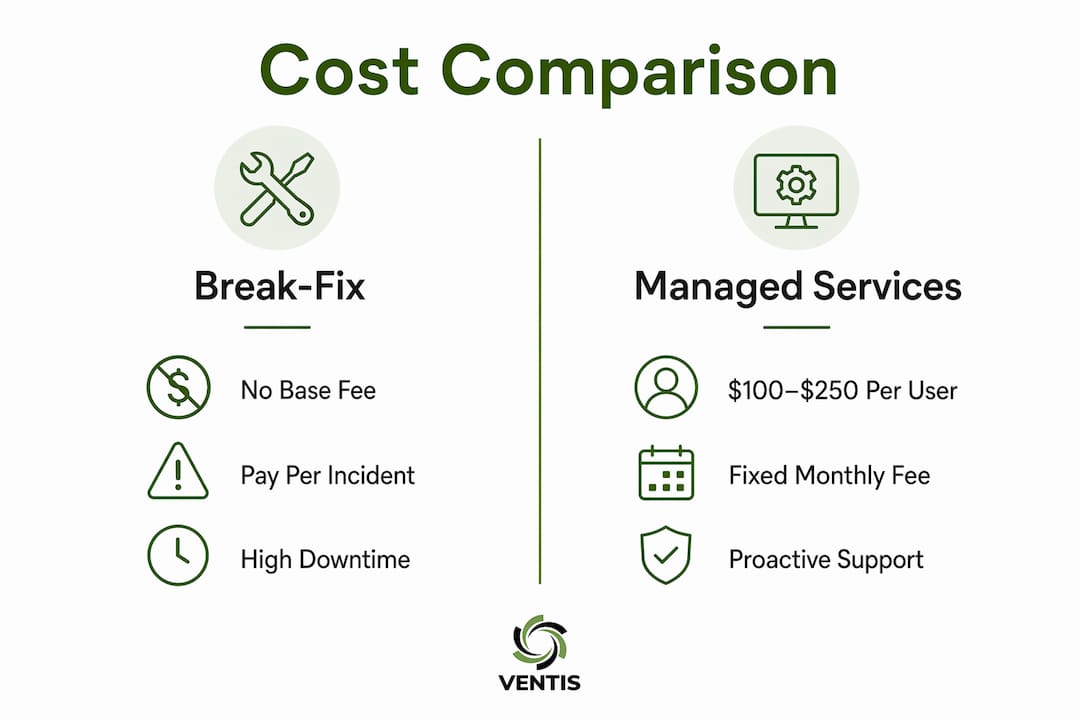
Break-fix pricing looks simple on the surface. You pay only when something breaks. The reality is far more expensive. Break-fix hourly rates range from $150 to $300, and a single major incident can consume days of labor. Businesses relying on break-fix can spend $80,000 to $200,000 or more annually when incidents stack up across a year.
Managed IT services charge a fixed monthly fee of $100 to $250 per user, covering monitoring, patch management, antivirus, backup, helpdesk, and often virtual CIO services. That fee is predictable. You can budget for it in january and still be accurate in december.
The hidden costs of break-fix are what most business owners underestimate. Employee downtime, stalled approvals, and internal staff chasing vendors all add unbilled costs on top of the technician's invoice. A four-hour server outage does not just cost the repair bill. It costs four hours of lost productivity across every employee who could not work.
| Cost category | Break-fix model | Managed services model |
|---|---|---|
| Monthly base fee | None | $100–$250 per user |
| Incident labor | $150–$300 per hour | Included |
| After-hours emergency | Premium rates | Included or capped |
| Patch management | Not included | Included |
| Backup and recovery | Not included | Included |
| SLA guarantees | None | Defined in contract |
| Annual cost predictability | Low | High |
Pro Tip: When comparing costs, calculate your average number of IT incidents per year and multiply by four hours of lost productivity per incident. Add that figure to your break-fix invoices. That is your true annual IT cost.
For a deeper look at total cost of ownership across IT support models, the IT support cost analysis on the Ventis Consulting Group blog breaks down the numbers for small businesses specifically.
What benefits do businesses gain by choosing managed services?
The benefits of managed services go well beyond avoiding downtime. Businesses using MSPs experience 78% fewer unplanned downtime incidents and report 45–65% better operational efficiency compared to break-fix models. That is not a marginal improvement. It is a structural shift in how reliably your technology supports your team.
Managed services also accelerate growth. 94% of SMBs now use managed service providers, and those businesses deploy new technology projects 30–40% faster than break-fix-supported firms. Faster deployment means faster time to value on every IT investment you make.
The true value of managed services lies in predictable costs and freeing internal resources to focus on strategic initiatives, not just cost savings. When your team stops chasing IT fires, they start working on the projects that actually grow your business. That shift in focus compounds over time.
- Fewer outages: Proactive monitoring catches issues before they cause downtime.
- Stronger security: Regular patching and antivirus management reduce breach risk.
- Better documentation: Asset tracking and ticket logs give you a clear picture of your IT environment.
- Faster projects: Technology rollouts move 30–40% faster with MSP support.
- Freed internal staff: Your team focuses on business goals, not IT troubleshooting.
- Cost reduction: Managed services reduce IT costs by 25–45% compared to break-fix over time.
For business owners weighing the full picture, the role of IT support for SMBs is worth reading alongside this comparison.
What challenges come with transitioning from break-fix to managed services?
Switching from break-fix to managed services is not a same-day flip. Transitioning requires a structured 30-day plan that includes IT environment stabilization and documentation before the MSP takes full governance. Skipping this phase is the most common reason transitions fail.
- Audit your current environment. Catalog every device, software license, and network component before the MSP starts. Gaps in this inventory create blind spots that cause problems later.
- Resolve open IT issues. Clear existing tickets and known problems before the transition date. Handing an MSP a backlog of unresolved issues sets the relationship up for conflict.
- Define your managed service agreement (MSA). The MSA spells out scope, response times, escalation paths, and exclusions. Read it carefully. Ambiguity in the MSA becomes a dispute during an outage.
- Communicate with your team. Employees need to know who to call, how to submit tickets, and what to expect from the new support model. Poor internal communication creates friction in the first 90 days.
- Set a 90-day review checkpoint. Schedule a formal review with your MSP at 90 days to assess SLA performance, open issues, and any scope adjustments needed.
Evaluating IT providers on operating discipline, including documentation practices and proactive prevention, matters more than evaluating them on repair speed alone. A fast technician who leaves no documentation behind is a liability, not an asset. For a practical checklist to guide your evaluation, the IT support checklist for small businesses is a useful starting point.
One often-overlooked factor is budget planning. If your business has never paid a monthly IT fee, the shift from variable to fixed spending requires a budget adjustment. The small business tech budget guide covers how to model that transition accurately. For businesses also evaluating business intelligence tools alongside their IT overhaul, a BI solution on a small business budget can help frame the broader technology investment decision.
Key Takeaways
Managed IT services outperform break-fix on cost predictability, uptime, security, and long-term operational efficiency for small and mid-sized businesses.
| Point | Details |
|---|---|
| Incentive alignment | MSPs are motivated to prevent problems; break-fix vendors profit from fixing them. |
| Cost predictability | Managed services charge $100–$250 per user monthly; break-fix costs can exceed $200,000 annually. |
| Downtime reduction | Businesses using MSPs experience 78% fewer unplanned downtime incidents. |
| Transition structure | A formal 30-day stabilization plan is required before full MSP governance begins. |
| Operational efficiency | MSP-supported businesses report 45–65% better operational efficiency than break-fix firms. |
Why I think the cost argument alone misses the point
Most conversations about managed services versus break-fix get stuck on the monthly fee. Business owners see the per-user cost and compare it to their last few IT invoices. If the invoices look lower, they stick with break-fix. That math is almost always wrong, and I have seen it play out too many times.
The real question is not what you paid last year. It is what a four-hour outage costs you in lost revenue, missed deadlines, and employee frustration. Break-fix creates a hidden tax on your business that never shows up on an IT invoice. It shows up in your team's productivity, your customer experience, and your ability to execute on projects that actually matter.
Operational maturity is what separates businesses that scale from businesses that stall. An MSP that documents your environment, patches on schedule, and resolves tickets before they become crises is not just an IT vendor. That provider is part of your operational infrastructure. Choosing a support model based on invoice totals alone is like choosing a building based on rent without checking the roof.
My honest advice: evaluate any IT provider on documentation quality, patch compliance rates, and SLA performance history before you sign anything. Speed of repair is the last thing you should care about, because a well-run MSP rarely needs to repair anything urgently.
— Greg
Ventis Consulting Group: proactive IT support for Pittsburgh businesses
Ventis Consulting Group works with small and mid-sized businesses in Pittsburgh and the surrounding region to deliver managed IT services built around predictable pricing, proactive monitoring, and real accountability.

Every engagement starts with a clear managed service agreement that defines scope, response times, and escalation paths before work begins. There are no surprise invoices and no waiting until something breaks to get attention. If you are ready to move from reactive firefighting to a support model that keeps your business running, Ventis Consulting Group is worth a conversation. Reach out to schedule a free consultation and find out what proactive IT support looks like for your specific environment.
FAQ
What is the main difference between break-fix and managed services?
Break-fix IT support is reactive, charging per incident with no ongoing monitoring or maintenance. Managed services provide continuous monitoring, patching, and support for a fixed monthly fee.
Is managed IT support more expensive than break-fix?
Managed services cost $100–$250 per user per month, while break-fix costs can reach $80,000–$200,000 or more annually when incidents and hidden productivity losses are included. Most businesses pay less overall with managed services.
How long does it take to transition from break-fix to managed services?
A structured transition typically requires at least 30 days to stabilize the IT environment, complete documentation, and resolve existing issues before full MSP governance begins.
What does a managed service agreement (MSA) cover?
An MSA defines the scope of services, response time guarantees, escalation procedures, and any service exclusions. It is the contract that holds an MSP accountable to specific performance standards.
Why do 94% of SMBs use managed service providers?
Managed service providers reduce unplanned downtime by 78% and enable 30–40% faster technology project deployment, making them the most reliable and cost-effective IT support model for growing businesses.