

SharePoint works well for most small businesses, especially those already paying for Microsoft 365. It gives you document storage, version control, and permission management inside the same tenant you already use for email and Teams, so you're not layering on a separate subscription just to share files securely.
Cost usually lands in a familiar range: Microsoft 365 Business Basic, Business Standard, and Business Premium all include SharePoint at different price points depending on which apps and security features you need. The decision isn't really "should we use SharePoint." It's "which plan, and who's going to set it up."
- Best for: teams of 5 to 250 already on Microsoft 365
- Main draw: built-in integration with Teams, Outlook, and OneDrive
- Setup path: self-service for simple file sharing, managed IT for anything with client portals or compliance needs
- Who to call: Ventis Consulting Group, if you'd rather skip the trial-and-error
Key Takeaways
SharePoint suits most small businesses already using Microsoft 365, with plan choice and setup ownership as the two decisions that matter most.
| Point | Details |
|---|---|
| Check existing licensing first | If you already use Microsoft 365, SharePoint is likely already included. |
| Match plan to real needs | Basic for simple file sharing, Standard for full Office apps, Premium for advanced security or Copilot. |
| Budget setup time realistically | Expect two to three days for basic structure, one to two weeks for full governance. |
| Lock down security early | Set external sharing defaults, enable MFA, and use Entra ID groups before adding real documents. |
| Consider managed setup for speed | Ventis Consulting Group handles tenant setup, governance, and migration for businesses without internal IT bandwidth. |
Table of Contents
- What SharePoint for Small Business Actually Includes
- SharePoint Pricing for Small Business: Plans and What You Get
- How to Set Up SharePoint for a Small Business
- Common Ways Small Businesses Use SharePoint
- Security and Governance Basics You Can't Skip
- Add-Ons That Fill SharePoint's Gaps
- Decision Checklist: Is SharePoint Right for You?
- Frequently Asked Questions
- Sources
What SharePoint for Small Business Actually Includes
SharePoint Online is a collaboration and content management platform built into Microsoft 365, integrated with Word, Excel, Teams, and Outlook. That integration is the whole point for a small team: you're not exporting files to a separate app or managing a second login.
The features that matter most for a small business:
- Document libraries that replace scattered network drives and email attachments
- Version history so you can see who changed what and roll back mistakes
- Site permissions tied to your existing Microsoft 365 groups, not a separate user database
- Site templates for building an intranet, project hub, or client portal without custom code
- Search across libraries and sites, though large document counts can slow discovery without tuning
In practice, this means a construction firm can build an SOP library that field crews check from their phones, or a bookkeeping shop can spin up a client portal that replaces insecure email attachments with a shared, permission-controlled folder. A five-person marketing agency might use a single Home Site as a company intranet, posting announcements and linking out to project sites for each client.
| Feature | Business Value |
|---|---|
| Document libraries | Single source of truth, no more "final_v3_ACTUAL.docx" |
| Version history | Audit-ready record of every change |
| Site permissions | External sharing controlled at the folder level |
| Teams integration | Files stay in one place across chat, meetings, and email |
SharePoint Pricing for Small Business: Plans and What You Get
Three plans cover nearly every small business scenario, and Microsoft's own plan comparison lays out the tiers clearly. Business Basic is the entry point, built for teams that mainly need file storage, email, and Teams without the full desktop Office apps. Business Standard adds the installed versions of Word, Excel, and PowerPoint, which most small offices end up wanting. Business Premium layers on advanced security, device management, and Copilot eligibility for teams handling sensitive client data.
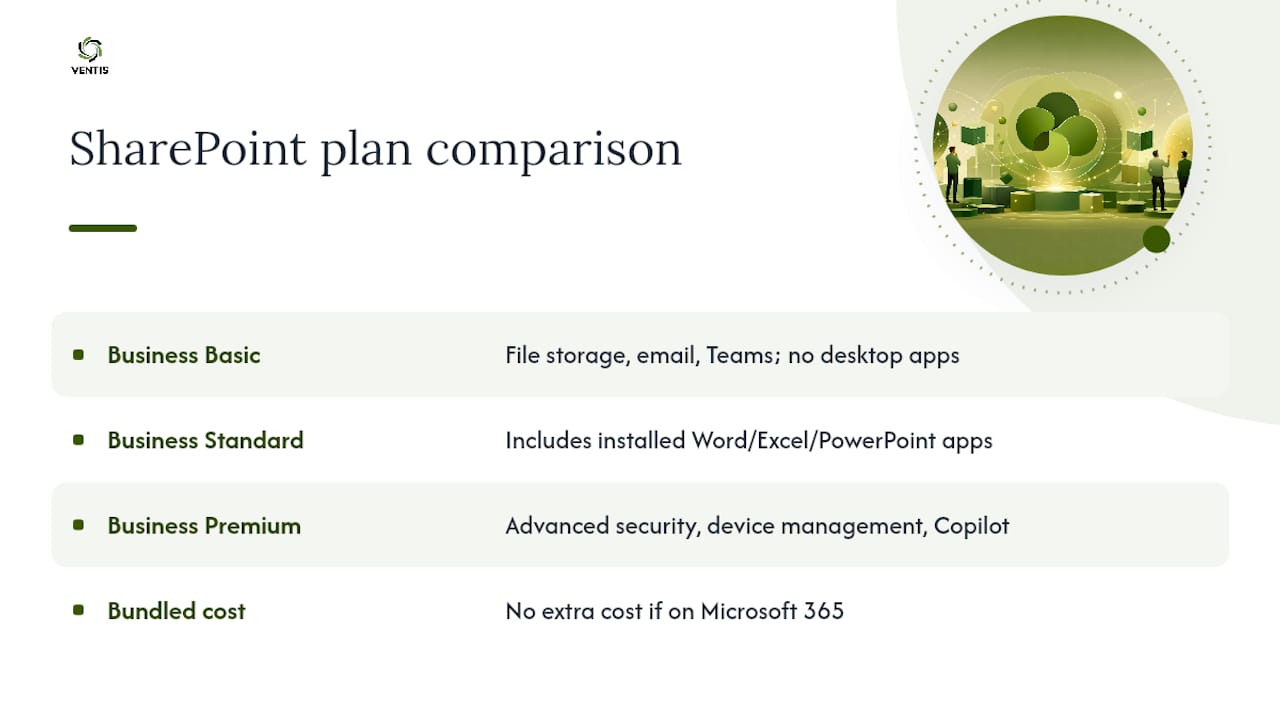
Every tier includes generous cloud storage per user, so a 10 to 15 person company rarely runs into hard limits in year one. The real differences are in included apps and security depth, not raw storage.
If you're already running Microsoft 365 for email, SharePoint typically costs nothing extra since it's bundled into the subscription tier you're already paying for. That single fact resolves a lot of the "is this worth it" hesitation small business owners bring to the table.
How to Set Up SharePoint for a Small Business
Setup is faster than most owners expect, but sequencing matters. Skip a step and you'll be rebuilding your site structure six months in.
- Map your information architecture first. Sketch departments, teams, and projects before touching the admin center. A hub-and-spoke layout, one Home Site acting as a hub with departmental sites attached, holds up far better long term than nested subsites.
- Configure your tenant basics. Confirm your Microsoft 365 licensing tier and set the default sharing policy before anyone creates a site.
- Register your Home Site. This becomes your intranet landing page and hub for navigation.
- Set up Entra ID security groups for departments or project teams, then assign site permissions to groups instead of individuals.
- Create departmental and project sites, attaching each to the hub for shared navigation and search.
- Connect Teams. Most sites created through Teams already provision a matching document library automatically.
- Turn on versioning and set a basic retention label before real documents start flowing in.
Most small businesses can get a functional structure live in two to three days of focused work. Full governance, permissions, retention, and content organization, usually takes another one to two weeks if one person owns it. Microsoft Support's setup guide walks through the same core concepts: sites, lists, libraries, and permissions.
Pro Tip: Assign a named site owner for every department before launch. An intranet with no owner turns into a ghost town within a month, full of outdated links nobody bothers to fix.
Common Ways Small Businesses Use SharePoint
Most small businesses land on the same handful of use cases once they're set up:
- Company intranet: a Home Site with announcements, links, and policy documents replaces the all-staff email chain.
- SOP and document library: procedures live in one searchable place instead of a shared drive nobody organizes.
- Client portals: external sharing with permission controls replaces emailing sensitive files as attachments.
- HR onboarding checklists: new hires get a single site with forms, policies, and training materials.
- Project sites tied to Teams: each client or project gets a dedicated space with files, tasks, and chat in one location.
Each use case saves a specific kind of friction, fewer email attachments, faster document retrieval, or a clean audit trail when a client asks "who approved this."
Security and Governance Basics You Can't Skip
SharePoint is only as secure as the settings you configure, and default settings are rarely the right settings for a business handling client data.
- Set external sharing to "specific people" by default rather than "anyone with the link," especially for client-facing document libraries.
- Turn on multi-factor authentication tenant-wide, not just for admin accounts.
- Use Entra ID groups for permissions instead of adding individuals one at a time, which becomes unmanageable past a dozen users.
- Apply sensitivity labels to contracts, financial records, and HR files so sharing rules follow the document automatically.
- Assign a site owner per department and run a permission audit every quarter, not just when something goes wrong.
Related reading on security responsibility covers how these controls fit into a broader small-business security posture.
Add-Ons That Fill SharePoint's Gaps
Out-of-the-box SharePoint handles most needs, but a few categories consistently need help. Search is the most common pain point: Navigator 365 positions itself as a no-code intranet and search layer built to cut down the "needle in a haystack" problem as libraries grow. For e-signatures, SignNow's app for SharePoint Online keeps signing workflows inside the tenant instead of bouncing documents to a separate service.

For structured processes like policy management or HR portals, marketplace apps such as Sprocket 365 and the templates cataloged by SP Marketplace let you add real functionality without custom development. When evaluating any add-on, check whether it runs inside your tenant (better for compliance), how licensing scales per active user, and who maintains it after installation.
Decision Checklist: Is SharePoint Right for You?
Answer these before you commit to a plan:
- Already on Microsoft 365? SharePoint is likely included at no extra cost.
- Fewer than 20 active collaborators, mostly internal file sharing? Business Basic covers it.
- Need desktop Office apps plus SharePoint? Business Standard is the practical match.
- Handling client financial or health data, or need Copilot access? Business Premium's added security justifies the higher tier.
- No one internally owns IT admin? Budget for a managed setup rather than self-service.
Expect the first month of licensing to run in the same range as your current Microsoft 365 subscription, since SharePoint rides along with it. A managed setup engagement for a 10 to 30 person company typically runs a few days of consultant time rather than weeks, according to the small business tech budget planning guide.
DIY versus hiring help
Self-setup works fine if you're comfortable with Microsoft 365 admin basics and have someone willing to own governance long term. Hiring a consultant makes more sense when you need client portals with strict permission tiers, compliance documentation, or simply don't have the internal hours to spare in the first month.
A managed-it view on setup speed
Speed and governance pull in opposite directions. Move fast without a plan and you'll rebuild your site structure within a year; slow down for proper planning and small teams lose momentum. Businesses that would rather skip that tradeoff often bring in IT consulting support like Ventis Consulting Group to handle setup and ongoing administration from day one.
Prefer to Skip the Setup Work Entirely?
Ventis Consulting Group handles SharePoint tenant setup, governance, and migration for small businesses across Pittsburgh and Western PA that would rather not spend a week learning Entra ID group structures.

Our approach covers fast tenant configuration, security hardening aligned with your existing Microsoft 365 licensing, migration from old file shares or legacy intranets, and ongoing administration as your team grows. That last part matters: pay-as-you-grow support means you're not locked into a fixed-scope project that ignores what happens six months after launch. If your business also runs on phones and video calls daily, our unified communications services can fold SharePoint and Teams into one connected setup instead of two separate projects. Reach out for a consultation and we'll map out what your specific setup actually needs, not a generic checklist.
Frequently Asked Questions
Is SharePoint good for small businesses without an IT department? Yes, especially for basic file sharing and document libraries. Anything involving client portals, compliance, or complex permissions benefits from managed setup help.
How much does SharePoint cost for a small business? It's typically included in your existing Microsoft 365 Business plan, so there's often no separate charge if you're already subscribed to Basic, Standard, or Premium.
Can SharePoint replace Google Drive or Dropbox for a small team? Yes, for teams already using Microsoft 365 apps like Outlook and Teams, since SharePoint keeps everything in one tenant instead of a separate file-sharing subscription.
Does SharePoint work well for client-facing document sharing? Yes, with the right external sharing settings configured, SharePoint handles client portals more securely than emailing attachments directly.
How long does it take to set up SharePoint for a small business? Basic structure takes two to three days of focused work; full governance and organization typically takes one to two more weeks.
Sources
- Microsoft 365 SharePoint: Compare Plans and Pricing
- Get started with SharePoint
- Navigator 365: Intranet & Search
- SharePoint Apps for your Business - SP Marketplace