

A business security camera system is a network of cameras, recording devices, and management software designed to capture, store, and monitor video footage across commercial premises. Understanding how business security camera systems work helps you make smarter decisions about protecting your people, property, and operations. The three dominant architectures in 2026 are Power over Ethernet NVR, cloud-managed, and hybrid systems. Brands like Verkada and Hanwha represent opposite ends of the spectrum: one built for cloud-first multi-site management, the other for on-premise control. Knowing the difference between them before you buy saves you from a costly architecture mismatch.
How do business security camera systems work?
Business security camera systems function by capturing video through IP cameras, transmitting that footage over a network, and storing it on a local recorder or cloud server for review and retrieval. The industry term for this category is commercial video surveillance, and it covers everything from a four-camera retail setup to a 200-camera warehouse network.
Every system shares three core components: the cameras themselves, a recording device (either a Network Video Recorder or a Digital Video Recorder), and a Video Management System (VMS) for viewing and managing footage. IP cameras convert light into digital video signals and send that data over a network cable or Wi-Fi. The VMS acts as the control center, letting you search footage, set motion alerts, and manage user access from one interface.
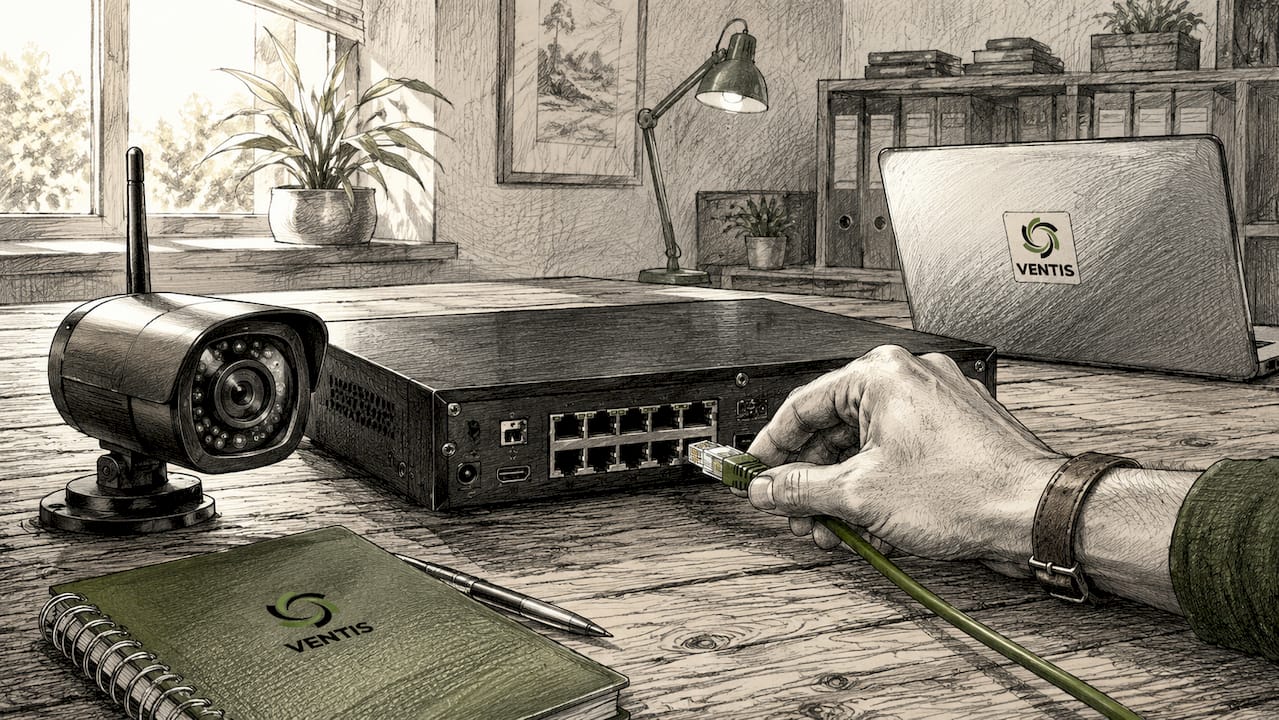
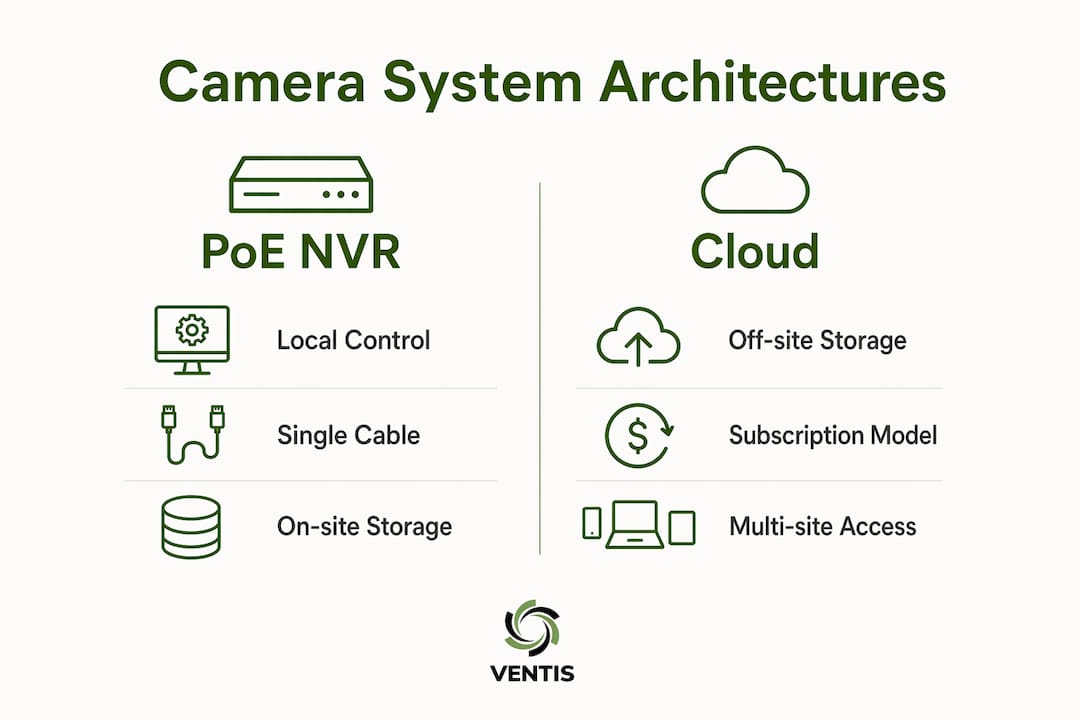
Business security camera systems generally use three architectures: PoE NVR, cloud-managed, and hybrid. Each one handles recording, storage, and access differently. The right choice depends on your site count, IT resources, and how much ongoing cost you can absorb.
What are the main types of business security camera system architectures?
System architecture choice is strategic: cloud, NVR, or hybrid based on IT resources and budget. Each has a distinct structure, cost profile, and best-fit scenario.
PoE NVR systems
A PoE NVR system uses a single Cat5e or Cat6 cable per camera to deliver both power and data to the recorder. Small business NVR setups cost $1,200–$2,500 for an 8-channel system. That upfront cost is higher than a basic cloud subscription, but there are no monthly fees after installation. This architecture suits single-site businesses that want full control over their footage and do not want to depend on internet connectivity for recording.
Cloud-managed systems
Cloud-managed platforms like Verkada use a subscription model and store footage off-site on vendor servers. The main advantage is centralized management: you can view cameras across multiple locations from one dashboard without maintaining local servers. Cloud-managed platforms like Verkada suit multi-site businesses, while on-premise NVR systems fit single-site businesses that want lower ongoing fees. The trade-off is a recurring monthly cost and dependence on a reliable internet connection at every site.
Hybrid systems
Hybrid systems record routine footage locally on an NVR and send only AI-detected event clips to the cloud. Hybrid systems record locally and push only AI-flagged clips to the cloud, optimizing bandwidth and storage. This architecture gives you the uptime reliability of local recording plus the searchable incident access of cloud storage. It works well for mid-sized businesses that need analytics without paying for full cloud bandwidth.
| Architecture | Upfront Cost | Ongoing Fees | Best For |
|---|---|---|---|
| PoE NVR | $1,200–$2,500 (8-channel) | None | Single-site, full control |
| Cloud-managed | Low | Monthly subscription | Multi-site, remote access |
| Hybrid | Moderate | Partial subscription | Analytics + local reliability |
- PoE NVR: best for businesses with on-site IT support
- Cloud-managed: best for businesses with multiple locations
- Hybrid: best for businesses that want AI analytics without full cloud costs
Pro Tip: Before selecting an architecture, map out how many sites you manage and whether your IT team can maintain local servers. If the answer is no on both counts, cloud-managed is the lower-risk starting point.
How do the technical components of a camera system work together?
IP cameras are the foundation of every modern commercial surveillance system. PoE is the standard for commercial cameras in 2026, with a single Cat5e or Cat6 cable carrying both power and data, cutting cable complexity in half compared to analog systems. A camera connects to a PoE switch, which connects to the NVR, which connects to your network. The VMS software sits on top of that hardware and gives you a usable interface.
Network segmentation is where most small business installations fall short. Placing cameras on a dedicated VLAN keeps video traffic separate from your business data traffic. 16 cameras at 4K can saturate a standard network without VLAN segmentation and proper switch capacity planning. That kind of outage does not show up until you need footage most.
Here is what each component does in a working system:
- IP cameras capture video at resolutions from 1080p to 4K and encode it as a digital stream
- PoE switches deliver power and carry data from cameras to the recorder over a single cable
- NVR or DVR stores recorded footage and manages playback
- VMS software indexes footage by time, motion events, and camera location for fast retrieval
- Storage drives hold footage for the retention period your business requires
Retailers require longer retention, typically 30–90 days, while most businesses operate on 7–30 days depending on storage capacity and bandwidth. Planning storage before installation prevents the common mistake of running out of space mid-month.
Pro Tip: Calculate your storage needs before purchasing drives. Multiply the number of cameras by the average bitrate per camera, then multiply by your retention period in seconds. A 16-camera 4K system at 8 Mbps per camera needs roughly 10 TB for 30 days of continuous recording.
What cybersecurity practices protect business camera systems?
A camera system connected to your business network is a potential entry point for attackers if left unsecured. Cybersecurity best practices include isolating cameras on dedicated VLANs, disabling UPnP, and enforcing role-based access control. These three steps alone eliminate the most common attack vectors targeting commercial surveillance systems. For a deeper look at network-level protections, SMB cybersecurity compliance covers the broader framework that camera security fits into.
Follow these steps to secure your camera network:
- Place all cameras on a dedicated VLAN with no direct access to your main business network
- Disable UPnP on every camera and switch to prevent automatic port forwarding
- Set role-based access so staff can only view cameras relevant to their role
- Change all default passwords on cameras, switches, and the NVR before going live
- Schedule firmware updates quarterly to patch known vulnerabilities
"Without operational policies, footage is rarely used effectively, wasting investment." — Commercial Video Surveillance Guide
4K video streams consume 8–12 Mbps per camera. That figure matters for bandwidth planning: a 16-camera 4K system needs 128–192 Mbps of dedicated network capacity. Failing to plan for that load causes dropped frames and recording gaps, which defeats the purpose of the system entirely. Pairing your camera VLAN with a properly sized PoE switch solves this before it becomes a problem. You can also review cloud security best practices for SMBs for guidance on securing cloud-connected camera platforms specifically.
How can businesses get the most value from their camera systems?
A camera system that records but never gets reviewed delivers almost no return on investment. Security camera systems must be treated as workflows, defining who reviews footage, what triggers a review, and what the escalation procedure looks like. Without that structure, footage sits on a drive unused until a problem is already past the point of recovery.
Integration multiplies the value of any surveillance setup. Connecting cameras to access control systems lets you match door entry logs with video timestamps automatically. Linking cameras to a POS system flags transactions that coincide with register discrepancies. Integration with access control, POS, and alarms enhances operational value and enables rapid incident response through indexed metadata.
AI analytics reduce false alarms and operator load more effectively than simply increasing resolution. Features like object classification, line crossing detection, and loitering alerts mean your team only reviews footage when something specific has triggered a flag. That shift from passive recording to active alerting is what separates a functional security system from an expensive hard drive. For businesses managing multiple locations, a cloud-managed or hybrid system with AI analytics makes multi-site oversight practical without adding headcount.
- Assign a specific staff member or team to review flagged footage daily
- Define triggers: motion in restricted areas, after-hours access, POS discrepancies
- Document escalation steps so every employee knows what to do when an alert fires
- Test integrations monthly to confirm access control and alarm links are active
- Review retention settings quarterly to match current storage and compliance needs
Key takeaways
Business security camera systems deliver real value only when the right architecture, network configuration, and operational workflow are in place from the start.
| Point | Details |
|---|---|
| Architecture drives cost and control | Choose PoE NVR for single-site control, cloud for multi-site access, or hybrid for both. |
| PoE simplifies installation | A single Cat5e or Cat6 cable carries power and data, cutting analog cable complexity in half. |
| Network segmentation prevents outages | Place cameras on a dedicated VLAN to stop video traffic from saturating your business network. |
| Cybersecurity requires active steps | Disable UPnP, enforce role-based access, and update firmware quarterly to close common attack vectors. |
| Workflows determine ROI | Define who reviews footage, what triggers a review, and how incidents escalate before going live. |
What I've learned after helping businesses choose the wrong system first
Most business owners I talk to have already made one camera system mistake before they call us. The most common one is buying a cloud-managed subscription system for a single-site location because it looked easier to set up, then realizing 18 months later that the monthly fees have exceeded what a PoE NVR would have cost outright.
The second mistake is treating camera installation as a one-time IT task rather than an ongoing operational commitment. A system with no defined review workflow, no staff training, and no firmware update schedule is not a security system. It is a liability. Footage that exists but cannot be found quickly is nearly as useless as no footage at all.
The insight that changes how most business owners think about this: the camera hardware is the smallest part of the investment. The real cost is the network infrastructure, the storage planning, the cybersecurity configuration, and the time your staff spends managing it. Getting those four things right before you buy the cameras is what separates a system that works from one that collects dust.
My practical advice: start with a site assessment. Count your camera locations, measure the cable runs, check your existing switch capacity, and decide whether your team can manage firmware updates and VLAN configuration. If the answer to that last question is no, a managed IT partner is a better investment than a more expensive camera brand.
— Greg
How Ventis Consulting Group supports your camera system setup
Ventis Consulting Group works with small to mid-sized businesses across Pittsburgh to plan, install, and manage commercial surveillance systems that actually fit their operations.
Whether you need a PoE NVR setup for a single location, a cloud-managed platform for multiple sites, or a hybrid system with AI analytics, Ventis Consulting Group designs the network infrastructure, handles cybersecurity configuration, and provides ongoing support so your system stays current. The team also integrates camera systems with access control, alarms, and POS platforms to give you a complete picture of what is happening across your business. Explore the full range of managed IT solutions to see how Ventis Consulting Group can support your security setup from day one.
FAQ
What is the difference between an NVR and a DVR?
An NVR (Network Video Recorder) works with IP cameras over a network, while a DVR (Digital Video Recorder) works with analog cameras over coaxial cable. NVR systems support higher resolutions and are the standard for new commercial installations in 2026.
How long do businesses typically retain security camera footage?
Most businesses retain footage for 7–30 days, while retailers often require 30–90 days depending on compliance needs and storage capacity. Retention length should be set before installation to size storage correctly.
Do security cameras need to be on a separate network?
Yes. Placing cameras on a dedicated VLAN prevents video traffic from congesting your main business network and limits the attack surface if a camera is compromised. This is a standard cybersecurity best practice for commercial systems.
How do AI analytics improve business camera systems?
AI analytics like object classification, line crossing detection, and loitering alerts reduce false alarms and flag only relevant events for review. This shifts your team from passive monitoring to responding to specific, confirmed incidents.
What should a business security camera installation include?
A complete installation includes IP cameras, a PoE switch, an NVR or cloud recorder, a VMS for management, and a dedicated VLAN for camera traffic. Cybersecurity configuration and staff training on review workflows are equally critical parts of the setup.