

A log retention policy is the written rule set that determines how long your organization keeps system, security, and application logs before archiving or deleting them. The strongest policies use a risk-based approach: map each log category to its regulatory and forensic value, then enforce the resulting durations through automation instead of manual cleanup. Done right, this gives you faster incident investigations, cleaner compliance audits, and predictable storage costs.
TL;DR:
- Retention durations must be tailored to log sensitivity, forensic value, regulatory requirements, and operational needs, not applied uniformly across all types.
- Automating lifecycle management with cloud and SIEM tools ensures policies are enforced consistently and reduces manual errors that could lead to non-compliance or data loss.
- Legal holds require a formal process to freeze logs beyond their normal retention schedule, avoiding accidental deletion during active litigation or investigations.
- Log classification, risk mapping, and documented rationale are essential for creating a defensible policy that can withstand audit scrutiny and regulatory review.
- Small organizations should prioritize inventory, automation, and validation within 90 days, using cloud lifecycle rules and periodic policy audits to manage logs effectively.
Table of Contents
- What a Log Retention Policy Covers and Who Should Own It
- Why Retention Matters for Investigations, Compliance, and Cost
- Key Components Every Retention Policy Must Include
- How to Set Retention Periods: A Risk-Based Process
- Storage Lifecycle: Tiering, Immutability, and Archives
- Automation and Enforcement: SIEM Rules and Cloud Lifecycle Policies
- Operational Controls: Audits, Legal Holds, and Review Cadence
- Policy Template and Sample Retention Matrix
- SMB Implementation Notes and a 90-Day Checklist
- Challenges and Best Practices for Log Deletion and Secure Disposal
- How Cloud-Native and Container Environments Change Retention
- Common Pitfalls and Misconceptions in Log Retention
- A Short Take on Discipline vs. Ad-Hoc Logging
- Let Ventis Consulting Group Handle Retention and the Monitoring Behind It
- Sources
- FAQ
What a Log Retention Policy Covers and Who Should Own It
A retention policy has to draw a clear line between three related but distinct actions. Retention is how long you routinely keep logs before deletion. Preservation is the act of freezing specific logs beyond their normal schedule, usually for litigation or an active investigation. Archival is moving older logs to cheaper, slower storage while still technically retaining them. Confusing these terms is one of the fastest ways to fail an audit, because a legal hold requires preservation regardless of what the retention schedule says.
Ownership needs to be shared, not siloed. The SANS log management framework points out that collection without analysis is a wasted effort, which means security and IT operations both need a seat at the table.
- Security team: defines which logs have forensic or threat-detection value.
- IT/SRE: manages storage, backups, and the systems generating logs.
- Legal counsel: sets preservation triggers for litigation or regulatory holds.
- Compliance: maps requirements from frameworks like PCI-DSS or HIPAA.
Common log categories include authentication events, firewall and network traffic, application errors, database access, and endpoint activity from your MDR tooling.
Why Retention Matters for Investigations, Compliance, and Cost
Retained logs are often the only evidence you have once an incident is discovered weeks after it started. Attackers routinely operate inside a network for extended periods before detection, and every day of missing log history is a day investigators can't reconstruct. That's the core argument in CIS Controls v8.1, which warns that organizations collecting logs but not analyzing or retaining them long enough create exactly the blind spot attackers rely on.
Compliance frameworks compound the stakes. SOX generally expects financial system records available for extended review windows, PCI-DSS requires at least a year of accessible transaction and access logs, and HIPAA ties log retention to broader six-year documentation rules. None of these frameworks tell you exactly how to configure a SIEM, so treat any specific number here as a starting point for your own legal review rather than a substitute for one.
Cost cuts both ways. Storing everything at hot-tier pricing forever is wasteful, but keeping logs for too short a window can be more expensive in the long run. When an incident surfaces after your 30-day retention window has already purged the relevant data, you lose the ability to determine scope, and regulators tend to treat "we didn't have the logs" as a control failure, not an excuse.
Key Components Every Retention Policy Must Include
An enforceable policy is a document, not a slogan. It needs specific mechanics that an auditor, a new hire, or a court can point to and verify.
- Log classification and risk mapping: sort logs by sensitivity and by how much forensic or diagnostic value they carry, since a debug log and an authentication log don't deserve the same treatment.
- Retention durations and expiration rules: assign a specific number of days or years to each class, with an automatic expiration action, not a "someone will clean this up eventually" note.
- Access controls, encryption, and integrity measures: restrict who can read, modify, or delete stored logs, and consider cryptographic hashing to prove logs haven't been altered, an approach CrowdStrike highlights as a practical integrity safeguard.
- Storage tiering and locations: define which logs sit in fast, searchable storage versus cheaper cold storage, and where geographically that data lives if cross-border rules apply.
- Legal holds and exception handling: build a documented process for freezing specific logs beyond their normal schedule when litigation, an audit, or an active investigation demands it.
- Audit trails for deletions and transitions: log the log management itself, so every deletion, tier migration, and policy change has its own record.
The NIST log management guide frames this as a risk-based, non-one-size-fits-all exercise, meaning a policy copied wholesale from another company's template rarely fits your actual risk profile. Build the document around your own systems, then borrow structure, not specifics, from public templates.
How to Set Retention Periods: A Risk-Based Process
Setting a duration for each log category isn't guesswork if you follow a consistent process. Skipping straight to "keep everything for a year" is how most organizations end up either overpaying for storage or underprepared for an investigation.
- Inventory every log source and its owner. List every system generating logs, from firewalls to SaaS admin consoles, and assign a named owner for each.
- Classify by sensitivity and diagnostic value. Separate high-value security and authentication logs from low-value debug output.
- Map each class to regulatory minimums and contracts. Cross-check state guidance, industry frameworks, and any client contracts that specify their own retention floors. When rules conflict, the Hawaii Data Retention Guidelines model is instructive: follow whichever applicable rule is more restrictive.
- Assess your own operational needs. Factor in realistic time-to-detect and dwell-time windows for your environment, plus how far back your team typically needs to look during a forensic investigation.
- Document the rationale and schedule a review date. Every retention duration should trace back to a specific regulatory citation or operational justification, not "that's what we've always done."
Pro Tip: Tie each log class to exactly one documented rationale, whether that's a regulation, a forensic use case, or routine troubleshooting. When an auditor asks why you keep firewall logs for 18 months, "because SOC 2 evidence requests typically cover that window" is a defensible answer. "Because it seemed safe" is not.
Revisit this process at least annually, and immediately after any regulatory change or major incident that exposes a gap in your current schedule.
Storage Lifecycle: Tiering, Immutability, and Archives
Logs don't need the same storage treatment on day one and day 400. A tiered lifecycle keeps costs sane while preserving what matters.
Hot storage holds recent, actively searched logs, typically the last 30 to 90 days, where fast query performance matters for daily security operations. Warm storage covers logs you rarely query but might need within a quarter, often for a compliance spot check. Cold storage handles logs kept mainly for regulatory floors, accessed rarely and tolerant of slower retrieval. Archive storage is the final resting place for logs kept purely for legal or long-term audit purposes, sometimes for years.
Integrity protection matters more the longer logs sit untouched. Write-once-read-many (WORM) storage, immutable snapshots, and cryptographic hashing all help prove that archived logs haven't been altered, a concern the legacy NIST SP 800-92 guide raises directly when discussing evidentiary use. If a log might ever end up in front of a judge, chain-of-custody documentation for who accessed or moved it becomes as important as the log content itself.
Volume control keeps this all affordable. Sampling, filtering out known-noisy events, and compression can shrink storage footprints substantially without touching the logs that actually carry security or compliance value. The mistake to avoid is filtering before you've classified. Cut volume on data you've already decided is low value, never on data you haven't evaluated yet.
Automation and Enforcement: SIEM Rules and Cloud Lifecycle Policies
A retention policy that depends on someone remembering to delete files manually will fail within a year. Automation is what makes a policy real rather than aspirational.
- SIEM retention tiers: most SIEM platforms let you configure separate retention windows by log source or index, so authentication logs can sit in a longer-retention tier than routine health-check pings.
- Cloud storage lifecycle rules: object storage lifecycle policies, the kind covered in guidance on cloud storage tiering for startups, automatically transition or delete objects based on age, removing the need for manual intervention.
- Index lifecycle management (ILM): search platforms use ILM to move data between hot, warm, and cold indices on a schedule you define once.
- Centralization and normalization: pulling logs into one platform, as discussed in guidance on SIEM for small and mid-sized businesses, makes it far easier to apply one consistent retention rule instead of managing a dozen system-specific settings.
Microsoft Purview's audit log retention documentation is a useful real-world example of how default retention behaviors and configuration prerequisites work inside enterprise tooling, even if you're not a Microsoft shop. Whatever platform you use, schedule periodic validation tests that confirm logs are actually expiring, transitioning, and being retained on the timeline your policy claims. A policy that looks correct on paper but silently fails in the SIEM configuration is worse than having no policy, because it creates false confidence.
Operational Controls: Audits, Legal Holds, and Review Cadence
Writing the policy is the easy part. Keeping it accurate over time takes ongoing governance.
Run periodic audits that compare what your policy says against what your systems actually do. Pull a sample of logs from each retention tier and confirm they match the documented schedule; drift between policy and practice is common once teams change platforms or add new log sources without updating the document.
Legal holds need a formal trigger and release process. When counsel identifies litigation or a regulatory inquiry, the affected logs should be flagged and excluded from any automated deletion job immediately, with a written record of when the hold started and who authorized it.
Access to retention settings themselves should follow least-privilege principles. Only a small number of named people should be able to shorten a retention window or delete logs early, and every one of those actions needs its own log entry.
Trigger a full policy review whenever a regulation changes, after any incident that exposed a retention gap, or at minimum once a year on a fixed calendar date. Waiting for an audit finding to prompt the review is reactive; a scheduled cadence is not.
Policy Template and Sample Retention Matrix
A workable policy document doesn't need to be long. It needs five sections: scope (which systems and log types it covers), roles (who owns classification, enforcement, and exceptions), retention rules (duration by log class), enforcement mechanism (SIEM tier, cloud lifecycle rule, or ILM policy), and review cadence (date and trigger conditions).
- Debug and diagnostic logs: short-term, operational use only.
- Application logs: moderate retention for troubleshooting and trend analysis.
- System and infrastructure logs: longer retention for capacity planning and incident review.
- Network logs: aligned to your forensic investigation window.
- Security and audit logs: the longest retention, driven by compliance minimums.
| Log Type | Typical Retention Range | Primary Driver |
|---|---|---|
| Debug/diagnostic | Days to a few weeks | Operational troubleshooting |
| Application | 30 to 90 days | Bug tracking, performance |
| System/infrastructure | 90 days to 1 year | Capacity planning, incident review |
| Network/firewall | 6 months to 1 year | Forensic investigation window |
| Security/audit | 1 year or longer | Compliance minimums, legal exposure |
Record exceptions and legal holds directly in the same document, noting the log source, the reason for the exception, the authorizing person, and the review date.
SMB Implementation Notes and a 90-Day Checklist
Smaller organizations rarely lack the will to retain logs properly. They lack the infrastructure and staff hours. Manual retention management doesn't scale, which is why automated lifecycle tools matter even more for a lean IT team than for an enterprise with a dedicated security operations staff.
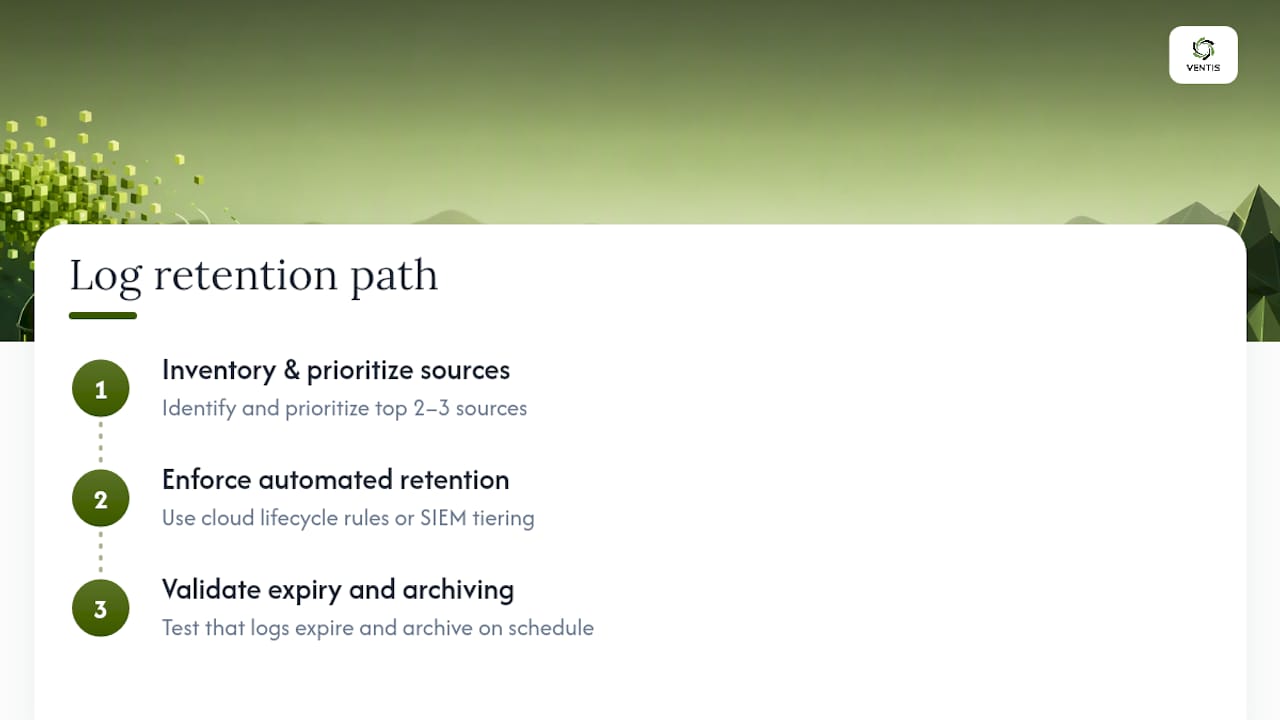
A practical 90-day path: in the first 30 days, inventory your log sources and prioritize the two or three that carry the most security value. In the next 30, enforce retention through cloud lifecycle rules or your SIEM's built-in tiering rather than manual scripts. In the final 30, run a validation test to confirm logs are actually expiring and archiving on schedule.
This is where Ventis Consulting Group's managed detection and compliance work tends to close the gap for smaller teams, pairing retained logs with the active monitoring that makes them useful in the first place.
Challenges and Best Practices for Log Deletion and Secure Disposal
Deleting logs sounds simple until you factor in distributed storage, backups, and replication. A log deleted from primary storage often still exists in a backup snapshot for months, which means "we deleted it" and "it's actually gone" are frequently two different statements. Any disposal process needs to account for every copy, not just the primary record.
Legal holds create the opposite problem: logs that should have expired months ago but can't be touched because of an active hold. Track hold status separately from the retention schedule so expired-but-held logs don't get accidentally purged by an automated job that doesn't know about the hold.
Secure disposal for anything sensitive should go beyond a standard delete command. Cryptographic erasure, where the encryption key protecting the data is destroyed rather than the data itself, is often faster and more verifiable than trying to overwrite every physical block, especially in cloud environments where you don't control the underlying hardware.
Document every deletion event, including the log category, the volume deleted, the date, and who or what system triggered it. This audit trail is what proves to a regulator or auditor that disposal happened on schedule and wasn't used to conveniently erase evidence right before an investigation.
A common mistake is treating disposal as a one-time cleanup project rather than an ongoing, automated process. Manual deletion sprints tend to either miss data that should have gone or accidentally remove data still under a hold. Building disposal into the same lifecycle automation that handles tiering, using the expiration rules already defined in your policy, avoids both failure modes.
How Cloud-Native and Container Environments Change Retention
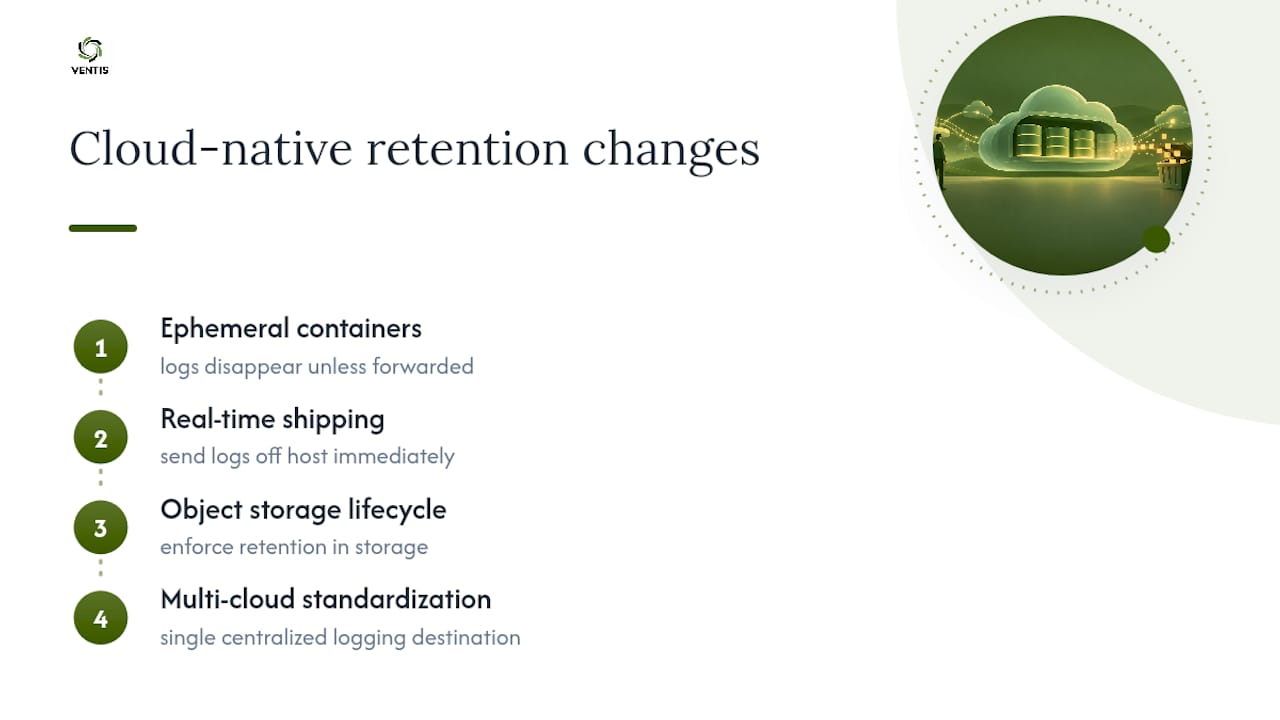
Containers and cloud-native architecture broke a lot of assumptions baked into older retention policies. A traditional policy assumes logs live on a server that persists for months or years. Containers routinely spin up and terminate within minutes, and the logs they generate can vanish along with them unless you've explicitly configured log forwarding before the container ever starts.
This makes centralized, real-time log shipping a requirement rather than a nice-to-have. If your retention policy assumes logs are collected locally and then reviewed periodically, cloud-native workloads will simply outrun that assumption. Logs need to leave the ephemeral compute layer immediately and land in centralized storage where the retention policy actually applies.
Cloud lifecycle policies, the kind built into object storage services, become the natural enforcement point for cloud-native environments, since they operate independently of whatever compute resource generated the log. This is also where the Log file SEO guidance on parsing large log volumes is a useful parallel, even though it's written for a different use case: the same principles of structured collection and pattern analysis apply whether you're hunting for crawler behavior or a security anomaly.
Multi-cloud and hybrid setups add another wrinkle. If your organization runs workloads across more than one cloud provider, retention durations and storage locations need to be consistent across all of them, or you end up with a policy that's only enforced in the environment someone remembered to configure. Standardizing on one centralized logging destination, regardless of which cloud generated the data, keeps enforcement consistent.
Common Pitfalls and Misconceptions in Log Retention
The most persistent misconception is that longer retention is automatically safer. Retention without analysis, the exact failure mode CIS Controls v8.1 warns about, just means you're storing evidence of a breach you never noticed. Retention has to be paired with scheduled searches and alerting, or the extra months of storage buy you nothing operationally.
Another common mistake is applying one blanket retention period to every log type. Treating a debug log the same as an authentication log wastes storage on the low-value data and, worse, can obscure the higher-value data inside a sea of noise during an actual investigation.
Teams also frequently forget that a policy is only as good as its enforcement mechanism. Writing a document that says "security logs are retained for one year" accomplishes nothing if the underlying SIEM configuration still defaults to 90 days. Validate the technical configuration against the written policy, not just the other way around.
Finally, many organizations treat their retention policy as a compliance checkbox exercise, written once for an audit and never revisited. Regulations change, log sources change as new systems get deployed, and dwell times shift as attacker techniques evolve. A policy frozen in time drifts out of alignment with actual risk within a year or two, which defeats the purpose of having written it at all.
A Short Take on Discipline vs. Ad-Hoc Logging
Most breaches aren't caught fast. They're caught late, and the investigation depends entirely on what was still sitting in storage when someone finally noticed. Organizations with a disciplined, risk-based retention policy tend to cut attacker dwell time simply because they can look back far enough to find the entry point. Ad-hoc logging, where retention is whatever the default setting happened to be, routinely leaves that window too short to matter.
— Greg
Let Ventis Consulting Group Handle Retention and the Monitoring Behind It
A retention policy only pays off when something is actually watching the logs it protects, but many small IT teams don't have the staff hours to run this themselves. Some providers take a consultative approach, pairing practical retention design with the monitoring that makes retained logs worth keeping.

Our Managed Detection & Response service pairs directly with retention policy design, so logs aren't just stored, they're actively reviewed. Our broader end-to-end IT solutions cover the cloud lifecycle configuration, backup strategy, and compliance assessment work that a defensible policy depends on. If your current logging setup is closer to "we hope it's fine" than "we can prove it's fine," request a free cybersecurity assessment and let's map out a retention approach that actually holds up under audit.
Sources
- SP 800-92 Rev. 1, Cybersecurity Log Management Planning Guide | CSRC
- Guide to Computer Security Log Management (NIST Special Publication 800-92)
- Effective log management provides critical visibility (SANS)
- Manage audit log retention policies
FAQ
What Is a Retention Policy for Logs?
A log retention policy is a documented rule set specifying how long different types of logs are kept before deletion or archival, along with who owns enforcement and how exceptions like legal holds are handled. The strongest versions map each log category to a specific regulatory or forensic rationale rather than applying one blanket duration.
How Long Should Logs Be Retained?
It depends entirely on the log type and which regulations apply, but a common structure keeps operational logs like debug and application data for 30 to 90 days, system and network logs for 6 months to a year, and security or audit logs for a year or longer. Always check whether a state guideline, industry framework, or contract sets a stricter minimum, since Hawaii's Data Retention Guidelines illustrate how the more restrictive applicable rule takes precedence.
What Is the 7-Year Retention Policy?
Seven-year retention windows typically come from financial and tax-related recordkeeping requirements rather than a universal logging standard, and they're commonly associated with certain SOX-related financial documentation. This isn't a blanket rule for all log types, so confirm the specific requirement with legal or compliance counsel before applying it broadly.
How Long Should Event Logs Be Retained?
Event logs like authentication and access records generally warrant longer retention than routine debug output because they carry the most forensic and compliance value, often a year or more depending on your industry. Microsoft's audit log retention documentation is a useful reference for how default retention behaviors work in common enterprise tooling.
Can Ventis Consulting Group Help Design Our Retention Policy?
Yes. Ventis Consulting Group's managed IT and compliance services help small and mid-sized organizations classify log sources, configure automated retention enforcement, and pair retained logs with active monitoring through Managed Detection & Response. Current pricing details are available directly on the Ventis Consulting Group site.