
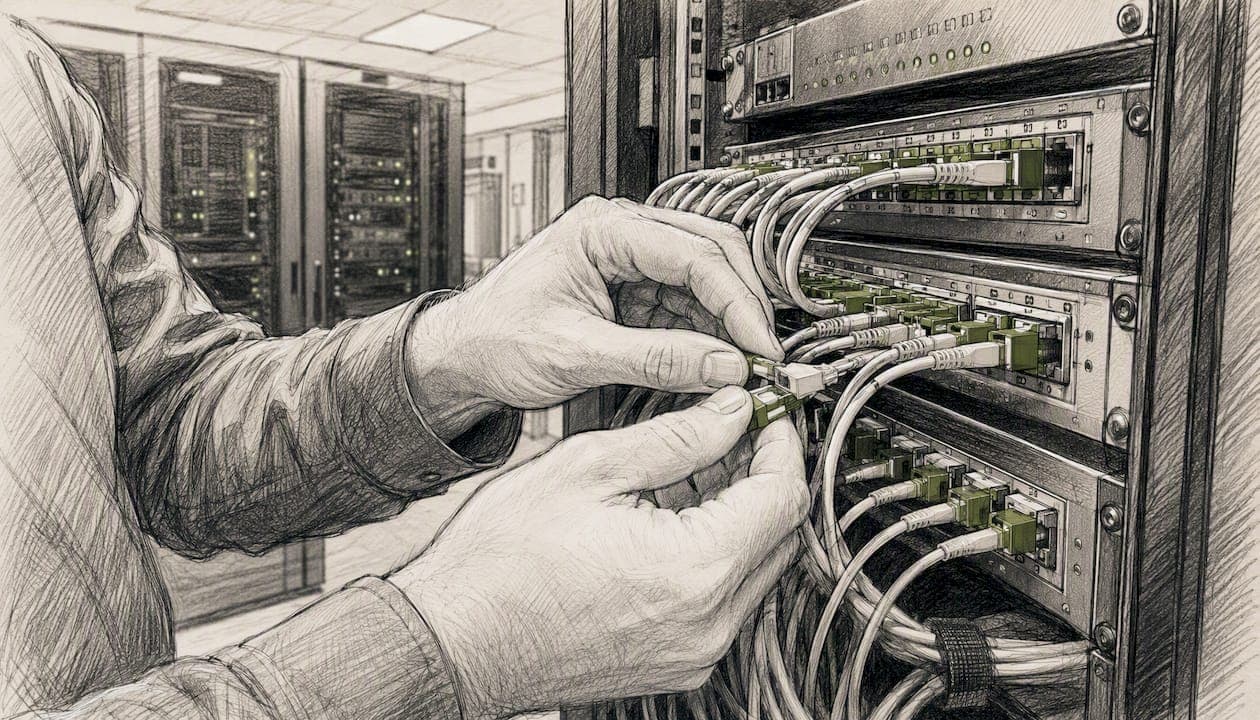
A network operations center (NOC) is a centralized capability that monitors, manages, and maintains an organization's network infrastructure around the clock, keeping uptime high and performance issues from escalating into outages. The term "NOC network operations center" is widely used in IT operations, though the recognized industry term is simply network operations center or NOC.
- A NOC watches networks, servers, cloud workloads, and endpoints 24/7, catching problems before users ever notice them.
- Ventis Consulting Group provides managed IT and NOC-aligned monitoring services built specifically for small and mid-sized businesses in Pittsburgh and Western PA.
- A NOC handles network health and uptime; a Security Operations Center (SOC) handles threat detection. The two functions are complementary, not interchangeable.
- If your organization has uptime-sensitive operations, SLA obligations, or compliance requirements, a coverage gap assessment is the right first step.
Key Takeaways
A NOC is the operational foundation that keeps your network running, and the right coverage model depends on your budget, SLAs, and internal expertise.
| Point | Details |
|---|---|
| NOC definition | A NOC monitors and manages network health 24/7, catching issues before they become outages. |
| Build vs. buy | Outsourcing to an MSP is faster and more cost-effective for most SMBs than building an in-house NOC. |
| Core metrics to track | Start with MTTD, MTTR, uptime percentage, and false positive rate to measure NOC performance. |
| Runbooks over platforms | Documented runbooks and escalation paths deliver more operational value than any monitoring tool alone. |
| Ventis Consulting Group | Ventis provides managed IT and NOC-aligned monitoring for SMBs in Pittsburgh and Western PA, starting with a readiness assessment. |
Table of Contents
- What is a network operations center, and do you need one?
- How does a NOC actually work day to day?
- What are the core functions every NOC should cover?
- People, processes, and platforms: what makes a NOC work
- How should you staff a NOC?
- What tools does a NOC rely on?
- How is a NOC different from a SOC or a help desk?
- What business value does a NOC actually deliver?
- In-house NOC vs. outsourced NOC: which is right for you?
- What metrics should you track to measure NOC performance?
- How are AI and automation changing NOC operations?
- How can SMBs get NOC coverage without building from scratch?
- What teams commonly miss about NOC operations
- Ventis Consulting Group provides NOC-level coverage for SMBs
- Sources
What is a network operations center, and do you need one?
A NOC is the operational nerve center for your network. According to Wikipedia's overview of network operations centers, NOCs originated as physical "war rooms" filled with video walls and dedicated operator desks, but modern NOCs are increasingly virtual or distributed, relying on integrated tooling rather than a single room.
What a NOC monitors spans a wide range: routers, switches, firewalls, servers, cloud infrastructure, hybrid environments, VoIP systems, and endpoints. Anything touching the network is fair game.
Physical, virtual, and distributed NOC models
Techopedia's NOC definition breaks NOC environments into three practical types:
Physical NOC: A dedicated facility with on-site staff, large display walls, and direct hardware access. High capital cost, but maximum control and visibility for large enterprises.
Virtual NOC (vNOC): Operators work remotely using an integrated monitoring and remote management platform. Lower overhead, faster to stand up, and increasingly the standard for managed service providers and SMBs.
Distributed NOC: Multiple regional teams sharing a common toolset and process framework. Often used for follow-the-sun coverage models where one team hands off to another across time zones.
When does your organization actually need NOC coverage?
Ask yourself these questions:
- Does a network outage directly stop revenue or operations?
- Do you have SLA commitments that require defined response times?
- Are you subject to compliance frameworks like HIPAA, PCI DSS, or SOC 2 that require continuous monitoring?
- Has your infrastructure grown to the point where a single IT generalist can no longer watch everything?
- Are you experiencing recurring incidents that only get discovered after users complain?
If you answered yes to two or more of those, you need NOC coverage in some form.
How does a NOC actually work day to day?
The NOC workflow is a repeatable cycle. Every incident follows the same path, which is what makes a mature NOC predictable and measurable. Splunk's NOC overview frames this well: the primary value of a NOC is proactive detection and remediation, stopping small anomalies before they become major outages.
Here is a typical incident lifecycle:
- Monitoring and detection. Automated tools poll devices, check thresholds, and analyze traffic patterns continuously. At 2:17 AM, a threshold alert fires: a core switch is showing very high CPU utilization.
- Alert triage. A Tier 1 technician reviews the alert in the monitoring dashboard, cross-references the CMDB, and confirms the device is production-critical. A ticket is created automatically.
- Prioritization. The ticket is tagged P2 (high priority) based on the device's role and the time of day. The technician checks for correlated alerts on downstream devices.
- Remediation attempt. The technician follows the runbook for high CPU on that switch model, clears a stuck process via remote CLI, and monitors for 10 minutes.
- Escalation. CPU drops briefly but climbs again. The ticket escalates to Tier 2 at 2:41 AM. A NOC engineer logs in, identifies a misconfigured routing loop introduced during a change window, and corrects it.
- Verification. CPU returns to 22%. The engineer monitors for 30 minutes, confirms stability, and closes the ticket at 3:18 AM.
- Post-incident review. By 9:00 AM, a root cause analysis (RCA) note is attached to the ticket. The change control process is updated to add a routing-loop check to the pre-change checklist.
Automation typically interjects at steps 1 and 2: auto-creating tickets, enriching alerts with device context, and sometimes executing safe remediations (like clearing a known stuck process) before a human even sees the alert.
What are the core functions every NOC should cover?
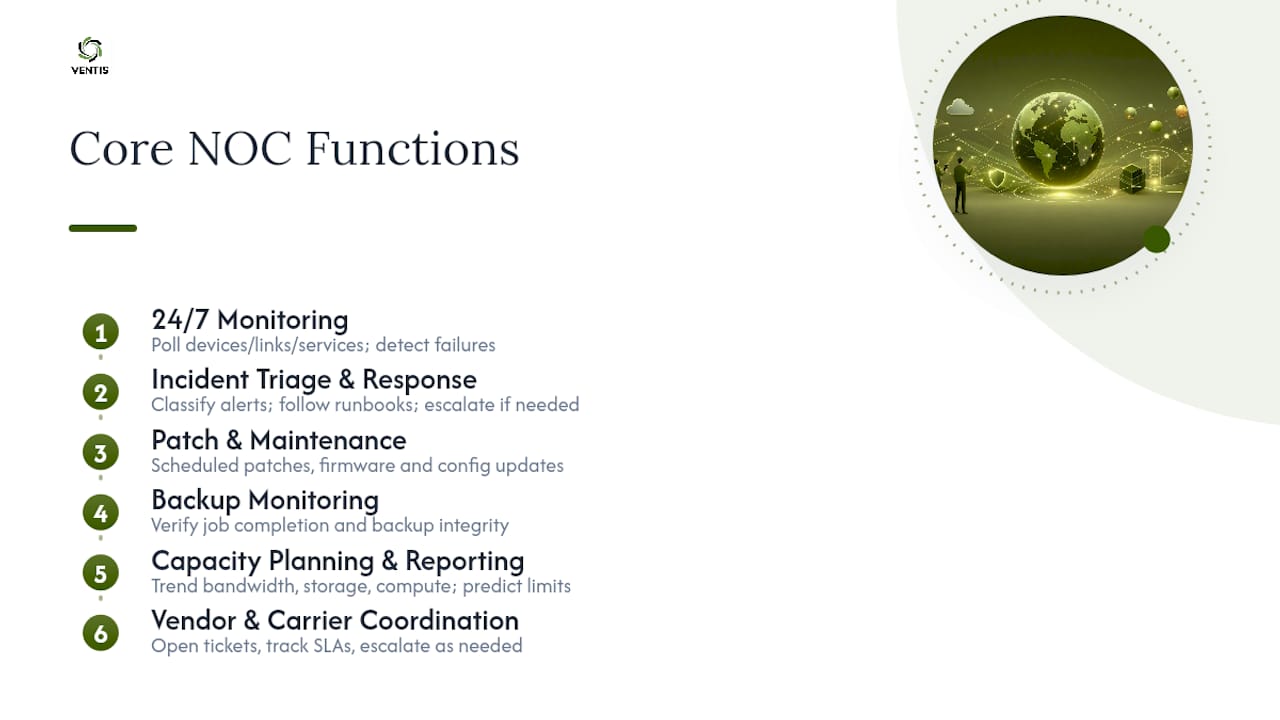
A well-run NOC handles more than just "watching the network." Techopedia's breakdown of NOC functions lists continuous monitoring, event resolution, and capacity planning as core responsibilities. Here is what each looks like in practice:
24/7 network and infrastructure monitoring. Every device, link, and service is polled on a defined interval. In practice, this means a NOC catches a failed WAN link at 3 AM and initiates failover before the morning shift arrives.
Incident triage and response. Alerts are classified by severity, matched to runbooks, and resolved or escalated. A NOC does not just log tickets; it works them.
Patch and maintenance management. Scheduled patching, firmware updates, and configuration changes happen during defined maintenance windows. This keeps devices current without disrupting business hours.
Backup monitoring. Every backup job is verified for completion and integrity. A NOC catches a failed backup before it becomes a recovery crisis.
Capacity planning and performance reporting. Trending data on bandwidth, storage, and compute helps predict when infrastructure will hit limits. You get a warning weeks before a problem, not the day of.
Vendor and carrier coordination. When an ISP circuit goes down, the NOC opens the trouble ticket with the carrier, tracks it, and escalates if SLAs are missed. Your team does not spend hours on hold.
Sherweb's managed NOC service overview confirms that monitoring, patching, alert triage, backup monitoring, and reporting are the standard features of outsourced NOC packages, which is a useful baseline when evaluating any provider.
People, processes, and platforms: what makes a NOC work
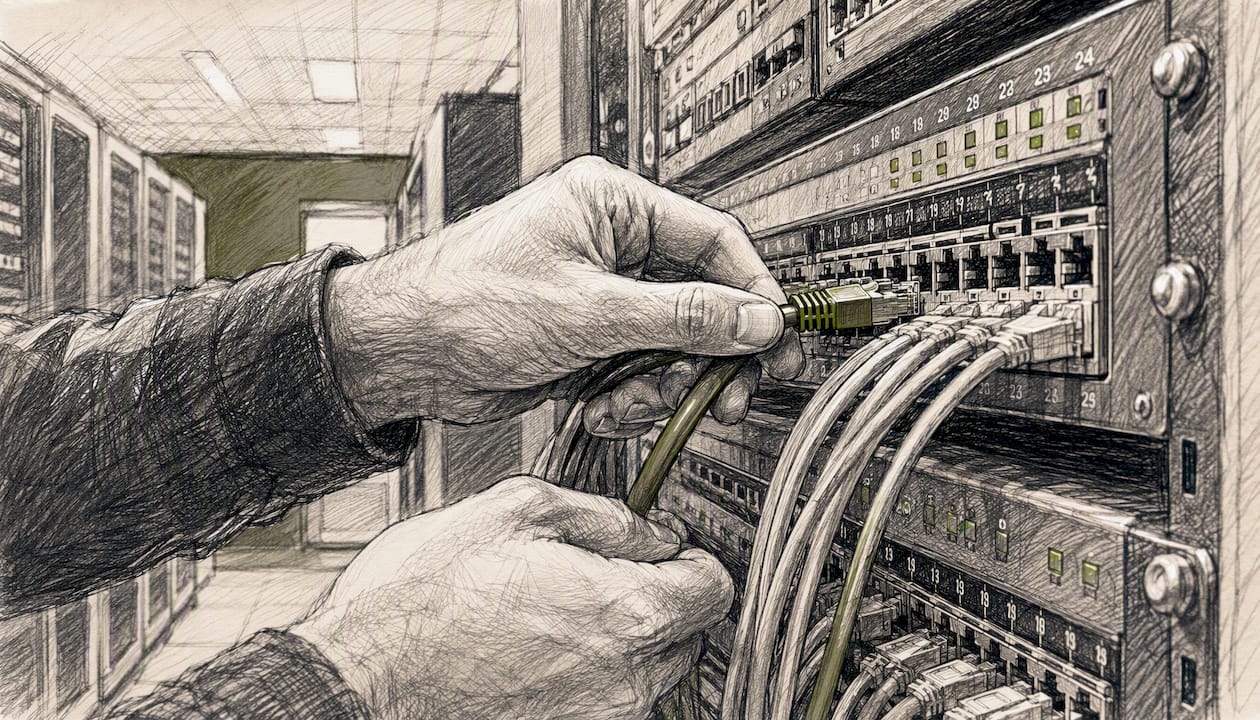
A NOC is not a tool purchase. It is the combination of three things working together.
| Pillar | Components | What it looks like in practice |
|---|---|---|
| People | NOC Technician (Tier 1), NOC Engineer (Tier 2), Network Architect (Tier 3), Shift Lead, Escalation Manager | Tiered staffing with clear ownership at each level; shift leads own handoffs |
| Processes | Runbooks, escalation paths, change control, maintenance windows, SLAs, SLOs | Documented procedures that any technician can follow at 3 AM without calling a senior engineer |
| Platform | NMS, RMM, SIEM/logging, ticketing system, CMDB, dashboards, API integrations | Integrated stack where an alert auto-creates a ticket, enriches it with device context, and routes it to the right queue |
People: roles and skill sets
NOC technicians handle first-contact triage: they acknowledge alerts, run initial diagnostics, and follow runbooks. NOC engineers own remediation for issues that require deeper analysis or configuration changes. Network architects and Tier 3 engineers handle root cause analysis, design changes, and complex escalations. Shift leads manage handoffs, track open tickets, and own SLA compliance during their window.
Wikipedia's NOC personnel overview notes that NOC engineers and technicians routinely handle DDoS events, routing issues, outages, and device configuration, as well as physical infrastructure tasks like KVM management and environmental monitoring in on-prem environments.
Processes: runbooks are the real asset
Most teams underinvest here. A runbook is a step-by-step procedure for a specific alert or scenario. When a Tier 1 technician at 2 AM can resolve a known issue by following a documented procedure, you avoid unnecessary escalations, faster resolution, and consistent outcomes. Runbooks also make onboarding new staff dramatically faster.
Pro Tip: Before you buy a single monitoring tool, audit your top 20 most frequent alerts and write a runbook for each. That documentation will deliver more operational value than any platform upgrade.
Platform: integration beats feature count
Techopedia makes the point clearly: modern NOCs depend less on a physical space and more on an integrated stack. The goal is a single pane of glass where monitoring alerts, ticket status, device inventory, and performance dashboards are visible in one place. Siloed tools that do not talk to each other create alert storms and missed handoffs.
How should you staff a NOC?
Staffing a NOC is a function of your coverage requirements, alert volume, and SLA commitments. There is no universal ratio, but the tiered model is the industry standard.
The tiered support model
- Tier 1: Alert acknowledgment, initial triage, runbook execution, ticket creation. Typically the highest headcount. Resolves the majority of alerts without escalation.
- Tier 2: Remediation for issues requiring deeper diagnosis, CLI access, or configuration changes. Escalation point for Tier 1.
- Tier 3: Root cause analysis, architecture-level changes, vendor escalations, and post-incident reviews. Often shared with the broader engineering team rather than dedicated full-time to the NOC.
Shift models and coverage strategies
Common approaches include:
- Three 8-hour shifts: Full 24/7 coverage with dedicated teams per shift. Works well for larger NOCs with enough volume to justify full staffing at all hours.
- Split shifts with on-call: Daytime staff handle peak volume; an on-call engineer covers overnight with automated alerting as the first line. Common for SMBs and smaller MSPs.
- Follow-the-sun: Regional teams in different time zones hand off to each other, providing continuous coverage without overnight shifts for any single team. Requires strong handoff documentation.
As a general heuristic, a Tier 1 technician can typically manage somewhere between 50 and 150 monitored devices depending on alert volume, automation maturity, and runbook quality. That range is wide because automation makes an enormous difference: a NOC with strong auto-remediation handles far more devices per engineer than one relying on manual responses.
What tools does a NOC rely on?
The tooling landscape for a NOC falls into four categories. You need coverage in all four; gaps in any one create blind spots.
Network monitoring systems (NMS) and remote monitoring and management (RMM). These are the eyes of the NOC. They poll devices, collect SNMP traps, check service availability, and generate alerts. Examples of tool categories here include agent-based endpoint monitoring platforms and agentless network discovery tools.
Ticketing and ITSM platforms. Every alert that requires human action becomes a ticket. The ticketing system tracks ownership, SLA timers, escalation history, and resolution notes. Integration between your monitoring platform and ticketing system is non-negotiable.
Logging and SIEM. Centralized log aggregation lets engineers search across devices for correlated events. This is where you find the routing loop that caused the CPU spike, not just the CPU spike itself.
Automation and orchestration. Script-based or workflow-based tools that execute safe remediations automatically, route tickets, and enrich alerts with context from the CMDB.
Integration best practices
The single biggest trap is buying best-of-breed tools that do not integrate. When your monitoring platform fires an alert that does not auto-create a ticket, and your ticketing system does not pull device context from your CMDB, your technicians spend their shift copy-pasting information instead of resolving issues. Prioritize platforms with open APIs and pre-built integrations. Align your device inventory in the CMDB with your monitoring targets so alert context is always accurate. And normalize alert severity tags across tools so a P1 in your NMS maps to a P1 in your ticketing system, not a P3.
Vendor lock-in is a real risk. Before committing to a platform, confirm you can export your historical alert data, ticket history, and device inventory in a standard format. Data portability protects you if you need to switch providers or tools.
How is a NOC different from a SOC or a help desk?
These three functions are often confused, and the confusion leads to coverage gaps.
IBM's NOC explainer draws the line clearly: a NOC focuses on network health, uptime, and performance optimization, while a SOC focuses on threat detection and mitigation. They are complementary, not redundant. You can learn more about how security responsibility is structured across these functions.
NOC: Owns network availability and performance. Responds to outages, degradation, and infrastructure failures. Primary question: Is the network up and performing correctly?
SOC: Owns threat detection, incident response, and forensic analysis. Responds to security events, intrusions, and anomalies that indicate malicious activity. Primary question: Is the network secure?
Help desk: Owns end-user support. Responds to user-reported issues: password resets, software problems, device configuration. Primary question: Can this user do their job right now?
How the three teams hand off
A practical example: a NOC engineer notices unusual outbound traffic volume on a firewall at 11 PM. The traffic pattern does not match a known maintenance window. The NOC creates a ticket, flags it as a potential security event, and escalates to the SOC. The SOC analyst pulls firewall logs, identifies a compromised endpoint communicating with a known command-and-control IP, and initiates containment. The NOC then assists with network-level isolation while the SOC handles forensic analysis. Neither team could have handled the full incident alone.
The help desk, meanwhile, gets a call the next morning from a user whose laptop was isolated. The help desk coordinates with the SOC on remediation steps before returning the device to service.
What business value does a NOC actually deliver?
The case for NOC investment comes down to one equation: the cost of downtime versus the cost of prevention. Splunk's analysis positions the NOC as the business's nervous system, preventing small anomalies from becoming major outages. For more on how this connects to broader continuity planning, see cybersecurity's role in business continuity for SMBs.
The core benefits:
- Reduced downtime. Proactive monitoring catches issues before users report them, cutting mean time to detect (MTTD) from hours to minutes.
- Faster mean time to repair (MTTR). Runbooks and tiered escalation mean the right person is working the right problem faster.
- Consolidated visibility. A single reporting view across all infrastructure replaces the fragmented picture most SMBs live with.
- Capacity planning. Trending data prevents the "we ran out of bandwidth on a Friday afternoon" scenario.
- Regulatory compliance support. Continuous monitoring logs and audit trails support compliance reporting for HIPAA, PCI DSS, and SOC 2 requirements.
A simple ROI frame
Consider a business that experiences four hours of unplanned downtime per month at a cost of $5,000 per hour. That is $20,000 per month in lost productivity and revenue. If NOC coverage reduces unplanned downtime by 75%, the avoided cost is $15,000 monthly. That figure is illustrative, not a guarantee, but it gives you a framework for the conversation with your leadership team. Pair it with your actual downtime logs and your real cost-per-hour figure to build a defensible business case. For specific tactics on reducing IT downtime for your small business, the linked resource covers practical steps.
In-house NOC vs. outsourced NOC: which is right for you?
This is the decision most SMBs and growing IT teams wrestle with. Both models work; the right choice depends on your budget, expertise, and growth trajectory.
| Criteria | In-House NOC | Outsourced (Managed) NOC |
|---|---|---|
| Cost | High upfront: staffing, tools, facility | Predictable monthly fee; lower capital outlay |
| Control | Full control over processes and tooling | Shared control; governed by SLA and contract |
| Scalability | Slow; hiring and training takes months | Fast; provider scales capacity on demand |
| Expertise | Dependent on internal hiring market | Access to a broader team with specialized skills |
| Speed to operate | Months to build and staff | Weeks to onboard with a mature provider |
INOC's outsourced NOC overview highlights that mature providers can offer immediate 24x7 coverage and operational maturity, with some maintaining ISO 27001 certification to demonstrate process controls. That certification is a useful evaluation criterion: it tells you the provider has documented, audited processes rather than ad hoc procedures.
Pros and cons at a glance
In-house NOC:
- Full visibility and control over every process and tool choice
- Easier integration with internal change management and IT governance
- High cost: salaries, benefits, training, tools, and facility
- Vulnerable to staff turnover and coverage gaps during vacations or illness
- Takes months to build from scratch
Outsourced NOC:
- Immediate coverage without the hiring timeline
- Predictable cost structure that scales with your environment
- Providers bring pre-built runbooks, tooling, and process maturity
- Less direct control; requires a well-written SLA to protect your interests
- Quality varies significantly between providers
Decision checklist
Before you choose, answer these questions honestly:
- Can you afford to hire and retain at least three NOC technicians for 24/7 coverage?
- Do you have the internal expertise to build and maintain a monitoring stack?
- Do your SLAs require sub-15-minute response times that demand always-on staffing?
- Are you subject to compliance frameworks that require documented, audited monitoring processes?
- Is your infrastructure growing faster than your IT team can keep pace with?
- Do you have the management bandwidth to run a NOC team, including shift scheduling and performance reviews?
- Would your internal team be more valuable focused on projects and strategic work than on alert triage?
If you answered no to questions 1, 2, or 6, outsourcing is likely the more practical path.
What metrics should you track to measure NOC performance?
Metrics are how you hold a NOC accountable, whether it is your own team or an outsourced provider. These are the ones that matter most:
Mean Time to Detect (MTTD): How long from when an issue starts to when the NOC identifies it. Lower is better. A mature NOC targets MTTD under five minutes for critical alerts.
Mean Time to Repair (MTTR): How long from detection to resolution. For P1 incidents, a target under 60 minutes is a reasonable starting point for SMBs; enterprise NOCs often target under 30 minutes.
Uptime percentage: The percentage of time monitored services are available. Most SLAs target 99.9% (roughly 8.7 hours of downtime per year) or higher.
Ticket backlog: The number of open tickets aging beyond their SLA target. A growing backlog is an early warning sign of staffing or process problems.
False positive rate: The percentage of alerts that turn out to be non-issues. A high false positive rate burns technician time and leads to alert fatigue, where real issues get missed because engineers have learned to tune out noise.
Target ranges as guidance
For SMBs, realistic starting targets are MTTD under 10 minutes for critical alerts, MTTR under 2 hours for P1 incidents, and uptime at 99.9% or better. Enterprise environments typically tighten all three. Use these in quarterly business reviews (QBRs) with your NOC provider or internal team lead. If MTTR is trending up quarter over quarter, that is a process or staffing problem worth investigating before it becomes an outage pattern.
How are AI and automation changing NOC operations?
Automation is not replacing NOC engineers. It is handling the repetitive, low-judgment work so engineers can focus on the problems that actually require expertise.
The highest-value automation use cases in a NOC today:
- Alert enrichment: When an alert fires, automation pulls device context from the CMDB, checks recent change logs, and attaches that information to the ticket before a human sees it. Engineers spend less time gathering context and more time resolving.
- Auto-remediation for known issues: Safe, well-tested remediations for common problems (clearing a stuck process, restarting a failed service, cycling a port) can run automatically. The ticket is created, the fix is applied, and the engineer reviews the outcome rather than executing the steps manually.
- Predictive maintenance: AI-assisted trend analysis flags devices that are showing early signs of failure (rising error rates, temperature anomalies, degrading link quality) before they fail outright.
- Intelligent ticket routing: Machine learning models trained on historical ticket data can classify and route new tickets to the right queue with high accuracy, cutting the time tickets spend in the wrong hands.
Pro Tip: Roll out automation in stages. Start with alert enrichment (low risk, high value), then move to auto-remediation for your three most frequent, well-understood alerts. Define a kill switch for every automation before you deploy it, and monitor automation KPIs (auto-remediation success rate, false trigger rate) weekly for the first 90 days.
The risk to manage is alert storms: poorly configured automation can generate cascading alerts that overwhelm the team faster than manual processes would. Test every automation rule in a staging environment before it touches production. And never automate a remediation you do not fully understand, because automation at scale amplifies both good decisions and bad ones.
How can SMBs get NOC coverage without building from scratch?
Most small and mid-sized businesses do not need to build a NOC. They need NOC capabilities, and there are three practical ways to get them.
Option 1: Outsource to a managed service provider (MSP). An MSP with NOC capabilities gives you 24/7 monitoring, incident response, patching, and reporting under a monthly contract. ConnectWise's managed NOC overview notes that managed NOC services can take a significant share of routine tickets off an in-house team, freeing internal staff for higher-value work. This is the fastest path to coverage and the most common choice for SMBs under 200 employees.
Option 2: Subscribe to hosted monitoring tools and build a lean internal process. Tools like cloud-based NMS and RMM platforms let a small internal team monitor their environment without building custom infrastructure. The tradeoff is that someone on your team owns the alerts after hours, which usually means on-call rotations and the associated burnout risk.
Option 3: Hybrid coverage. Outsource overnight and weekend monitoring to an MSP while your internal team handles daytime operations. This model works well for organizations that want to maintain internal expertise but cannot justify 24/7 internal staffing. Sherweb's NOC service scope illustrates what a typical outsourced package covers, which gives you a baseline for what to hand off versus keep in-house.
Onboarding checklist for SMBs evaluating a NOC provider
Before you sign a contract, confirm these items in writing:
- SLA response times for each priority level (P1, P2, P3)
- Escalation path and contact information for after-hours P1 incidents
- Data access: who owns the monitoring data, and can you export it?
- Change control process: how are changes approved and documented?
- Reporting cadence: monthly reports at minimum, QBR availability
- Offboarding terms: how long does transition take, and what data is returned?
Pro Tip: The most common SMB onboarding mistake is skipping the asset discovery phase. Before your provider can monitor your environment, they need an accurate inventory of every device, service, and circuit. Spend two weeks on discovery before go-live, not two days. Gaps in the inventory become gaps in monitoring coverage.
What teams commonly miss about NOC operations
Most conversations about NOCs focus on the monitoring platform. That is the wrong place to start. The platform is the easiest part to buy. The hard part is the operational discipline around it: documented runbooks, consistent escalation behavior, and a ticketing workflow that actually reflects what is happening in the environment.
Teams that invest in a premium monitoring tool but skip runbook development end up with expensive dashboards and inconsistent responses. The alert fires, the technician sees it, and then improvises, because there is no documented procedure. That improvisation is where MTTR balloons and where the same incident recurs three months later.
Two things you can do this week: first, pull your last 30 days of alerts and identify the top five by frequency. Write a one-page runbook for each. Second, map your escalation path on paper. If a Tier 1 technician cannot resolve an alert in 15 minutes, who do they call, and how? If that answer is not written down and tested, your escalation process is not a process. It is a hope.
Ventis Consulting Group provides NOC-level coverage for SMBs
For small and mid-sized businesses in Pittsburgh and Western PA, building an in-house NOC is rarely the right investment. The staffing cost alone exceeds what most SMBs can justify, and the expertise gap is real.

Ventis Consulting Group delivers the monitoring, incident response, and infrastructure management that a NOC provides, scaled to fit SMB budgets and environments. The approach is consultative: Ventis starts with a readiness assessment to identify coverage gaps, then builds a managed IT plan that matches your uptime requirements and compliance needs. Services include 24/7 network monitoring, managed detection and response, backup and disaster recovery oversight, and unified communications management for businesses that need voice and data reliability under one roof. If you want to know where your coverage gaps are before an outage finds them for you, reach out to Ventis Consulting Group for a NOC readiness review.
Sources
- What Is a Network Operations Center?
- Network operations center
- What is a Network Operations Center? NOC Definition, Types & Functions
- NOC: Network Operations Center
- INOC – 24x7 Outsourced NOC Services & NOC Operations Consulting