

Email security is defined as the practice of protecting email accounts, communications, and infrastructure from unauthorized access, phishing, malware, and data loss. Your inbox is not just a communication tool. It is the most targeted entry point in your entire IT environment. About 90% of cyberattacks start with email phishing, and 94% of companies were hit by phishing attacks in 2024. Those numbers mean that if you are a business owner or IT manager, your email system is under active, daily attack. The protocols, controls, and habits you put in place today determine whether your organization stays protected or becomes the next breach headline.
What is email security and why does it matter for your business?
Email security is the set of technologies, policies, and practices that protect email systems from threats including phishing, malware, business email compromise, and unauthorized access. The industry term for the broader discipline is "email threat protection," though email security is the widely accepted shorthand across IT and compliance frameworks.
Email remains the primary attack vector for business breaches. That fact alone explains why the email security market is projected to grow from $5.17 billion in 2025 to $10.8 billion by 2032. Businesses are spending more because the cost of getting it wrong keeps rising. Ransomware, regulatory fines, and reputational damage all trace back to a single compromised inbox more often than most IT managers expect.

The importance of email security goes beyond preventing spam. A successful phishing attack can give an attacker full access to your network, your financial accounts, and your customer data. For small to mid-sized businesses, a single breach can mean weeks of downtime and significant financial loss. Treating email protection as a core business function, not an IT afterthought, is the right starting point.
How do SPF, DKIM, and DMARC protect your domain?
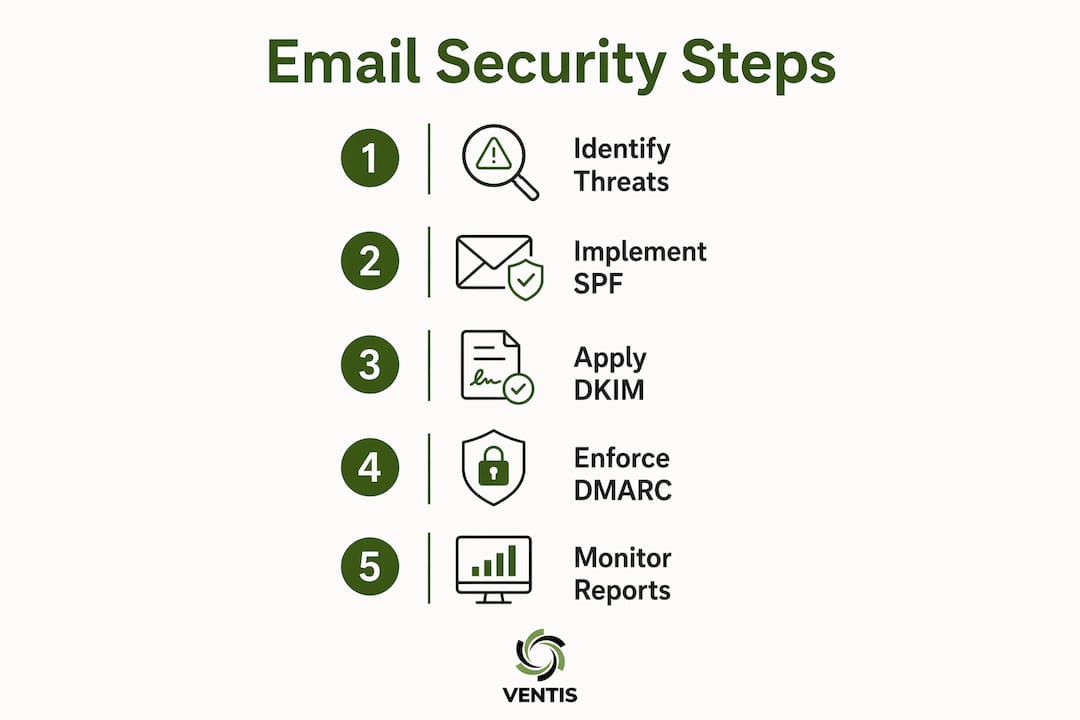
Three authentication protocols form the technical foundation of email protection: SPF, DKIM, and DMARC. Each one addresses a different part of the spoofing problem, and all three work together.
- SPF (Sender Policy Framework): SPF is a DNS record that lists which mail servers are authorized to send email on behalf of your domain. When a receiving server checks an incoming message, it verifies that the sending server's IP address appears on your SPF list. If it does not, the message fails SPF.
- DKIM (DomainKeys Identified Mail): DKIM adds a cryptographic signature to every outgoing message. The receiving server uses your public key, published in DNS, to verify that the message was not altered in transit. A valid DKIM signature confirms both the sender's identity and message integrity.
- DMARC (Domain-based Message Authentication, Reporting, and Conformance): DMARC ties SPF and DKIM together with a policy that tells receiving servers what to do when a message fails authentication. It also sends you reports showing who is sending email using your domain.
The critical mistake most organizations make is stopping at DMARC p=none, which is monitoring mode only. Stopping at p=none is effectively no protection. Moving to p=reject, which blocks unauthenticated mail outright, requires you to first identify every legitimate mail stream sending on your behalf. That includes marketing platforms, CRM tools, and third-party SaaS applications. The process is iterative, but it is the only way to fully block domain spoofing.
Pro Tip: Run your DMARC reports through a free analyzer tool for at least 30 days before moving to p=quarantine, then another 30 days before p=reject. Rushing this step causes legitimate mail to bounce.
How do layered defenses enhance email security beyond basic filtering?
A single spam filter is not enough. Modern AI-generated phishing emails frequently bypass rule-based filters, which means your defense must have multiple overlapping layers. This approach is called defense-in-depth, and it applies three categories of controls: digital, physical, and procedural.
Here is how a layered email security program is structured in practice:
- Secure email gateway: Filters inbound and outbound mail for spam, malware, and known phishing indicators before messages reach the inbox.
- AI-powered threat detection: Analyzes message behavior, sender reputation, and content patterns to catch threats that signature-based filters miss.
- Attachment sandboxing: Opens suspicious attachments in an isolated environment to detonate any malware before it reaches a user's machine.
- URL rewriting and time-of-click analysis: Rewrites links in emails and checks the destination URL at the moment a user clicks, catching sites that were safe at delivery but turned malicious afterward.
- Multi-factor authentication (MFA): MFA is the highest-impact control for preventing unauthorized email access. Even if an attacker steals a password, MFA blocks account takeover.
- Phishing simulations and user training: Regular simulated phishing campaigns train employees to recognize and report suspicious messages. Human error remains the most exploited gap in any email defense.
- Device management and endpoint controls: Ensuring that devices accessing email are managed, patched, and compliant reduces the risk of credential theft through malware on unmanaged endpoints.
Layered security with digital, physical, and procedural controls compensates for the limitations of any single defense. No individual tool stops everything. The layers catch what each other misses. You can read more about how these layers fit into a broader strategy in this guide to business security layers.
Pro Tip: Run a phishing simulation before and after training to measure improvement. A measurable drop in click rates gives you concrete data to justify your security budget.
What practical steps secure individual email accounts?
Securing the email system at the organizational level means nothing if individual accounts are weak. Account-level security is where attackers most often find their way in. A full security hardening process for an individual email account can be completed in about 25 minutes using a standardized checklist. That is a small time investment for the protection it provides.
Here are the account-level controls every business owner and IT manager should enforce:
- Strong, unique passwords: Every email account needs a password that is at least 16 characters and not reused across any other service. A password manager makes this practical at scale.
- App-based or hardware 2FA: SMS-based two-factor authentication is vulnerable to SIM swap attacks. App-based authenticators like Google Authenticator or FIDO2 hardware security keys provide phishing-resistant protection that SMS cannot match.
- Sign-in activity audits: Review sign-in logs regularly. Logins from unexpected countries or devices at unusual hours are a reliable early indicator of account compromise.
- Forwarding rule audits: Attackers exploit unauthorized forwarding rules to silently copy all incoming mail to an external address after a breach. These rules persist even after a password reset, so auditing them is non-negotiable.
- Third-party app permissions: Review and revoke access for any connected application that no longer has a clear business purpose. Stale OAuth connections are a common persistence mechanism for attackers.
- Current recovery options: Keep recovery phone numbers and backup email addresses up to date. Outdated recovery options lock legitimate users out and give attackers a path back in.
The importance of email security at the account level is often underestimated. Most breaches do not start with a sophisticated exploit. They start with a weak password or a missed MFA prompt.
How should organizations govern and monitor email security over time?
Email security is an ongoing program, not a one-time project. Neglecting ongoing email security programs leads to increased ransomware incidents and regulatory penalties. The threat environment changes constantly, and your controls need to keep pace.
Effective governance starts with security audit logs. Your email platform should log every sign-in, every forwarding rule change, and every mailbox delegation. Review those logs weekly. Correlate anomalies with your identity and endpoint logs to catch lateral movement early. A company cybersecurity audit process gives you a repeatable framework for this kind of ongoing review.
Clear written policies are equally important. Employees need to know what constitutes acceptable email use, how to report suspicious messages, and what happens when a policy is violated. A policy that exists only in someone's head provides no protection when that person leaves the organization.
The most common governance failures are predictable. Organizations pause DMARC at monitoring mode and never enforce it. They grant third-party apps broad mailbox access and never review those permissions again. They run one phishing simulation and call it done. Strong email authentication and governance measures turn the inbox from a constant liability into a controlled business communication channel. That shift requires consistent attention, not a single project sprint.
Key Takeaways
Effective email security requires layered technical controls, enforced authentication protocols, and continuous governance, not a single tool or a one-time setup.
| Point | Details |
|---|---|
| Authentication protocols are foundational | SPF, DKIM, and DMARC must all be configured and enforced at p=reject to block domain spoofing. |
| MFA is the highest-impact single control | App-based or hardware MFA stops account takeover even when passwords are stolen. |
| Layered defenses catch what filters miss | Combine gateways, sandboxing, URL analysis, and user training to cover every attack surface. |
| Account-level hygiene closes common gaps | Audit forwarding rules, third-party app access, and sign-in logs on a regular schedule. |
| Governance keeps protection current | Written policies, weekly log reviews, and phishing simulations sustain security over time. |
Why email security culture matters more than any single tool
After years of working with small and mid-sized businesses on their IT and cybersecurity programs, the pattern I see most often is this: organizations invest in a good email filter, check the box, and move on. Then six months later, an employee clicks a link in a message that looked exactly like a vendor invoice, and the damage is done.
The uncomfortable truth is that technology alone does not solve the email security problem. Filters miss things. Authentication protocols require ongoing tuning. The human element is always the most exploited gap. What actually works is building a culture where email security is part of daily business routine, not a quarterly IT project.
That means training employees to be skeptical, not just compliant. It means IT managers reviewing logs every week, not just after an incident. It means business owners asking their IT team "what did our DMARC reports show this month?" rather than assuming everything is fine because nothing has gone wrong yet. The organizations that get this right treat their inbox the same way they treat their front door: something worth checking, locking, and monitoring every single day.
— Greg
How Ventis Consulting Group supports your email security program
Building a complete email security program takes more than good intentions. It takes the right controls, the right policies, and someone who knows how to put them together for your specific environment.

Ventis Consulting Group works with small to mid-sized businesses in Pittsburgh and the surrounding region to implement managed security agreements that cover email authentication, layered threat protection, account hardening, and ongoing governance. The team handles the technical complexity so you can focus on running your business. If your email security program has gaps, or if you are not sure where to start, Ventis Consulting Group is ready to help you build something that actually holds up. Reach out today for a direct conversation about what your organization needs.
FAQ
What is phishing in email?
Phishing is a cyberattack where criminals send emails that appear to come from trusted sources to trick recipients into revealing credentials or clicking malicious links. It is the starting point for approximately 90% of all cyberattacks.
What are the most important email security measures?
The most critical measures are SPF, DKIM, and DMARC authentication protocols enforced at p=reject, combined with multi-factor authentication on every account and regular user training.
How do I secure email accounts across my organization?
Enforce strong unique passwords, require app-based MFA for all accounts, audit sign-in logs and forwarding rules regularly, and revoke unused third-party app permissions on a scheduled basis.
Why is SMS-based 2FA not recommended for email security?
SMS codes are vulnerable to SIM swap attacks, where an attacker redirects your phone number to their device. App-based authenticators and FIDO2 hardware keys provide phishing-resistant protection that SMS cannot offer.
How often should businesses review their email security program?
Email security requires continuous monitoring. Review sign-in and forwarding logs weekly, run phishing simulations quarterly, and audit DMARC reports and third-party app access at least monthly.