
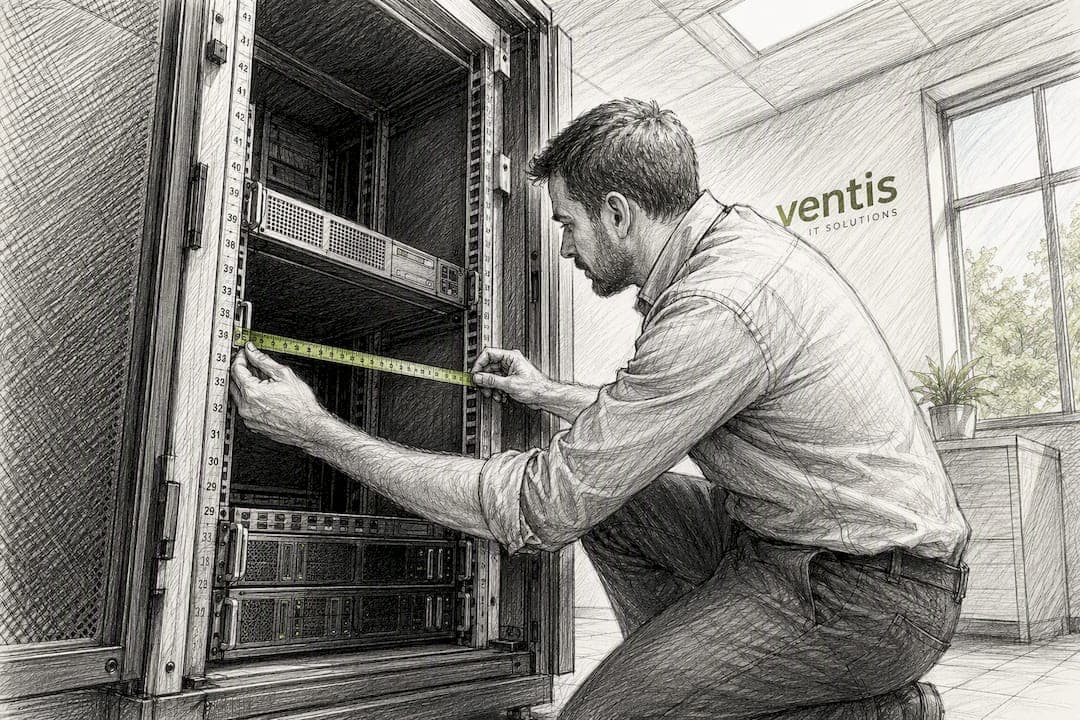
For most modern servers, aim for a cabinet depth between 1000 mm (39.4 in) and 1200 mm (47.2 in). Networking gear and shallow equipment can usually get by with 800 mm (31.5 in) or even 600 mm (23.6 in). The formula that gets you there every time: deepest chassis + 3 to 6 inches of rear cable and PDU clearance + 2 to 4 inches for airflow and maintenance, then round up to the nearest standard depth.
A few things to keep straight before you order anything:
- Usable mounting depth (the rail-to-rail space that actually holds your gear) is always less than the cabinet's full external depth.
- When your math lands right on the line between two standard sizes, order the deeper cabinet. Retrofitting a rack because it's an inch short is a miserable way to spend an afternoon.
- Rear clearance isn't optional padding. It's where your PDUs, cable arms, and airflow all have to coexist without a fistfight.
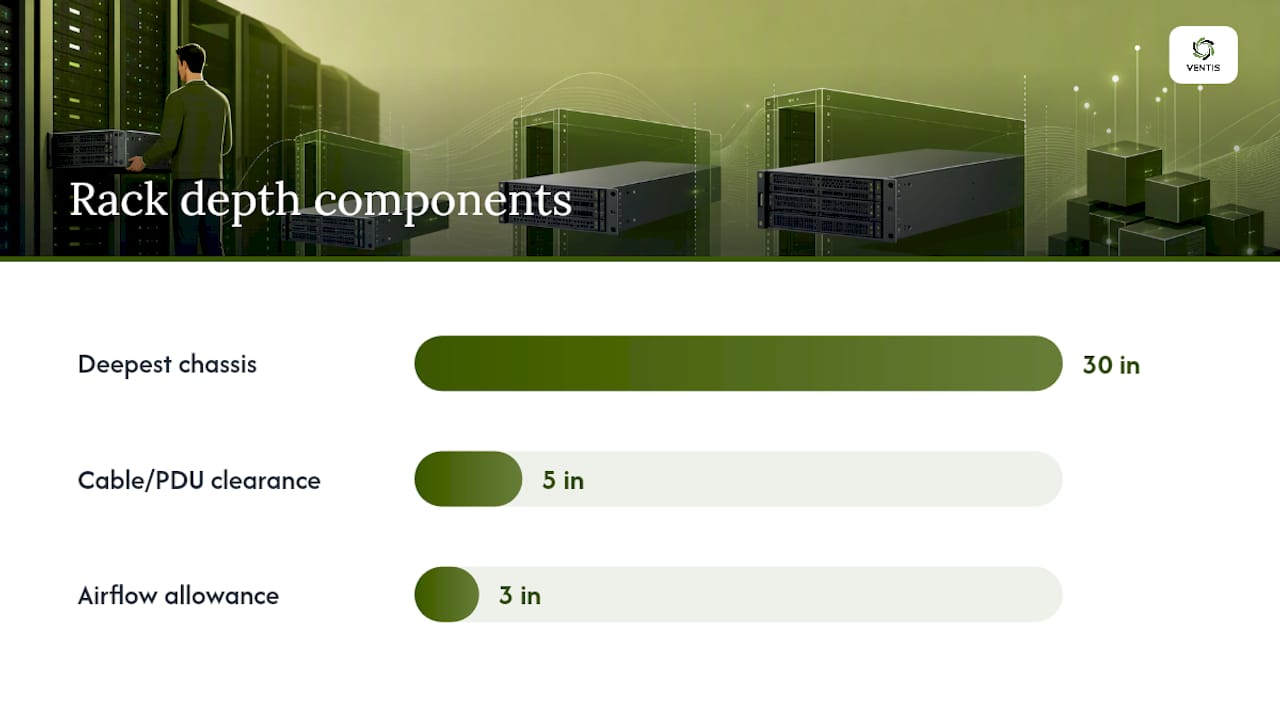
Quick math: A 28-inch server chassis, plus 5 inches for PDU and cable clearance, plus 3 inches for airflow, equals 36 inches. Round up to a 1000 mm (39.4 in) cabinet, not 800 mm.
Key Takeaways
Rack depth for servers comes down to one formula: deepest chassis plus 3 to 6 inches of cable and PDU clearance plus 2 to 4 inches of airflow allowance, rounded up to the nearest standard depth.
| Point | Details |
|---|---|
| Default to 1000 to 1200 mm | Modern server chassis, PDUs, and cable density push most enterprise racks into this range. |
| Use the sizing formula | Deepest chassis plus 3 to 6 inches of clearance plus 2 to 4 inches of airflow, then round up. |
| Usable depth beats external depth | Rail deductions mean a cabinet's marketed depth is not what your chassis actually fits into. |
| Match mounting type to load | 4-post racks handle deep, heavy servers; 2-post racks suit shallow networking gear only. |
| Round up at the boundary | When your calculation sits between two standard sizes, order the deeper cabinet. |
Table of Contents
- Standard Rack Depths and Where Each One Fits
- How to Calculate the Right Rack Depth for Your Gear
- 2-Post vs 4-Post Racks: Which One Handles Server Depth?
- Why PDUs and Airflow Eat Into Your Depth Budget
- Choosing Depth by Deployment: Home Lab vs Office vs Data Center
- Ventis Consulting's Rack Procurement Checklist
- What This Guide Gets Right That Most Buying Advice Misses
- Sources
Standard Rack Depths and Where Each One Fits
Rack depth for servers isn't governed by a single hard standard the way rack width is. The Electronic Industries Alliance's EIA-310 spec locks down the 19-inch mounting width and rack unit height, but depth is left to manufacturers and buyers to sort out based on what's actually going in the cabinet.
That flexibility is why you'll see four depths dominate the market:
| Depth | Typical Use |
|---|---|
| 600 mm (23.6 in) | Wall-mount networking, patch panels, shallow switches |
| 800 mm (31.5 in) | Mixed small-office gear, older 1U/2U servers |
| 1000 mm (39.4 in) | Modern 1U to 4U servers, standard enterprise racks |
| 1200 mm (47.2 in) | Dense servers, storage arrays, deep PDUs, future growth |
Full-depth cabinets on the market today typically fall between 800 mm and 1200 mm, and the center of gravity has been sliding toward the deeper end of that range for a reason. Server chassis have gotten longer to fit more drive bays, better airflow channels, and beefier power supplies. A rack sized for 2015 gear often can't close its rear door on 2026 gear.
Here's the distinction that trips people up: the number printed on a spec sheet or a vendor's marketing page usually refers to the cabinet's external depth, not the usable mounting depth between the front and rear rails. Rails, trim, and mounting hardware eat into that figure. Always check the manufacturer's usable-depth number before you assume a "1000 mm rack" gives you a full 39.4 inches of chassis room.
How to Calculate the Right Rack Depth for Your Gear
You don't need a spreadsheet or a consultant to get this right. Four steps, one formula, done.
- Measure your deepest chassis. Pull the depth spec from the manufacturer's data sheet, or physically measure the longest server, storage array, or appliance you plan to mount. Measure the chassis itself, not including handles or bezels that fold flush.
- Add rear cable and PDU clearance. Budget 3 to 6 inches here. If you're running vertical PDUs, cable arms, or heavy fiber bundles, lean toward the top of that range, or go higher. Vertical PDUs and cable managers eat meaningfully into usable depth, and they're the number one reason a rear door won't close on installation day.
- Add an airflow and maintenance allowance. Another 2 to 4 inches, minimum. This is the buffer that keeps hot exhaust air from recirculating and gives you room to actually pull a drive tray without wrestling the whole rack.
- Add it up and round up. Compare your total against the usable mounting depth of each standard size, not the external depth, and round up to the next standard band.
Worked example: your deepest server measures 30 inches. Add 5 inches for a vertical PDU and cable clearance. Add 3 inches for airflow. Total: 38 inches. An 800 mm cabinet gives you roughly 31.5 inches of external depth, which won't cut it once you subtract rail deductions. A 1000 mm cabinet clears the math with room to spare.
Pro Tip: Keep your worked calculation on file after the purchase. When you add a deeper storage array or a new PDU model two years from now, you'll already know exactly how much headroom you have left instead of guessing.
2-Post vs 4-Post Racks: Which One Handles Server Depth?
Mounting style determines whether depth is even a usable dimension or just a number on a box.
Two-post racks (also called relay racks) support equipment only at the front rail. That works fine for patch panels, shallow switches, and other lightweight networking gear, but a deep, heavy server hanging off two mounting points with no rear support is asking for sag, vibration, and eventual rail failure. Two-post frames also tend to skip adjustable depth entirely, since there's no rear rail to adjust.
Four-post racks solve both problems. Front and rear rails share the load, rail depth is usually adjustable across a range, and the frame can handle the weight of dense servers, storage shelves, and UPS units without flexing.
- Choose 2-post for wall-mount switches, patch panels, and anything under roughly 20 to 30 pounds with a shallow chassis.
- Choose 4-post for any server deployment, storage array, or UPS heavier than that, and for anything where usable mounting depth actually matters.
- Before ordering rail kits, confirm they're rated for your specific chassis length. A rail kit built for a 600 mm frame won't safely stretch to fit a 1000 mm one.
Why PDUs and Airflow Eat Into Your Depth Budget
The number that looks good on a spec sheet and the number that works in practice are rarely the same, and the gap is almost always rear clearance.
Vertical PDUs mount along the rear rails and can claim 3 to 6 inches of depth on their own before you've routed a single cable. Cable channels and horizontal managers stack on top of that. Underestimate this, and you'll find yourself unable to close the rear door, which isn't a cosmetic problem. An open rear door breaks the front to back airflow path the entire cabinet depends on.
Insufficient rear clearance raises equipment operating temperature by trapping hot exhaust air where intake fans can pull it right back in. That's not a minor inefficiency. It's a direct path to thermal throttling and shortened hardware lifespan.
A few mitigations if you're working with a constrained footprint:
- Switch to a shallow-profile or front-feed PDU instead of a standard vertical unit.
- Route cables through overhead trays or side channels rather than stacking everything at the rear rail.
- Respect cable bend radius specs, especially on fiber runs, since tight bends behind a rack are a common cause of intermittent link failures.
- Physically test-fit your bulkiest chassis and PDU combination before finalizing a purchase order, not after delivery.
Choosing Depth by Deployment: Home Lab vs Office vs Data Center
The right depth depends less on abstract best practice and more on what's actually sitting in the rack and how much room you have to work with.
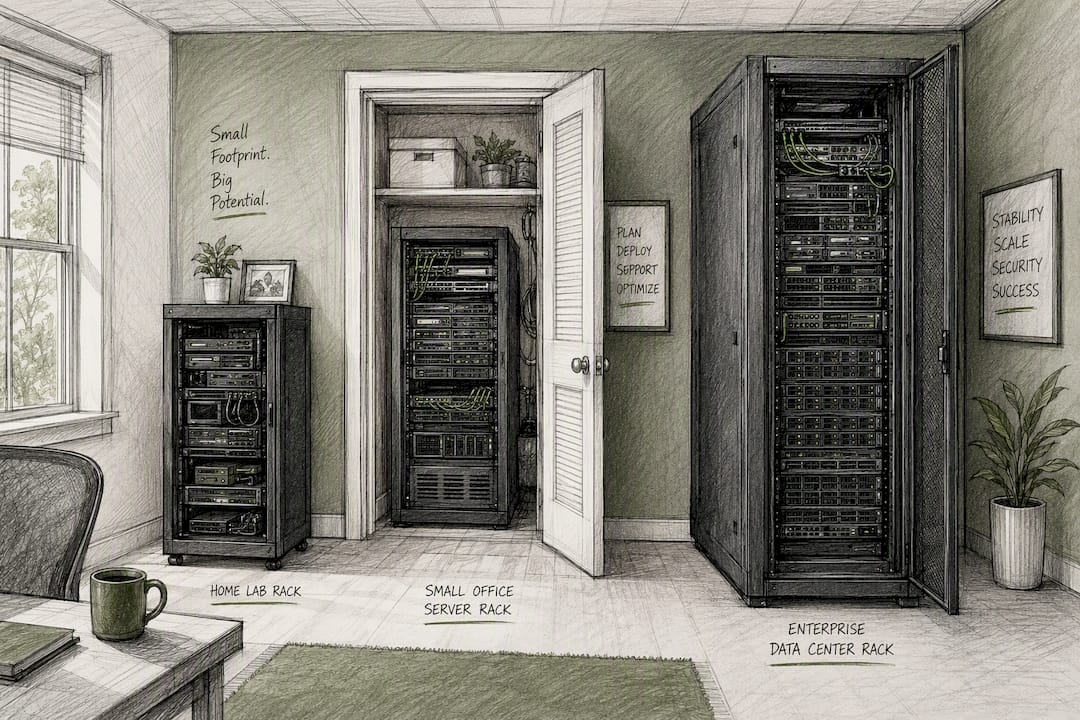
Home lab. A depth of 800 to 1000 mm covers most homelab builds, especially if you're running consumer-grade or repurposed enterprise gear rather than full-depth data center chassis. The bigger constraint is usually the room itself: measure your doorway and the path from delivery to final placement before you fall in love with a 1200 mm unit that won't make the turn into your basement.
Small office or edge deployment. Default to 1000 mm. It comfortably fits mixed server and networking gear with room for modest growth over the next few years, and it keeps PDU and cable clearance from feeling like a squeeze. Check floor loading if you're on anything other than a slab, since a loaded 1000 mm cabinet is heavier than it looks.
Enterprise or data center. Go 1000 to 1200 mm as your baseline, full stop. Dense cabling, rear-mounted PDUs, and the near certainty that next year's hardware will be deeper than this year's all point the same direction. This is also where a structured approach to network infrastructure pays off, since rack depth decisions ripple into cable management and airflow planning across the whole room, not just one cabinet.
Ventis Consulting's Rack Procurement Checklist
Before you sign a purchase order for any rack, run through this checklist. It's the same sequence Ventis Consulting Group applies during site surveys for clients across Pittsburgh and Western Pennsylvania.
- Measure the deepest chassis on your equipment list, including any storage arrays or UPS units.
- Confirm PDU footprint (vertical or horizontal) and add that depth separately.
- Check rail-kit compatibility against your chosen cabinet's adjustable range.
- Verify rear door clearance with cables and PDUs fully installed, not just the empty frame.
- Measure the delivery path, doorways, and turns the cabinet has to travel through.
- Confirm floor loading capacity for the fully populated weight.
Pro Tip: Order the deeper of two close options. A rack that's an inch too shallow is a service call. A rack that's an inch too deep is just extra space.
If you're planning a rack purchase or a broader network buildout and want a second set of eyes on the math, Ventis Consulting Group works through these site surveys as part of its hardware procurement and installation services.
What This Guide Gets Right That Most Buying Advice Misses
Most rack-buying advice treats depth as an afterthought behind width and unit height, probably because width is the part that's actually standardized under EIA-310. That's backwards. Width will never bite you. Depth will, the day a delivery truck drops off a server that's three inches longer than your rear door clearance.
The conventional advice of "just buy 1200 mm to be safe" isn't wrong, but it's lazy. It ignores the home lab builder working in a basement with a narrow stairwell, and it ignores the small office that doesn't need enterprise-grade depth and would rather save the floor space. The formula matters more than the blanket recommendation, because it forces you to actually measure your gear instead of guessing.
If there's one thing I'd tell someone about to order a rack: don't trust the external depth number on a spec sheet. Usable mounting depth is the only number that matters, and it's usually smaller than the marketing copy implies. Measure twice, round up once, and you'll never have to explain to a client why the rear door won't close.
— Greg
Sources
- How Deep Should My Server Rack Cabinet Be? A Complete Guide
- Server racks buying guide: How to choose the right rack
- Standard Rack Dimensions: 19-Inch, EIA-310 & Sizing Guide
- Server Rack Standard Dimensions: Depth Options & Selection Guide