

Remote managed services (RMS) are outsourced, subscription-based IT management delivered entirely over the network, covering proactive monitoring, maintenance, security, and end-user support under a defined Service Level Agreement. If you're evaluating whether RMS fits your organization, the single best next step is a readiness audit with measurable KPIs before you sign anything. Ventis Consulting Group works with small to mid-sized businesses in Pittsburgh and Western PA as both a provider and a strategic partner through exactly that kind of scoped engagement.
Here's what a well-structured RMS arrangement covers from day one:
- 24/7 remote monitoring and alerting via Remote Monitoring and Management (RMM) software
- Predictable monthly costs that replace unpredictable break/fix invoices, making annual IT budgeting far more reliable
- Defined SLAs with documented response and resolution times tied to incident severity
- Proactive patch management, helpdesk support, and backup/disaster recovery as baseline services
- Cybersecurity services including Managed Detection and Response (MDR) and endpoint protection
Pro Tip: Before you request proposals, document your current IT environment: device count, active software licenses, open support tickets from the past 90 days, and any compliance requirements. Vendors who see that data will give you sharper, more comparable quotes.
Table of Contents
- What are remote managed services, and how do they differ from break/fix?
- What services should you expect in a standard RMS package?
- How are remote managed services actually delivered day to day?
- What business benefits and outcomes can you measure?
- How is remote managed IT priced, and what should you budget for?
- How do you choose the right managed services provider?
- What does onboarding look like, and how long does it take?
- How does Ventis Consulting Group deliver remote managed services?
- How do remote managed services scale as your business grows?
- Can remote managed services integrate with your existing IT infrastructure?
- Key Takeaways
- Why a consultative MSP model produces better results
- Ventis Consulting Group is ready to assess your IT environment
- Authoritative sources and further reading
What are remote managed services, and how do they differ from break/fix?
Remote managed services represent a fundamental shift in how IT support is structured. Instead of calling a technician after something breaks and paying per incident, you pay a fixed monthly fee for continuous, proactive management of your entire IT environment. The provider uses RMM software to monitor your endpoints, servers, and network devices around the clock, catching problems before they cause downtime.
Break/fix support is reactive by design. You have an outage, you call, you pay, and you wait. There are no SLAs, no accountability between incidents, and no incentive for the vendor to prevent problems since their revenue depends on problems occurring. RMS flips that model: the provider's margin improves when your environment runs cleanly, so their financial interest aligns with yours. That alignment is one of the most underappreciated structural advantages of the subscription model. For a deeper look at how these two models compare, the break/fix vs. managed services breakdown covers the cost and accountability differences in practical terms.
Businesses choose RMS for three concrete reasons. First, uptime: proactive monitoring catches disk failures, certificate expirations, and configuration drift before users notice. Second, access to expertise: you get a team with security, cloud, and compliance skills without hiring each specialist individually. Third, the shift from capital expenditure to operating expenditure, which simplifies budgeting and frees capital for growth. Trust signals to look for when evaluating providers include SOC 2 Type II certification, ISO 27001 alignment, Microsoft or AWS partnership tiers, and documented 24/7 monitoring with escalation procedures in writing.
What services should you expect in a standard RMS package?
Most managed services proposals group their offerings into eight core categories. Understanding what each one covers, and whether it's included by default or priced as an add-on, is the fastest way to compare proposals side by side.
| Service Category | What It Covers | Typical Delivery Model | Default or Add-On? |
|---|---|---|---|
| 24/7 Remote Monitoring & Alerting | RMM-based telemetry, threshold alerts, availability checks | Fully managed | Default |
| Patch Management | OS and third-party software patching, compliance reporting | Fully managed or co-managed | Default |
| Helpdesk / End-User Support | Tier 1–2 tickets, password resets, software issues | Fully managed | Default |
| Backup & Disaster Recovery (BCDR) | Automated backups, tested restores, recovery time objectives | Fully managed | Default or add-on |
| Cybersecurity / MDR | Endpoint detection and response, threat hunting, SIEM | Fully managed or advisory | Add-on (often tiered) |
| Cloud Management | Azure/AWS/Microsoft 365 administration, cost optimization | Co-managed or advisory | Add-on |
| Asset & Inventory Management | Hardware/software inventory, lifecycle tracking | Fully managed | Default |
| Vendor & Third-Party Coordination | ISP, SaaS, hardware vendor liaison | Fully managed | Default |
A few things to watch when you read a proposal:
- BCDR is sometimes listed as "included" but covers only local backup. Ask specifically whether off-site or cloud replication and tested restores are part of the scope.
- Cybersecurity services almost always sit in a separate tier. Basic antivirus is not MDR. Get clarity on what "endpoint protection" actually means in the contract.
- Cloud management is frequently co-managed, meaning the MSP advises and the client retains administrative credentials. Confirm who holds the keys and who is accountable for configuration changes.
- The helpdesk coverage hours matter as much as the service itself. Confirm whether 24/7 support is included or whether after-hours calls go to a voicemail queue.
On the ownership question: patch management, monitoring, and helpdesk typically transfer fully to the MSP. Cloud architecture decisions, vendor contract approvals, and compliance sign-offs usually stay with your internal team. A good provider will document that split in an ownership matrix during onboarding.
How are remote managed services actually delivered day to day?
The operational backbone of any RMS engagement is three interconnected systems: the RMM platform, the Network Operations Center (NOC), and the ticketing or Professional Services Automation (PSA) system. Understanding how they work together tells you a lot about whether a provider can actually deliver on their SLAs.

RMM: the monitoring and remediation engine
RMM software collects device telemetry continuously, generates alerts when thresholds are crossed, and enables remote remediation without requiring a technician on-site. Modern RMM platforms go beyond traditional endpoints: they can monitor cloud APIs and IoT device fleets as well, giving providers visibility across hybrid environments. When an alert fires, the RMM can trigger automated scripts to resolve common issues (disk cleanup, service restarts, certificate renewals) before a human engineer even sees the ticket. Platforms like Datto RMM and Atera combine patch management, remote access, and automation in a single console, which reduces tool sprawl and speeds up response.
NOC operations and monitoring windows
A NOC is the team that watches the RMM dashboard and acts on alerts. Providers with a true 24/7 NOC have engineers actively monitoring your environment at 2 AM on a Sunday, not just an on-call phone number. Ask any prospective provider whether their NOC is internal or outsourced to a third party, and what the staffing ratio is per client. Scheduled maintenance windows (typically overnight or on weekends) are when the NOC pushes patches, runs backups, and applies configuration changes with minimal user impact.
Ticketing, escalation, and SLAs
Every alert or user request becomes a ticket in the PSA system. Tickets are triaged by severity, assigned to the appropriate engineer tier, and tracked against SLA clocks. A typical severity framework looks like this:
- P1 (Critical): Complete outage or security incident. Response within 15–30 minutes, resolution target of 2–4 hours.
- P2 (High): Significant degradation affecting multiple users. Response within 1 hour, resolution within 8 hours.
- P3 (Medium): Single-user issue or non-critical system. Response within 4 hours, resolution within 24 hours.
- P4 (Low): Requests, questions, minor issues. Response within 1 business day.
After a P1 or P2 incident, a post-incident review documents root cause, remediation steps, and preventive actions. That review should be part of your monthly reporting cadence, not a one-off document you have to request.
Pro Tip: When you integrate RMM alerts into your existing change-control process, require that any automated remediation script is logged as a change record. This keeps your audit trail clean for compliance reviews and prevents "silent fixes" that mask recurring problems.
What business benefits and outcomes can you measure?
The case for outsourced IT solutions goes well beyond cost. The most tangible benefits fall into five categories, and each one maps to a KPI you can track in a vendor scorecard.
- Increased uptime: Proactive monitoring catches failures before they cascade. Track this as the number of P1/P2 incidents per month and the mean time to respond (MTTR) for each.
- Predictable monthly costs: Subscription pricing converts variable break/fix spend into a fixed line item, which simplifies annual budgeting. Track monthly spend variance against the contracted amount.
- Access to specialized skills: MSPs supply cybersecurity, cloud architecture, and compliance expertise that would cost significantly more to hire in-house. KPMG notes that MSPs address talent gaps by delivering specialist knowledge rapidly. Track this as time-to-resolution on security incidents versus your previous internal baseline.
- Vendor consolidation: When your MSP owns the relationship with your ISP, SaaS vendors, and hardware suppliers, finger-pointing during outages disappears. BPM research confirms that MSPs acting as a single point of contact improve resolution times and simplify billing. Track the number of vendor escalations your internal team handles directly.
- Internal staff reallocation: When routine monitoring and helpdesk work moves to the MSP, your internal IT staff can focus on projects that move the business forward. Track this as the percentage of internal IT hours spent on strategic versus operational work.
TSIA frames this well: managed services drive agility and innovation, not just cost reduction, by removing backend complexity from the client team. That's the argument to make to your CFO when you're presenting the business case. For a practical look at how proactive cyber risk management fits into this picture, that resource covers the security side of the ROI equation.
How is remote managed IT priced, and what should you budget for?
Pricing models in the U.S. market vary, but most proposals fall into one of four structures:
- Per-device pricing: A flat monthly rate per managed endpoint (workstation, server, network device). Straightforward to audit and scale.
- Per-user pricing: A flat monthly rate per user, covering all devices that user touches. Simpler for organizations with a consistent device-per-user ratio.
- Per-site or tiered bundles: A fixed monthly fee for a defined scope (e.g., up to 50 users, one location, specific service tiers). Common for small businesses with stable headcounts.
- Outcome or value-based pricing: Less common but growing, especially for security and cloud engagements where the provider is measured against specific business outcomes.
What's often excluded from the base price:
- Third-party software licenses (Microsoft 365, security tools, backup storage)
- Hardware procurement and on-site installation
- Emergency after-hours visits outside the contracted scope
- Major project work (migrations, new office buildouts, compliance audits)
- Onboarding or setup fees for the initial agent deployment and baseline hardening
Pricing checklist to request from any vendor:
- Unit pricing broken out by device type and user tier
- Sample invoice showing how a typical month is billed
- Renewal terms and whether pricing is locked for the contract duration
- How out-of-scope work is billed (hourly rate, minimum hours, after-hours multiplier)
- Pass-through cost policy for third-party licenses
Two questions to ask every vendor about billing:
What is your hourly rate for work that falls outside the managed scope, and is that rate different after business hours or on weekends? Many providers bury a 1.5x or 2x multiplier for after-hours work in the contract appendix. Get that number before you sign.
How does pricing change if we add 20 users or a new office location mid-contract? A provider that can't answer this clearly will create billing disputes later. For context on how to fit these costs into your annual planning, the small business tech budget planning guide walks through the full IT cost structure.
How do you choose the right managed services provider?
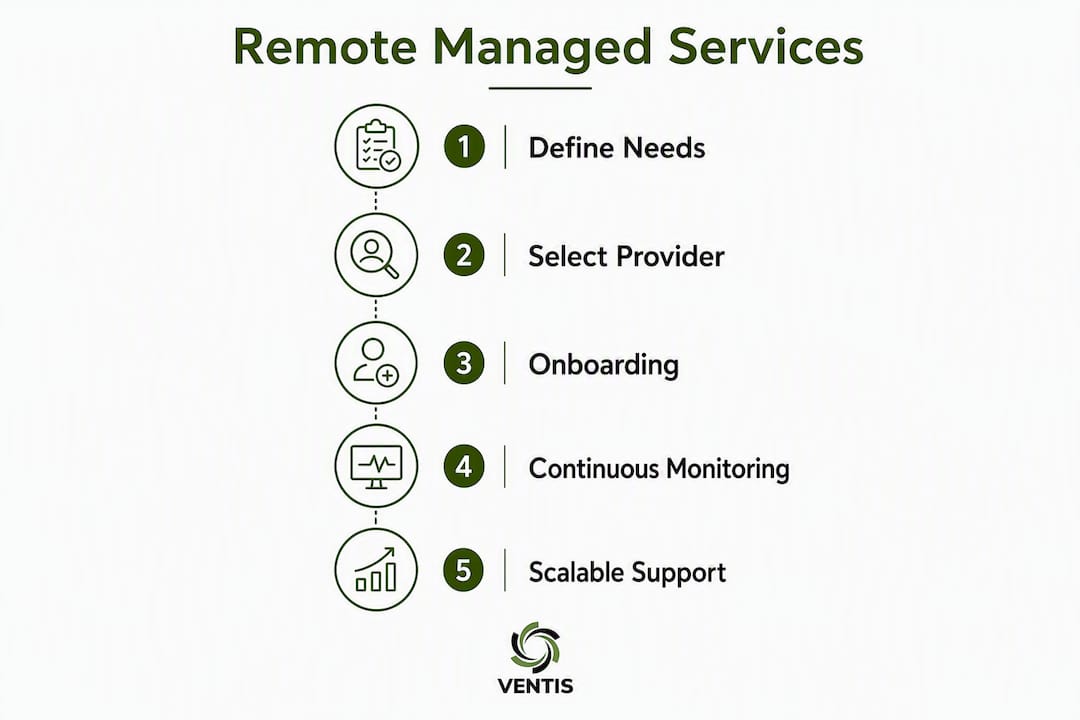
The procurement process for an MSP is more structured than most IT purchases because you're selecting a long-term operational partner, not a one-time vendor. Work through this checklist in order.
- Define your outcomes first. Write down the three to five business results you need from this engagement: uptime target, compliance requirement, security posture goal, or internal staff reallocation. Vendors who can't map their proposal to your outcomes are not ready to be your partner.
- Run a baseline audit. Document your current device inventory, open ticket volume, incident history, and existing vendor contracts. This data drives accurate proposals and gives you a benchmark to measure against post-onboarding.
- Build your shortlist criteria. Minimum requirements should include: SOC 2 Type II certification or equivalent, documented escalation procedures, 24/7 NOC coverage, and at least three verifiable client references in your industry or size range.
- Issue an RFP or structured RFI. Include your device inventory, compliance requirements, desired SLA tiers, and a request for a sample monthly report. Ask for pricing at your current scale and at 150% of current scale.
- Define the pilot scope. A 30–60 day pilot on a subset of your environment (one office, one department) lets you validate SLA performance before full commitment.
- Negotiate SLA penalties. Any SLA without a financial consequence for the provider is a target, not a commitment. Typical penalties include service credits equal to one month's fee for repeated P1 SLA misses.
- Review contract termination terms. Minimum contract lengths of 12–36 months are standard. Confirm the notice period, data return process, and whether you retain access to your own monitoring data and documentation if you leave.
Questions to ask in demos and RFPs:
- Who is my named account manager, and what is their escalation path to senior engineering?
- How do you handle a security incident that requires on-site response?
- What vendor certifications do you hold (Microsoft, AWS, Cisco), and can you provide documentation?
- Can you share a redacted post-incident review from a real P1 event?
- How do you manage third-party vendors on my behalf, and who owns those contracts?
Red flags to walk away from:
- SLAs stated as "best effort" with no defined response times
- Refusal to include financial penalties for missed SLAs
- No documented escalation procedure beyond "call our helpdesk"
- Pricing that changes significantly between the demo and the written proposal
- No references willing to speak on the record
For a deeper checklist on how to choose a managed IT provider, that resource covers the evaluation criteria in more detail.
What does onboarding look like, and how long does it take?
Transitioning to a new MSP is an organizational change as much as a technical one. CGI's research on managed services transitions confirms that successful clients reallocate internal staff away from routine operations and toward higher-value work, but that shift requires clear governance and joint operating procedures from the start.
| Phase | Primary Activities | Typical Duration | Primary Stakeholders |
|---|---|---|---|
| Discovery & Inventory | Asset discovery, documentation review, stakeholder interviews | Initial phase | MSP engineer, IT manager |
| Agent Deployment | RMM agent rollout, monitoring baseline, alert threshold configuration | Early deployment phase | MSP engineer, internal IT |
| Baseline Hardening | Patch backlog remediation, security configuration review, backup validation | Mid deployment phase | MSP security team, IT manager |
| Knowledge Transfer | Runbook creation, escalation path documentation, user communication | Later deployment phase | MSP account manager, IT manager |
| SLA & Reporting Setup | Reporting cadence, KPI dashboard, SLA clock activation | Near completion of initial setup | MSP account manager, finance |
| Ongoing Optimization | Monthly reviews, continuous improvement, roadmap planning | Continuous | MSP vCIO or account manager, leadership |
What success looks like at each milestone:
- Initial deployment: All agents deployed, monitoring active, patch backlog reduced, helpdesk tickets routing correctly.
- Early operational stability: Runbooks complete, initial reports delivered, MTTR baseline established, no major incidents caused by transition.
- Optimization phase: SLA performance reported, routine staff tasks reduced, first optimization recommendations delivered.
Ownership during transition: The MSP typically owns agent deployment, monitoring configuration, and patch remediation. Your internal team retains approval authority over major configuration changes, vendor contract decisions, and user communication. That split should be written into the onboarding plan before day one.
Pro Tip: Assign a single internal point of contact for the onboarding period. MSPs move faster when they have one person who can approve access, answer environment questions, and escalate internally. Diffuse ownership is the most common cause of delayed go-live dates.
How does Ventis Consulting Group deliver remote managed services?
Ventis Consulting Group operates on a consultative delivery model, which means the engagement starts with understanding your business objectives before recommending a technology stack. The core capabilities span managed IT, cybersecurity and compliance, cloud infrastructure management, unified communications, and backup and disaster recovery, covering the full scope of what a small to mid-sized business needs from a single provider.
The delivery methodology follows a consistent structure:
- Discovery: Inventory your environment, document existing vendor relationships, and identify gaps in monitoring, patching, and security coverage.
- Prioritization: Rank remediation items by risk and business impact, not just technical severity.
- Tooling: Deploy RMM and PSA platforms configured to your environment, with alert thresholds calibrated to your actual risk tolerance.
- Managed operations: 24/7 monitoring, helpdesk, patch management, and security services running under documented SLAs.
- Continuous improvement and governance: Monthly reporting, quarterly business reviews, and a technology roadmap aligned to your growth plans.
Ventis Consulting Group's 5-star client rating reflects a consistent focus on practical outcomes over ticket counts. The measure of a successful engagement is whether your team is spending less time on IT problems and more time on the work that actually grows your business.
E-E-A-T proof points:
- Local presence in Pittsburgh and Western PA with direct accountability to clients
- Managed IT, cybersecurity, cloud, and unified communications delivered under one contract
- Consultative approach: every engagement begins with a readiness assessment, not a product pitch
- Vendor partnerships that give clients access to enterprise-grade tools at SMB pricing
For practical examples of how tailored IT solutions work in real SMB environments, that resource covers several engagement scenarios.
How do remote managed services scale as your business grows?
One of the clearest advantages of the subscription model is that your IT support scales with your headcount and infrastructure, without requiring a parallel hiring process. When you add users, devices, or locations, you notify your MSP and the scope adjusts in the next billing cycle. There's no recruiting, no onboarding a new IT hire, and no gap in coverage during the transition.

For businesses growing through acquisition or rapid hiring, this matters a lot. A company that goes from 40 to 80 employees in six months would need to double its internal IT capacity to maintain the same support ratio. Under an RMS model, that growth triggers a pricing adjustment, not a staffing crisis.
Cloud-managed services add another layer of flexibility. As workloads migrate from on-premises servers to Azure, AWS, or Microsoft 365, the MSP's monitoring scope expands to cover those environments without requiring a separate cloud operations team. Modern RMM platforms already handle hybrid environments, so the transition is incremental rather than a hard cutover.
Scalability also works in the other direction. If your business contracts, reduces headcount, or consolidates locations, a well-structured contract allows scope reduction at renewal. That flexibility is worth negotiating explicitly before you sign, particularly if your business is in a growth phase where headcount projections are uncertain. For guidance on scaling cloud infrastructure alongside your managed services engagement, that resource covers the planning considerations in detail.
Can remote managed services integrate with your existing IT infrastructure?
The short answer is yes, but the quality of that integration depends heavily on the MSP's toolset and how well they document your environment during onboarding. Most RMM platforms support Windows, macOS, Linux, and major network hardware from Cisco, Fortinet, and similar vendors. If your environment includes legacy systems, proprietary applications, or industry-specific software, you need to confirm compatibility before the contract is signed.
Integration with your existing helpdesk or ITSM platform is a common requirement for organizations that already use ServiceNow, Jira Service Management, or a similar tool. Some MSPs will work within your existing ticketing system; others require you to use their PSA. Neither approach is wrong, but the decision affects how your internal team interacts with the MSP day to day, and it should be explicit in the contract.
Security tool integration is equally important. If you already have a SIEM, endpoint detection platform, or identity management system, the MSP's security services need to feed into those tools rather than run in parallel. Parallel security stacks create blind spots and alert fatigue. Ask any prospective provider to describe specifically how their MDR or endpoint protection integrates with your existing security investments.
For businesses with compliance requirements (HIPAA, PCI DSS, CMMC, or state-level data privacy laws), the MSP's toolset needs to produce the audit logs and reports your compliance framework requires. Confirm that the RMM and PSA platforms can export data in the formats your auditors expect. The cybersecurity compliance best practices resource covers what documentation to request from vendors before you commit.
For organizations that need managed mobile security as part of their broader IT management strategy, that guide covers the enterprise considerations for mobile device security in detail.
Key Takeaways
Remote managed services deliver the most value when you enter the engagement with defined outcomes, a documented baseline, and SLAs that carry real financial consequences for the provider.
| Point | Details |
|---|---|
| Define outcomes before you buy | Write down your uptime target, compliance requirement, and staff reallocation goals before issuing any RFP. |
| SLAs need financial teeth | An SLA without a service credit or penalty clause is a target, not a commitment — negotiate this before signing. |
| Onboarding is a 90-day process | Expect 30 days for deployment, 60 days for baseline stability, and 90 days for the first optimization cycle. |
| Hidden costs are predictable | Budget separately for third-party licenses, hardware, and after-hours work — these are almost never in the base price. |
| Ventis Consulting Group | Offers a consultative RMS engagement starting with a readiness assessment, covering managed IT, cybersecurity, cloud, and unified communications for SMBs in Pittsburgh and Western PA. |
Why a consultative MSP model produces better results
The conventional wisdom in managed services is that the value is in the tooling: better RMM, faster NOC, tighter SLAs. Those things matter, but they're table stakes. The providers that actually move the needle for their clients are the ones that show up as a thinking partner, not a ticket-closing machine.
Here's what I've seen consistently: businesses that treat their MSP as a vendor get vendor-level results. Businesses that treat their MSP as an extension of their leadership team get something different. They get a technology roadmap that's connected to their actual business goals. They get someone who pushes back when a proposed solution is the wrong fit. They get escalation ownership that means nobody is pointing fingers at the ISP or the SaaS vendor when something breaks at 11 PM.
The vendor consolidation argument is underrated in procurement conversations. When your MSP owns the relationships with your ISP, your cloud provider, and your hardware vendor, you stop being the person in the middle of every outage call. That's not a soft benefit. It directly reduces mean time to resolution because the MSP can escalate to those vendors on your behalf without waiting for you to authorize each step.
Outcomes over tickets is the metric that separates a consultative MSP from a reactive one. If your monthly report is a list of tickets closed and patches applied, you're not getting strategic value. The report should show you whether your environment is more stable, more secure, and better aligned to where your business is going than it was 90 days ago. That's the standard worth holding your provider to.
Ventis Consulting Group is ready to assess your IT environment
If you've read this far, you already know what to look for in a managed services provider. Ventis Consulting Group delivers exactly the services this guide covers: managed IT, cybersecurity and compliance, cloud infrastructure management, unified communications, and backup and disaster recovery, all under one contract with a local team that knows your environment.

The starting point is a no-obligation readiness assessment. Ventis reviews your current device inventory, security posture, and support gaps, then delivers a clear picture of what a managed engagement would cover, what it would cost, and what outcomes you can expect in the first 90 days. There's no generic proposal and no pressure to buy a bundle that doesn't fit your situation. If you need unified communications as part of your managed services package, that's built into the conversation from the start.
Reach out to Ventis Consulting Group at ventisconsulting.com to schedule your readiness assessment and get a clear, honest look at what your IT environment needs.
Authoritative sources and further reading
These sources provide technical validation, pricing context, and industry perspective for the topics covered in this guide. When you're evaluating vendor proposals, ask providers to share documentation that maps to the standards and frameworks referenced here.
- What is RMM? — AWS: The clearest vendor-neutral explanation of how RMM platforms collect telemetry and enable remote remediation. Useful for validating what a provider's RMM actually does versus what they claim.
- What Are Managed IT Services? — ConnectWise: Covers the subscription pricing model and how MSPs function as an extension of the internal team. Good background for finance stakeholders reviewing the business case.
- 6 Ways Modern Managed Services Are Driving Business Value — KPMG: Executive-level framing of the strategic value of managed services, including access to specialized talent and technology adoption speed.
- What Are Managed Services? — TSIA: Industry analyst perspective on how managed services drive agility and innovation beyond cost reduction.
- Benefits of Managed IT — BPM: Practical breakdown of vendor consolidation benefits and how MSPs manage third-party relationships to reduce outage resolution times.
- How Managed Services Benefit Business — CGI: Covers the organizational change management side of transitioning to managed services, including staff reallocation and governance.
- RMM Software — Datto: Technical detail on how RMM platforms support patch management, remote access, scripting, and automation. Useful for comparing what different RMM toolsets actually include.
- RMM Software — Atera: Describes the unified RMM platform approach and how consolidated tooling reduces sprawl and simplifies scaling.
- Managed Services — Wikipedia: Vendor-neutral overview of the managed services model, its history, and how it differs from traditional IT outsourcing.
- IT Consulting Best Practices — Ventis Consulting Group Blog: Practical guidance on building a consultative relationship between an MSP and internal IT teams, with specific application to SMBs.
- Cybersecurity Compliance Best Practices for SMBs — Ventis Consulting Group Blog: Covers the compliance documentation and security controls to request from any managed services provider before signing a contract.
This article is general information for planning and procurement purposes. Confirm current pricing, contract terms, compliance requirements, and regulatory obligations with qualified IT and legal professionals for your specific situation.