
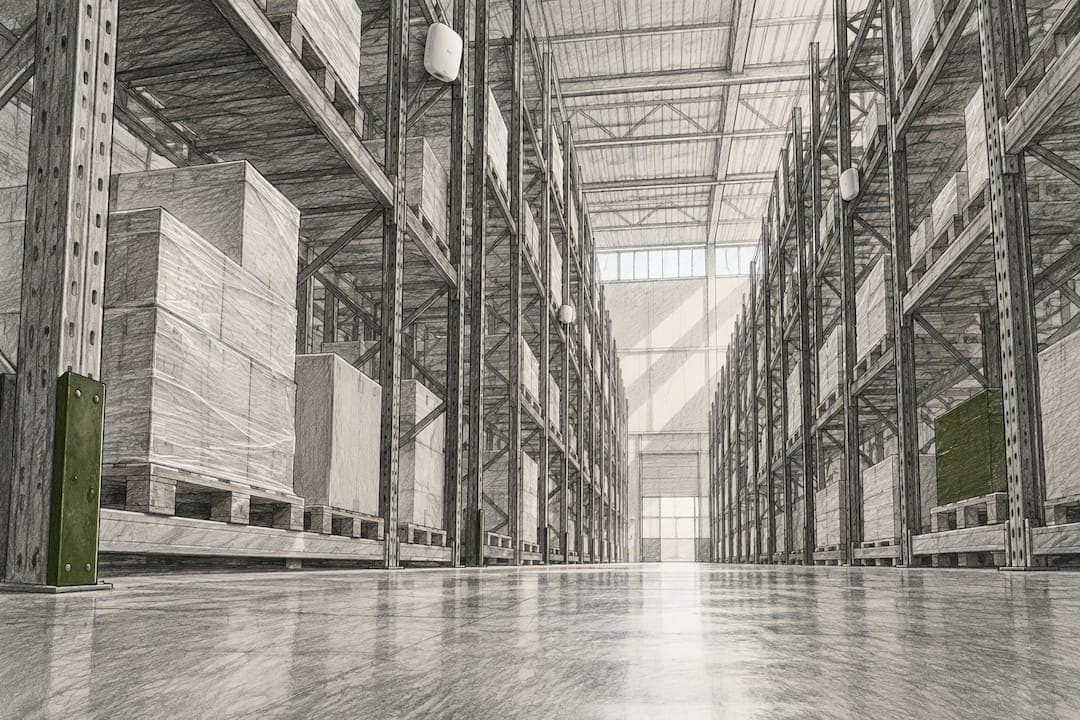
Reliable warehouse Wi-Fi comes from a survey-led, aisle-based cell design paired with post-install validation and wired backhaul sized for real load. The three non-negotiables: design to a -67 dBm signal target while planning for 5 to 10 dB of attenuation per rack row, place directional access points along aisles instead of scattering them across the ceiling, and run Cat6A with multi-gig PoE++ backhaul to every AP.
TL;DR:
- A predictive survey modeling full inventory and proper material attenuation is essential to avoid under- or over-provisioning APs, especially in cold storage zones.
- Designing aisle-focused, cell-based Wi-Fi with consistent, directional antennas at the correct mounting height ensures reliable roaming and reduces client stickiness.
- Site validation through AP-on-a-stick walks confirms actual signal levels and roam performance, catching issues that models alone cannot predict.
- Wired backhaul should use Cat6A with multi-gig ports and dual runs at each AP, while power redundancy and controller failover protect network uptime.
- Segmentation with VLANs, WPA3-Enterprise, and continuous rogue detection is critical to security, especially as multiple device types share the warehouse network infrastructure.
Table of Contents
- Warehouse challenges and goals
- Design strategy: cell-based aisle design vs coverage-based design
- AP placement and antenna strategy
- RF attenuation modeling and predictive survey
- Spectrum and technology choices for warehouse networks
- Roaming, mobility, and QoS for moving devices
- Network architecture, backhaul, and power redundancy
- Environmental and ruggedization considerations for harsh zones
- Validation, commissioning, and acceptance testing
- Security, segmentation, and guest access
- Operations, maintenance, and lifecycle planning
- When warehouse Wi-Fi outgrows a DIY approach
- Why survey-led design beats the shortcuts everyone still takes
- How Ventis Consulting Group approaches warehouse Wi-Fi projects
- Sources
- FAQ
Warehouse challenges and goals
A warehouse is one of the hardest environments to cover with Wi-Fi, and it is not close. High ceilings scatter signal in every direction. Metal racking reflects and absorbs it unevenly depending on what is stocked that day. Forklifts, pallet jacks, and shrink-wrapped inventory move constantly, which means the RF environment you survey on a Tuesday can look different by Friday once the racks fill back up.
That variability is exactly why coverage-based thinking, the kind that works fine in an office, fails here. You need measurable targets before you design anything.
Start with reliability and latency goals tied to what actually runs on the network. Barcode scanners and voice picking need consistent signal more than raw speed. Automated guided vehicles and robotics are less forgiving: some facilities converge Wi-Fi with private cellular because certain automation workloads need reliability near 99.99% and latency under 10 to 20 milliseconds, which pure Wi-Fi can struggle to guarantee under load.
Before you touch an access point, map the site into functional zones, because each one has a different job:
- Picking aisles: dense, narrow corridors where roaming reliability is critical.
- Bulk storage: fewer devices but taller racks causing more attenuation.
- Cross-dock areas: high device turnover and frequent handoffs requiring careful planning.
- Cold storage: zones with extreme attenuation and hardware challenges.
With zones and goals defined, designs gain direction beyond just seeking coverage, guiding decisions from AP count to antenna choice.
Design strategy: cell-based aisle design vs coverage-based design
Coverage-based design asks "does the signal reach every point on the floor?" Cell-based design asks a different question: "does every aisle form a predictable, consistent radio cell that a moving device can hand off between cleanly?" For warehouses, the second question is the one that matters.
A cell, in this context, is the coverage footprint of a single AP tuned so it overlaps just enough with its neighbors to support a clean roam and no more. Practitioner guidance from CWNP recommends designing more, lower-power APs in a tight aisle-focused grid rather than fewer high-power units mounted overhead, because racking turns a warehouse into a series of narrow RF corridors rather than an open room.
Consistency is the other half of the equation. Same AP model, same mounting height, same antenna orientation across an aisle run. Mixing mounting heights or orientations creates uneven cell sizes, and uneven cells are what cause sticky clients and dropped roams, because a device on one end of the aisle sees a strong signal from the "wrong" AP while a weak one waits at the boundary.
AP density varies by warehouse type and rack height, but a rough planning range looks like this:
| Warehouse type | Typical AP density | Primary driver |
|---|---|---|
| Standard pallet racking (20 ft aisles) | One AP per 2 to 3 aisle sections | Rack row attenuation, roaming continuity |
| High-bay automated storage | Higher density, tighter spacing | Steel structure and vertical shadowing |
| Cold storage / freezer | Denser spacing than ambient zones | Insulated panels add attenuation beyond standard racking |
| Cross-dock / open floor | Lower density, wider spacing | Fewer obstructions, less roaming complexity |
None of these numbers substitute for a site survey. They exist to set expectations before you commission one, so a facility manager isn't surprised when the proposal calls for twice the AP count of the office next door.
AP placement and antenna strategy
Two placement philosophies dominate warehouse design, and picking the right one for each zone is where most designs succeed or fail.
Aisle-mounted directional or patch antennas point down the length of a racked corridor, concentrating energy where devices actually operate and minimizing bleed into neighboring aisles. Ceiling-mounted omnidirectional APs spread signal in every direction, which works in open cross-dock space but wastes energy fighting through rack steel in narrow aisles. As a rule, use directional antennas wherever racking creates a corridor, and reserve omni coverage for open floor and office-adjacent zones.

Mounting height matters as much as antenna type. Under-rack or mid-rack mounting keeps directional antennas at the height where scanners and forklifts actually operate, avoiding the dead zones that form when signal has to punch down through loaded pallets from an overhead APs. Overhead mounting still works for open areas and offices, but never mix the two approaches within a single aisle run.
A few placement rules keep the design predictable:
- Keep AP model, mounting height, and antenna orientation identical across every AP in a given aisle type.
- Overlap cells by roughly 15 to 20% so a moving device always sees a clean signal on both sides of a roam boundary.
- Stagger APs on alternating sides of long aisles rather than lining them straight down one side, which spreads coverage more evenly and reduces the chance of one AP absorbing all the traffic.
- Assign non-overlapping channels between adjacent cells to avoid co-channel interference, which shows up as high retry rates even when signal strength looks fine.
Pro Tip: Walk the proposed AP locations with a ladder and a tape measure before finalizing the design. A mounting point that looks clean on a floor plan often turns out to sit directly above a conveyor or forklift path in the real building.
Co-channel interference deserves its own mention because it is the failure mode that looks like a coverage problem but isn't. Dense aisle grids packed into the limited 5 GHz channel set can end up with neighboring cells reusing the same channel, which causes APs to defer to each other constantly. The fix is channel planning that treats aisle groups as a unit, not AP by AP, and it is one of the first things a predictive survey tool should flag.
RF attenuation modeling and predictive survey
Racking is not a minor variable in warehouse RF design, it is the dominant one. Loaded pallet racks commonly attenuate signal by 5 to 10 dB per row, and that number changes depending on what is stored: dense metal parts absorb more than empty cardboard. Modeling a warehouse as empty racking when it will run at full inventory most of the year sets the design up to fail the day it goes live.
A practical predictive survey workflow looks like this:
- Import the CAD or floor plan into a tool like Ekahau or iBwave and geo-reference the ceiling height, structural steel, and dock doors.
- Assign material properties to racking using a conservative attenuation value, closer to 10 dB per row than 5, if the facility regularly runs near full inventory.
- Model realistic loading scenarios, not an empty warehouse, since inventory-loaded predictions are what the network will actually face day to day.
- Run the predictive model to generate a first-pass AP count, placement, and channel plan against your signal and capacity targets.
- Validate with a physical survey using a Sidekick or an AP-on-a-stick (APoS) walked through representative aisles at expected inventory levels.
- Reconcile the two datasets and adjust AP count or placement wherever measured signal falls short of the predictive model by more than a few dB.
Skipping the physical validation step is the single most common reason warehouse Wi-Fi projects underperform after go-live. A predictive model is only as good as its material library, and practitioners treat inventory-loaded attenuation as a physics problem, not a guess: neglecting it produces designs that pass on paper and fail once the racks fill up. Budget for both passes. The predictive survey tells you where to start; the APoS walk tells you whether the building agrees.
Spectrum and technology choices for warehouse networks
Not every band belongs in every warehouse zone, and treating them interchangeably wastes both budget and channel capacity.
- 2.4 GHz still carries legacy handheld scanners and some older forklift terminals that need its longer range, but it should never be the primary band for new capacity.
- 5 GHz remains the workhorse for most warehouse traffic: enough channels for aisle-based cell planning and solid range through racking.
- 6 GHz delivers the cleanest spectrum available, but its range is shorter and it needs targeted deployment rather than a blanket rollout.
The FCC's 6 GHz rules matter here in a very practical way. The FCC authorized two categories of unlicensed 6 GHz use: standard-power operation controlled by an Automated Frequency Coordination system, and indoor low-power operation, each with its own power limits. Indoor low-power is the category most warehouse deployments fall into, which caps transmit power and reinforces why 6 GHz works best as a high-density supplement rather than a wall-to-wall replacement for 5 GHz.
Wi-Fi 6 is the practical baseline for most warehouse deployments today, with Wi-Fi 6E reserved for targeted high-density zones. Industry guidance frames 6E as a capacity tool for specific pinch points, not a blanket upgrade, such as vision systems or dense picking stations where extra channels reduce contention. For most aisles carrying scanners and voice traffic, Wi-Fi 6 on 5 GHz meets the requirement without the added AP density 6E's shorter range demands.
Roaming, mobility, and QoS for moving devices
Scanners, VoWi-Fi headsets, and autonomous mobile robots share one requirement above all else: they need to roam without hesitation. A design that delivers strong signal everywhere but handles handoffs badly will still generate complaints.
Three configuration steps make the biggest difference:
- Enable 802.11k, 802.11v, and 802.11r so clients receive neighbor reports and fast transition support instead of scanning blindly for the next AP.
- Disable data rates below 12 Mbps on every SSID carrying mobile traffic, which forces clients to roam earlier instead of clinging to a fading AP, a common cause of "sticky client" complaints.
- Apply per-SSID QoS with DSCP marking for voice and scanner traffic, and separate operational technology traffic onto its own SSID and VLAN away from corporate Wi-Fi.
Pro Tip: If VoWi-Fi call quality is a priority, size your DSCP and bandwidth planning the same way you would for any voice deployment, roughly 87 kbps per concurrent call before overhead, then multiply by expected simultaneous headset users on the floor.
None of this is verifiable from a spec sheet, which is why the test plan has to include motion. Script actual pick routes, forklift paths, and AMR runs, then measure handoff time, jitter, and packet loss along each one. Route-based roaming tests catch handoff problems that point-in-place surveys miss entirely, because a static signal reading tells you nothing about what happens the moment a device crosses a cell boundary at walking speed.
Network architecture, backhaul, and power redundancy
The wireless design only works if the wired network underneath it can carry the load. Modern APs running Wi-Fi 6 or 6E push enough throughput that a single gigabit uplink per switch becomes the bottleneck long before the radios do.
- Run Cat6A to every AP, and pull two drops per location in any zone where future AP upgrades or dual-radio designs are likely.
- Size switch uplinks at 2.5, 5, or 10 gigabit rather than standard gigabit, since aggregate AP traffic from a dense aisle grid adds up fast.
- Budget PoE++ power per switch carefully, factoring in every AP's peak draw plus headroom for firmware updates and heater kits in cold zones.
- Add battery or generator backup for core switching and controller hardware so a power blip does not take the whole floor offline.
- Design controller redundancy with a hot backup path so a single controller failure does not strand APs without management or roaming coordination.
For guidance on wired infrastructure sizing, a practical rundown of Cat6A, multi-gig uplinks, and dual-drop planning is worth reviewing alongside your cable estimate. Facilities weighing broader resiliency options, including a cellular backup path for critical systems, should also look at how cellular failover architecture fits into an overall uptime strategy, particularly for yard and dock areas where wired backhaul is harder to run.
Environmental and ruggedization considerations for harsh zones
Cold storage, wash-down areas, and dusty bulk zones each demand hardware built for the conditions, not just RF performance on paper.
- Choose sealed or freezer-rated APs for cold storage, since standard indoor units struggle with condensation and repeated temperature cycling between the freezer and the dock.
- Plan denser AP spacing in freezers, since insulated panel construction adds attenuation beyond what standard racking accounts for.
- Mount away from forklift and pallet jack paths, using guards or recessed placement so routine traffic does not clip an AP or its cabling.
- Route cabling through conduit rather than open cable trays in wash-down or dusty zones, both for durability and for compliance with facility sanitation standards.
- Specify sealed PoE injectors and heater kits where standard switch ports and unheated enclosures would fail in sub-freezing conditions.
Maintainability matters just as much as ruggedization. An AP mounted forty feet up in a freezer aisle that nobody can safely reach for a firmware update is a liability, not a design win. Plan access, whether that means a scissor lift route or a lower mounting point, before the install crew shows up.
Validation, commissioning, and acceptance testing
A warehouse Wi-Fi project is not finished when the last AP is mounted. It is finished when the network passes a documented acceptance test against numbers agreed on before installation started.
- Run a full APoS validation survey across every zone, walking real aisle and dock routes rather than sampling a handful of open points.
- Check signal levels against target thresholds: -67 dBm for scanners and handhelds, with stricter targets for voice and AMR traffic.
- Run route-based roaming tests along scripted pick, forklift, and AMR paths, capturing handoff timing, jitter, and packet loss for each.
- Test representative applications, not just signal strength: a voice call, a scanner transaction, and an AMR control link each stress the network differently.
- Document defects and a remediation plan for any zone that fails the target, with a re-test date before final sign-off.
The deliverables package is what protects both sides once the crew leaves the building:
| Deliverable | What it confirms |
|---|---|
| Calibrated heatmap | Measured signal matches the predictive model within an accepted margin |
| Channel and power plan | Final AP settings as deployed, not just as designed |
| Wiring diagram | Physical cable runs and switch port assignments for future maintenance |
| Defect list and remediation plan | Any zone that failed acceptance and the fix applied |
Skipping this step is how "the Wi-Fi worked fine during testing" turns into a service ticket three weeks after go-live.
Security, segmentation, and guest access
A warehouse network carries scanners, AMRs, corporate laptops, and often a contractor's tablet all on the same physical infrastructure, which makes segmentation a requirement rather than a nice-to-have.
- Map every SSID to its own VLAN by traffic class: operational technology, corporate, and guest never share a broadcast domain.
- Require WPA3-Enterprise with 802.1X for staff and operational devices, authenticating against a RADIUS server rather than a shared passphrase.
- Apply identity-driven, group-based policy so a scanner's network access is defined by what it is, not just which SSID it joined.
- Tunnel guest and contractor traffic out to the internet edge directly, keeping it off the operational network entirely rather than relying on a VLAN alone.
- Run rogue AP detection continuously and rotate shared credentials on a set schedule, since a warehouse floor is an easy place for an unauthorized access point to go unnoticed.
Logging matters as much as the controls themselves. Keep authentication and access logs long enough to support a forensic review if something goes wrong, since a segmentation policy that isn't monitored is really just a suggestion.
Operations, maintenance, and lifecycle planning
A warehouse Wi-Fi network is not a one-time install, it is infrastructure that needs a maintenance calendar the same way HVAC or forklift fleets do.
- Re-survey annually, or immediately after major layout or inventory changes, since a rack reconfiguration can shift attenuation patterns enough to break a previously solid design.
- Monitor RSSI trends, retry rates, and roam failures continuously, not just at commissioning, so degradation shows up before users start complaining.
- Schedule firmware updates and patches in defined maintenance windows rather than ad hoc, and track vendor end-of-life dates for controllers and APs.
- Budget for a hardware refresh every 5 to 10 years, since Wi-Fi standards and AP capabilities move fast enough that decade-old hardware becomes a capacity bottleneck.
- Maintain a written runbook covering outage response, escalation contacts, and who owns the decision to call for outside RF help.
Set a recurring capacity planning session, even a short one, tied to business growth. Adding a shift, a robotics pilot, or a new SKU category almost always changes device density faster than anyone expects.
When warehouse Wi-Fi outgrows a DIY approach
Most facility teams can handle a straightforward re-survey or a single-aisle fix on their own. The calculation changes once a site crosses certain thresholds: roughly 50,000 square feet or more, any level of robotics or AMR deployment, or environmental complexity like cold storage layered on top of standard racking. At that point, the cost of getting the predictive model wrong, in downtime, in re-cabling, in a robotics fleet that can't hold a network connection, usually exceeds the cost of bringing in someone who does this full time.
Consulting providers with a hands-on, consultative planning approach rather than a one-size-fits-all national service desk typically center on personalized design work and direct access to the people actually doing the engineering, not a ticket queue.
Facility managers weighing whether a project needs outside RF expertise should treat scale, automation, and environmental complexity as the three questions that decide it, not budget alone. A network that supports a robotics pilot next year needs to be designed for that today.
Why survey-led design beats the shortcuts everyone still takes
The biggest gap in warehouse Wi-Fi projects isn't technical knowledge, it's discipline. Most teams know a predictive survey matters. Far fewer actually model the racks at full inventory, or bother walking an APoS validation before calling the project done. That shortcut is where most post-launch complaints come from, and it is entirely avoidable.
The conventional advice tends to treat AP count as the main lever: add more APs, get better coverage. That is often the wrong fix. A warehouse with too many mismatched APs on inconsistent mounting heights roams worse than one with fewer, carefully placed cells. Density without consistency creates the sticky-client problems teams then try to solve by adding still more hardware.
If you take one thing from this playbook, prioritize the aisle-based cell design and the physical validation walk over everything else. Spectrum choices, antenna models, and QoS tuning all matter, but they are refinements. Get the cell structure and the validation discipline right first, and most of the rest falls into place on its own.
— Greg
How Ventis Consulting Group approaches warehouse Wi-Fi projects
Getting warehouse Wi-Fi right takes a predictive survey, a physical validation walk, and wired infrastructure sized for real load, and most facility teams don't have the bandwidth to run all three on top of their day jobs. Ventis Consulting Group handles that work directly: predictive RF modeling, APoS validation against your actual inventory load, and a documented acceptance report your team can sign off on with confidence.

Our Network-as-a-Service plans, Core, Professional, and Enterprise, cover ongoing design, monitoring, and support after the initial rollout, so the network keeps performing as your layout and inventory change. If you're planning a new warehouse buildout or troubleshooting a network that never quite worked right, reach out through our end-to-end IT solutions page to talk through your site and get a plan built around it.
Sources
For readers who want to go deeper on any of the technical claims here, these are the primary references worth bookmarking:
- Wi‑Fi planning: measuring obstruction losses for WLAN predictive modelling | Ekahau
- Unlicensed use of the 6 GHz band | FCC (2020)
FAQ
What signal strength should warehouse Wi-Fi target?
A common acceptance target is -67 dBm for mobile devices like scanners, with stricter thresholds for voice and AMR traffic. This should be verified with a post-install APoS or full survey, not just the predictive model.
How much does racking attenuate Wi-Fi signal?
Loaded pallet racking commonly attenuates signal by 5 to 10 dB per rack row, depending on what is stored and how densely it is packed. Predictive models should use the higher end of that range for facilities that run near full inventory most of the year.
Should I use Wi-Fi 6E in a warehouse?
Wi-Fi 6 is the practical baseline for most warehouse zones, while 6E works best as a targeted addition for high-density zones like vision systems or dense picking stations. Its shorter range means blanket 6E coverage usually requires more APs than the added capacity justifies outside those pinch points.
How many access points does a warehouse need?
AP count depends on aisle layout, rack height, and attenuation, not square footage alone, which is why a predictive survey followed by APoS validation replaces any fixed ratio. As a planning reference, standard pallet racking typically needs roughly one AP per 2 to 3 aisle sections, with denser spacing in cold storage or high-bay automated zones.
What is AP-on-a-stick testing?
AP-on-a-stick, or APoS, is a physical validation method where a temporary access point is walked through the facility to measure real-world signal against the predictive model's output. Practitioner guidance treats this step as required, not optional, since inventory loading and racking materials rarely behave exactly as modeled on paper.