

An IT support desk is the central point where employees get help with technical problems, from a frozen laptop to a failed login. It acts as a centralized resource for reactive IT support, handling everything from password resets and system outages to software glitches and connectivity issues. If you've ever submitted a ticket or called your company's tech line, you've used one. This article breaks down exactly how IT support desks work, what separates them from service desks, and why they matter for keeping your business running.
What is an IT support desk, and what does it actually do?

An IT support desk, often called a help desk, is a dedicated function within an organization's IT department that fields technical requests from employees. Its primary job is reactive: when something breaks or stops working, the support desk is where you go to get it fixed. The IT help desk acts as a single point of contact between users and the IT team, keeping issues from falling through the cracks.
Users typically reach the support desk through several channels:
- Phone for urgent, real-time issues
- Email for non-critical requests
- Live chat for quick questions
- Self-service portals where users submit and track their own tickets
- Collaboration tools like Microsoft Teams or Slack
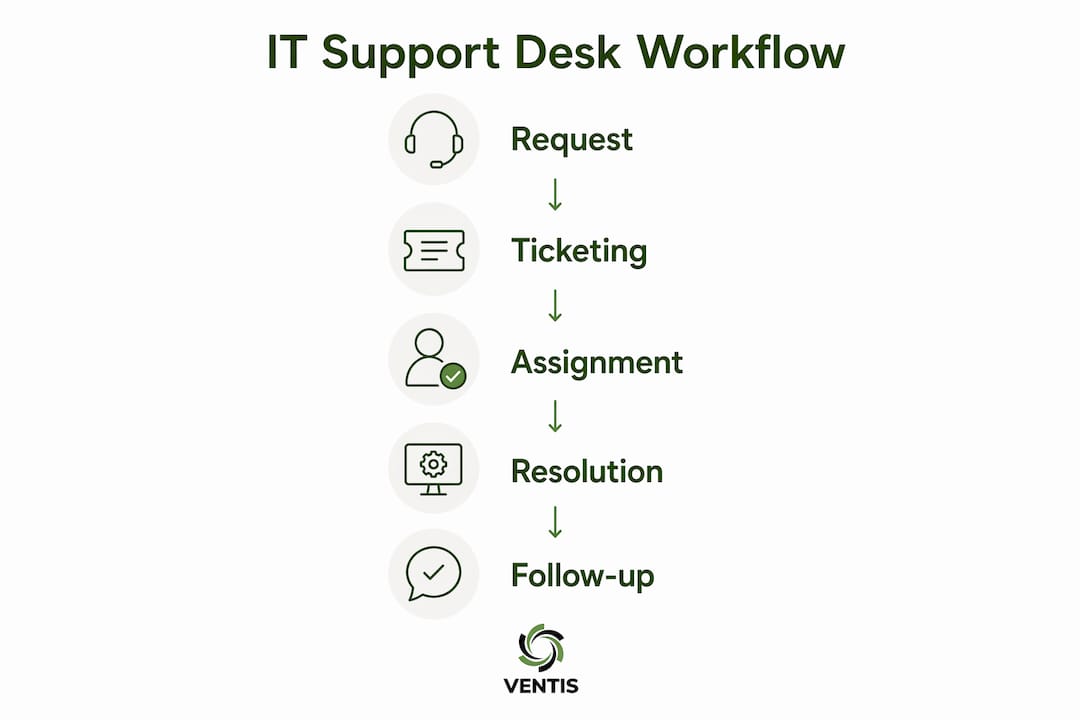
Once a request comes in, the desk logs it as a ticket, assigns it to the right technician, and tracks it through to resolution. Most support desks also maintain a knowledge base, a library of documented fixes and how-to guides that lets users solve common problems on their own.
Key functions your IT help desk performs every day
The day-to-day work of an IT support desk goes well beyond answering calls. IT help desks allow teams to track, prioritize, and resolve issues efficiently, and the best ones do it through a structured set of functions:
- Troubleshooting and issue resolution: Diagnosing hardware failures, software errors, and network problems as the first line of defense
- Ticket management: Logging every request, categorizing it by type and urgency, and routing it to the right person
- User communication: Keeping employees updated on ticket status, expected resolution times, and any workarounds available
- Escalation: Passing complex or unresolved issues to Tier 2 or Tier 3 specialists when front-line support cannot solve them
- Knowledge base maintenance: Documenting resolutions so recurring issues get faster fixes over time
- Remote support: Using tools like remote desktop access to troubleshoot problems without being physically present
A well-run support desk follows a clear workflow: issue reported, ticket created, categorized, assigned, resolved, communicated back to the user, closed, and then analyzed for patterns. AI increasingly supports ticket triage, routing, and knowledge-based recommendations within this workflow, cutting down the manual steps that slow technicians down.
Pro Tip: If your team is spending more time managing email threads than resolving issues, that's a sign your support desk needs a proper ticketing system. Even a basic platform creates accountability and visibility that email simply cannot.

How does an IT help desk differ from a service desk?
This is where a lot of organizations get confused, and the distinction genuinely changes how you structure your IT support. The short version: a help desk fixes things, while a service desk manages things.
Help desks are reactive and tactical, focused on resolving immediate technical problems. A service desk, by contrast, takes a broader and more strategic view of IT. It manages the full IT service lifecycle, including planned service requests, asset management, change management, and alignment with business goals. Service desks handle both unplanned incidents and planned service requests, and they operate within formal frameworks like ITIL (IT Infrastructure Library).
Here's how the two compare side by side:
| Feature | IT Help Desk | IT Service Desk |
|---|---|---|
| Primary focus | Fixing immediate technical issues | Managing the full IT service lifecycle |
| Approach | Reactive, break/fix | Proactive and strategic |
| Scope | Incident resolution | Incidents, service requests, change and asset management |
| ITSM framework | Not required | Typically ITIL-aligned |
| SLA management | Basic or informal | Formal SLAs with defined targets |
| Self-service | Knowledge base | Full self-service portal with service catalog |
| Typical users | Employees needing quick fixes | Employees, suppliers, and business partners |
The shift from help desk to service desk reflects a broader change in how IT is viewed within organizations. Service desks represent a strategic evolution that integrates IT as a business productivity enabler, not just a cost center that fixes broken things. For small and mid-sized businesses, understanding this difference helps you decide which model fits your current needs and where you want to grow.
Why IT support desks matter for your business operations
A functioning IT support desk does more than resolve tickets. It protects your organization's productivity, keeps employees from losing hours to unresolved tech problems, and gives your IT team the data they need to make smarter decisions.
Remote support tools and automation improve responsiveness and minimize disruptions, which directly affects how quickly your team gets back to work after an issue. Beyond speed, a structured support desk creates consistency. Every request gets logged, every resolution gets documented, and no issue disappears into someone's inbox.
There's also a security angle. A support desk that follows structured processes handles access requests, password resets, and account changes through a controlled, auditable workflow. That matters for compliance and for catching suspicious activity before it becomes a breach. You can read more about building that kind of structure in the IT support checklist for small businesses that Ventis Consulting Group put together for 2026.
Effective IT support should be measured not only by speed of ticket closure but by the business value it delivers through systemic technical improvements. High-performing support desks use their ticket data to spot recurring problems and fix the root cause, not just the symptom.
How AI and automation are changing IT support desks
AI is not replacing IT support desks. It's making them faster and more capable. AI and automation increasingly enable IT support desks to autonomously resolve routine inquiries, assist agents by suggesting solutions, and analyze ticket trends proactively. The practical result is that technicians spend less time on repetitive tasks and more time on the problems that actually require human judgment.
Here's where AI is having the most impact right now:
- Automated ticket triage: AI reads incoming tickets, categorizes them, and routes them to the right technician without manual review
- Agent assist tools: AI suggests solutions in real time as a technician works a ticket, pulling from the knowledge base and past resolutions
- Predictive analytics: By analyzing ticket patterns, AI can flag recurring issues before they cause widespread outages
- Omnichannel unification: Modern IT support increasingly relies on omnichannel support, unifying requests from email, chat, portals, and calls into a contextual workspace for agents, so no request gets lost in a channel silo
For a deeper look at how automation is reshaping support operations, service desk automation in 2026 covers the tools and approaches that IT teams are adopting right now.
Key insight: A successful IT support desk prioritizes knowledge management, clear SLAs, and structured escalation processes. Without good processes, even advanced software becomes a digital filing cabinet for unresolved issues.
Pro Tip: Before adding AI tools to your support desk, document your escalation paths and resolution workflows first. AI performs best when it has clean, consistent process data to learn from.
Common challenges IT support desks are built to solve
Every organization runs into the same set of IT headaches. Support desks exist specifically to address them in a structured way rather than letting them pile up.
Volume overload is the most common issue. As a company grows, so does the number of IT requests. Without a ticketing system, requests get lost, duplicated, or handled inconsistently. A support desk gives the IT team a single queue to manage, with priority levels that prevent critical issues from waiting behind minor ones.
Knowledge gaps slow resolution times significantly. When only one technician knows how to fix a specific problem, that person becomes a bottleneck. A well-maintained knowledge base distributes that expertise across the team and gives users a way to self-serve on common issues.
Lack of visibility is another persistent problem. Without tracking, managers cannot see how long issues take to resolve, which problems recur most often, or where the team is falling behind. Ticket data fixes that. It turns IT support from a reactive scramble into a managed, measurable operation.
Escalation failures happen when there's no clear path for complex issues. A support desk with defined Tier 1, Tier 2, and Tier 3 levels ensures that problems move to the right expert without getting stuck or bounced between technicians.
What types of issues does an IT support desk handle?
The range of issues a support desk handles is broader than most people expect. At the front line, Tier 1 technicians handle the high-volume, lower-complexity requests that make up the bulk of daily tickets:
- Password resets and account lockouts
- Software installation and licensing questions
- Email configuration and access issues
- Printer and peripheral connectivity problems
- VPN setup and remote access troubleshooting
- Basic network connectivity issues
Tier 2 handles more technical problems that require deeper system knowledge, such as application errors, server-side issues, and hardware failures that need hands-on diagnosis. Tier 3 brings in specialists or vendors for the most complex cases, including infrastructure failures, security incidents, and custom software bugs.
The IT support desk serves as the first line for IT troubleshooting, ticketing, and communication, which means its effectiveness directly determines how quickly the rest of the organization gets back to productive work. For businesses that rely on cloud infrastructure, the support desk also handles access provisioning, cloud application issues, and integration problems, areas that are growing as more workloads move off-premises.
How IT support desks are typically structured and staffed
Most IT support desks organize their staff into tiers based on technical complexity. This structure keeps simple issues from consuming the time of senior engineers while making sure difficult problems reach someone with the right expertise.
Tier 1 (Front-line support): These technicians handle the first contact with users. They resolve common, well-documented issues using the knowledge base and escalate anything beyond their scope. Good communication skills matter as much as technical knowledge at this level.
Tier 2 (Intermediate support): Technicians here take on escalated tickets that require deeper troubleshooting, system access, or more time than Tier 1 can allocate. They often specialize in specific areas like networking, operating systems, or specific business applications.
Tier 3 (Specialist or vendor support): This level handles the most complex issues, often involving infrastructure, security, or custom development. Some organizations outsource Tier 3 to a managed IT provider rather than maintaining that expertise in-house.
Beyond technicians, a well-staffed support desk also includes a desk manager or team lead who monitors ticket queues, tracks performance metrics, and handles escalations that need a judgment call. For smaller businesses, one person often fills multiple roles, which is exactly why having clear documented processes matters even more when the team is lean.
SLAs and performance metrics that define a high-performing support desk
A support desk without defined targets is just a ticket queue. Service level agreements (SLAs) and performance metrics are what turn reactive support into a managed, accountable function.
Common SLA targets include:
- First response time: How quickly a user receives acknowledgment after submitting a ticket, often targeted at under one hour for standard requests and under 15 minutes for critical issues
- Resolution time: The total time from ticket creation to closure, which varies by priority level (critical issues may target four hours; low-priority requests may allow two business days)
- First contact resolution (FCR) rate: The percentage of tickets resolved on the first interaction without escalation, a strong indicator of Tier 1 effectiveness
- Ticket backlog: The number of open tickets at any given time, which signals whether the team has adequate capacity
Key performance metrics to track:
- Mean time to resolution (MTTR): Average time to close a ticket across all priority levels
- Customer satisfaction (CSAT) score: User ratings collected after ticket closure
- Escalation rate: The proportion of tickets that move beyond Tier 1
- SLA compliance rate: The percentage of tickets resolved within the agreed timeframe
High-performing IT support teams use metrics not just for agent monitoring but to uncover systemic issues and business-impacting trends. A spike in MTTR for a specific application, for example, often points to a deeper infrastructure problem rather than a staffing issue. Tracking the right numbers gives you the information to fix the actual cause. For organizations looking to formalize these targets, reviewing service level objectives is a practical starting point.
Is your IT support keeping up with your business?

If your team is losing time to unresolved IT issues, inconsistent support, or a ticket queue that never seems to shrink, the problem usually isn't the technology. It's the structure behind it. Ventis Consulting Group works with small and mid-sized businesses in Pittsburgh and the surrounding area to build IT support that actually works, from managed help desk services to full managed IT agreements that cover your entire technology environment.
You get a local team that knows your business, clear SLAs, and support that scales as you grow. Reach out to Ventis Consulting Group to talk through what the right IT support model looks like for your organization.
Key Takeaways
An IT support desk is a centralized, reactive function that resolves technical issues through structured ticketing, defined escalation paths, and measurable SLAs to protect business productivity.
| Point | Details |
|---|---|
| Core purpose | An IT support desk handles reactive break/fix requests through ticketing, troubleshooting, and user communication. |
| Help desk vs. service desk | Help desks fix immediate issues; service desks manage the full IT service lifecycle within an ITSM framework. |
| Tiered staffing structure | Support desks organize staff into Tier 1, Tier 2, and Tier 3 levels to match issue complexity with the right expertise. |
| SLAs drive accountability | Metrics like first response time, MTTR, and CSAT turn a ticket queue into a measurable, managed operation. |
| AI accelerates resolution | AI automates ticket triage, suggests solutions to agents, and surfaces recurring issue patterns before they cause outages. |