
The best way to build a reliable new office network is a business-grade, segmented wired backbone paired with managed Wi-Fi and baseline Zero Trust controls. That means a proper router/firewall, a managed switch with Power over Ethernet, cloud-managed access points, and structured cabling, all tied to a real ISP link. Your first move: agree on a design and get the equipment ordered before anyone starts drilling holes or running cable.
TL;DR:
- Structured cabling with Cat6, proper labeling, and testing is critical to quick troubleshooting and long-term network stability.
- VLAN segmentation, including separate guest Wi-Fi and management networks, is essential for security and containment of breaches.
- Business-grade firewall, managed switch with PoE, and cloud-managed access points are vital for scalability, security, and ease of management.
- Accurate planning for bandwidth, redundancy options like dual-WAN or cellular failover, and PoE capacity prevent performance issues and outages.
- Regular testing, firmware updates, and monitoring are necessary to maintain security, performance, and quickly address any network problems.
Table of Contents
- Essential equipment checklist for a small office network
- Step-by-step setup plan: design, install, configure, test
- Security and segmentation: VLANs, guest Wi-Fi, and Zero Trust basics
- Connectivity, reliability, and performance planning
- Choosing business-grade equipment: cloud-managed vs on-premises networking
- Deployment checklist, timeline, and cost categories
- Operating and maintaining the network after setup
- Lessons from the field: common small-business pitfalls
- How Ventis Consulting Group supports your network setup
- Sources
- FAQ
Essential equipment checklist for a small office network
Every reliable office network rests on five categories of gear, and skipping any one of them creates a weak point later.
Start with the router and firewall. A business-grade firewall gives you next-generation firewall features like intrusion prevention, VPN support, and centralized management that consumer routers simply don't offer. Cisco's small-business guidance points out that this class of equipment matters more as your company grows and as compliance requirements show up in contracts or insurance renewals, since business-grade hardware supports the VLANs and security controls that home routers weren't built for.
Next comes the managed switch. Choose one with Power over Ethernet so it can feed access points, VoIP phones, and security cameras directly through the network cable, no separate power adapters cluttering your closet. Plan for more ports than you need today.
Access points come third. Cloud-managed or controller-based APs let you see coverage, client counts, and interference from one dashboard instead of logging into each device separately. Placement matters as much as the hardware: mount APs high, away from metal cabinets and microwaves, and space them for overlapping coverage rather than maximum distance.
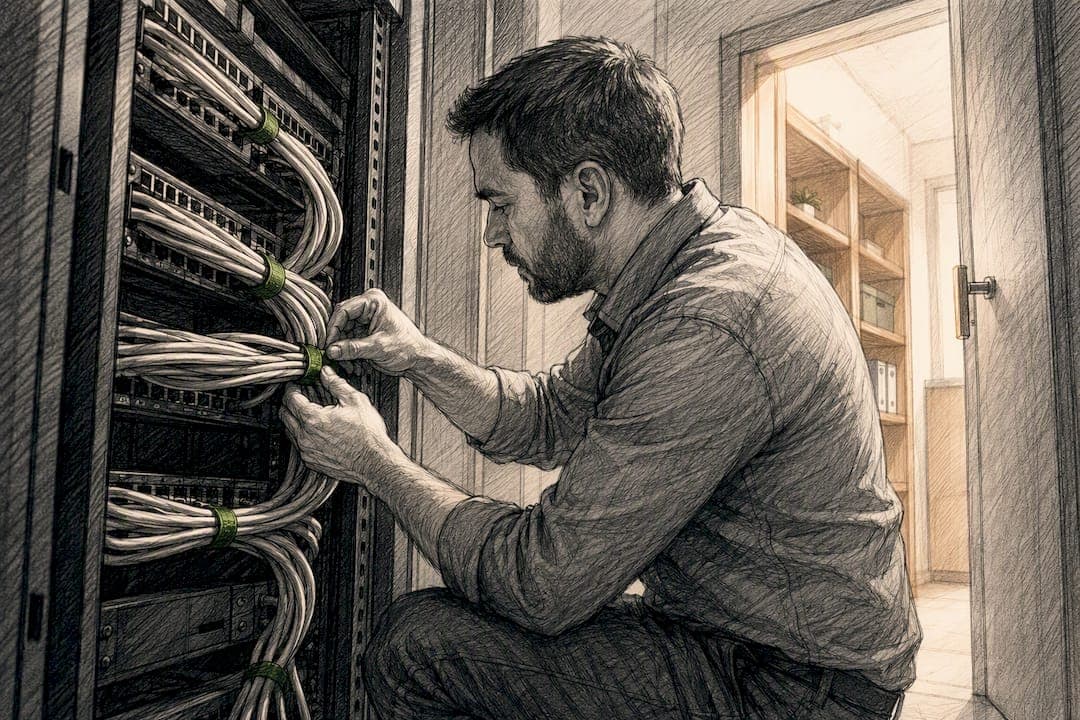
Structured cabling is the part people underestimate. Cat6 cable, a patch panel, and a proper rack or wall-mounted enclosure turn a tangle of wires into something a technician can troubleshoot in minutes. Every run should get tested and certified before you close up walls or ceilings.
Your equipment list, at minimum:
- A business-grade router/firewall with VPN and centralized management
- A managed switch with PoE and extra port capacity
- Cloud-managed or controller-based access points
- Cat6 structured cabling, patch panels, and a rack or enclosure
- A reliable ISP connection sized for your team
Optional additions round out the setup: a network-attached storage device for local backups, a UPS to ride out short outages, VoIP desk phones, and PoE security cameras.
Growth always costs more than the extra ports would have.
Step-by-step setup plan: design, install, configure, test
A network installation goes wrong most often because steps get skipped or done out of order. Follow this sequence and you'll avoid most of the rework.
- Gather requirements. Walk the space, count devices, and map out where staff sit, where phones and printers go, and where cameras will point.
- Design the topology. Decide on your IP addressing scheme, DHCP scope, and VLAN structure before anyone touches a cable.
- Run and label the cabling. Install Cat6 runs to every wall drop, terminate them at a patch panel, and label both ends clearly.
- Mount and connect hardware. Rack the switch and firewall, wall-mount or ceiling-mount the access points, and connect everything according to your topology diagram.
- Configure the devices. Set firewall rules, build out VLANs, apply Quality of Service for voice and video traffic, and enable WPA3 on access points that support it.
- Onboard endpoints securely. Enroll laptops and phones in mobile device management, install endpoint protection, and apply network access control so unrecognized devices can't just plug in and get an IP address.
- Test everything. Run throughput checks, do a Wi-Fi site survey, confirm VLANs actually isolate traffic, and test your internet failover if you have one.
A few details inside that sequence deserve their own attention. Cabling and labeling are where small offices lose the most time later: a patch panel with unlabeled ports turns a five-minute fix into a half-day hunt. Test every run with a certification tool rather than trusting that it "looks fine," since a cable that passes a basic continuity test can still fail under real load.
On the configuration side, don't treat VLANs as optional. Separating staff, guest, voice, and camera traffic onto different VLANs means a compromised device in one segment can't freely reach devices in another. QoS matters here too: without it, a large file backup running in the background can make a video call choke, even on a fast connection.
Before you call the project done, verify it with a repeatable checklist:
- Throughput test between key devices and the internet connection
- Wireless site survey to confirm coverage and identify dead zones
- VLAN isolation test to confirm segments can't reach each other improperly
- Failover test if you have a secondary internet connection
Our network troubleshooting guide walks through these same verification steps in more depth if you want a reference during testing.
Security and segmentation: VLANs, guest Wi-Fi, and Zero Trust basics
Segmentation is the single most effective, cost-efficient way to limit how far a breach can spread. Grouping assets into security zones and controlling what can talk to what between those zones is a principle NIST and other practitioner guidance point to directly, and it applies just as much to a ten-person office as it does to a factory floor.
For most small offices, a workable VLAN structure looks like this:
- Staff VLAN for employee laptops and desktops
- Guest VLAN for visitor Wi-Fi, fully isolated from internal resources
- VoIP VLAN for phones, prioritized for low latency
- POS VLAN for point-of-sale terminals, kept separate to limit compliance scope
- Camera VLAN for security devices, which rarely need internet access at all
- Management VLAN for the switches, firewall, and access points themselves
Guest Wi-Fi deserves its own SSID with no path back into your internal network. The FTC's cybersecurity guidance specifically recommends separating guest wireless from business networks and using WPA2 or WPA3 encryption rather than older, weaker protocols. A captive portal or basic rate limiting keeps guest traffic from crowding out business use.
Identity controls matter as much as network segmentation. Require multi-factor authentication for any administrative access and for remote connections, and centralize account management wherever you can so you're not tracking passwords across a dozen separate systems. CISA's small-business guidance recommends applying MFA and endpoint protection broadly, treating every connection as untrusted until it proves otherwise, which is the core idea behind Zero Trust.

Endpoint protection is the last layer. Every device that joins the network should run anti-malware or endpoint detection and response software, and ideally pass a baseline health check before it's allowed on. For remote workers, a Zero Trust Network Access approach that grants access to specific applications tends to limit exposure better than a traditional VPN that opens up the whole network at once. Our guide to secure remote access covers how to weigh that choice in practice.
Pro Tip: Set a calendar reminder to review VLAN and firewall rules every quarter. Networks drift as people add devices, and rules nobody remembers writing are the ones that eventually cause a problem.
Connectivity, reliability, and performance planning
Bandwidth needs are easy to underestimate once video conferencing, cloud backups, and everyday browsing all compete for the same pipe. A rough starting point is to size your connection around your busiest hour, not your average day, since that's when calls, uploads, and file syncs tend to overlap.
Redundancy is worth planning for even in a small office. A dual-WAN setup, or a cellular failover connection, keeps the business online if your primary ISP drops, and it's worth comparing SLA terms between providers since guaranteed uptime varies significantly by contract; read this step-by-step guide for SMBs to manage online reputation by ensuring business continuity through reliable service availability. Our breakdown of dual-WAN failover explains how automatic switching between connections actually works.
PoE budgeting deserves care too. Add up the power draw for every access point, phone, and camera you plan to connect, then leave meaningful headroom so you're not maxing out the switch the day a new hire shows up with another device to plug in.
Wireless planning rounds out the reliability picture:
- Match AP density to your floorplan, not just square footage
- Plan channel assignments to avoid overlap between nearby access points
- Run a site survey before finalizing placement, especially in older buildings with thick walls
- Apply QoS rules that prioritize voice and video traffic over routine downloads
Choosing business-grade equipment: cloud-managed vs on-premises networking
Business-grade equipment earns its higher price through management features, security controls, and firmware support that consumer gear doesn't offer. Cisco's guidance for new office setups frames this as less about raw speed and more about the VLAN support, centralized visibility, and long-term patching that keep a growing business secure.
From there, you're choosing between two operating models:
- Cloud-managed networking gives you simplified updates, centralized monitoring from a single dashboard, and predictable subscription costs.
- On-premises networking means a one-time hardware purchase, full local control, and potentially lower long-term costs if you already have staff who can maintain it.
Many small businesses land somewhere in between. Cisco's own guidance points to a hybrid approach as a common fit: a cloud-managed control plane for visibility and updates, with local hardware handling the performance-critical forwarding of actual network traffic. Whichever direction you choose, factor in licensing renewals and support contracts now rather than discovering them at renewal time, and pick hardware with enough capacity that you're not replacing switches and access points again in eighteen months.
Deployment checklist, timeline, and cost categories
Before installation day, confirm four things: the design is signed off, parts are ordered and on hand, a contractor or installer is scheduled, and your IP addressing and VLAN plan is written down somewhere your team can actually find it later.
A typical phased timeline runs through design, procurement, cabling, configuration, and testing, with the total length depending mostly on how much cabling needs to be run and how quickly equipment ships. Older buildings, custom cable runs, and backordered hardware are the most common sources of delay.
Budget planning breaks down into a few clear buckets:
- Hardware: router/firewall, switch, access points, and any optional NAS or UPS
- Cabling and installation labor: running cable, terminating patch panels, and certification testing
- Licensing and subscriptions: cloud management, firmware support, and warranty coverage
- Managed services: ongoing monitoring, support, and maintenance if you outsource operations
Buy with headroom in mind for ports and PoE capacity, and budget for 12 to 24 months of subscriptions and support up front so a renewal doesn't catch you off guard.
Operating and maintaining the network after setup
A network doesn't run itself once the installers leave. Routine maintenance includes firmware updates on every device, regular configuration backups, a real password policy, and a schedule for applying security patches rather than waiting until something breaks.
Monitoring closes the gap between "it's probably fine" and actually knowing your network's health. Set up alerts for device outages, unusual traffic spikes, and failed login attempts, and track a few simple metrics like uptime and bandwidth utilization so you notice problems before staff start complaining.
When something does go wrong, a basic incident response sequence helps: isolate the affected device or segment, contain the spread by cutting off its network access, recover from a clean backup, and notify anyone whose data may have been affected.
A few signals tell you it's time to bring in outside help:
- You need around-the-clock monitoring but don't have staff to cover it
- Compliance requirements demand documented, auditable security practices
- Your team is stretched too thin to keep up with patching and monitoring consistently
Lessons from the field: common small-business pitfalls
The mistakes we see most often are predictable: businesses undercount their PoE needs, skip segmentation because "we're too small to need it," and leave cabling unlabeled until nobody remembers what connects to what. Each one turns into a support call eventually.
A managed approach tends to catch these problems before they cause downtime, since ongoing monitoring flags issues that a one-time installation never would. If you're planning a setup, start with an honest device inventory, get the design right on paper, and then decide whether to buy and manage it yourself or bring in a managed provider to handle it.
— Greg
How Ventis Consulting Group supports your network setup
A local consulting group can bring expertise and a consultative approach to small and mid-sized businesses building out a new office network, rather than handing you a one-size-fits-all package.

Relevant services may include network-as-a-service, low-voltage cabling installation, hardware procurement and installation of business-grade networking equipment, and ongoing monitoring and support once your network is live.
When you're evaluating any managed provider, ask about their service level agreement, what's actually included in the monthly cost, and how fast they respond when something breaks. If you'd rather have that conversation directly, take a look at our end-to-end IT solutions page or reach out to talk through what your office actually needs.
Sources
- Cisco Designed - Essential guide to setting up a new office
- Cyber Guidance for Small Businesses | CISA
- Cybersecurity for Small Business | Federal Trade Commission
- Security segmentation guidance for small manufacturing and similar environments (NIST)
FAQ
How do I set up an office network from scratch?
Start by gathering requirements: count your devices, map the floorplan, and decide on your IP and VLAN design before buying anything. From there, install cabling and hardware, configure firewall rules and VLANs, and test throughput, Wi-Fi coverage, and segmentation before calling the project finished.
What is the 5-4-3 rule of Ethernet?
The 5-4-3 rule is an older Ethernet networking guideline for shared-media networks, limiting a network to five segments, four repeaters, and three populated segments between any two devices. Modern switched networks with structured cabling and managed switches have largely made this rule obsolete for everyday small office design.
How do I create a secure office network?
Segment your traffic into VLANs for staff, guest, voice, and other device types, and separate guest Wi-Fi entirely from your business network using WPA2 or WPA3 encryption. Add multi-factor authentication for administrative and remote access, and apply Zero Trust principles that treat every connection as unverified until it proves otherwise.
How much does it cost to set up a small business network?
Costs vary based on office size, the amount of cabling required, and whether you choose cloud-managed or on-premises equipment, so there's no single published figure that fits every office. Budgeting in categories, hardware, cabling and installation labor, licensing, and ongoing managed services, gives a clearer picture than trying to estimate one lump sum.
Should I choose cloud-managed or on-premises networking equipment?
Cloud-managed networking offers simplified updates and centralized monitoring from one dashboard, which suits businesses without dedicated IT staff. On-premises equipment offers more local control and can cost less long-term if you already have staff to maintain it, and many small businesses end up choosing a hybrid of the two.