

A disaster recovery testing plan proves you can meet your recovery time and recovery point objectives, and it hands auditors, insurers, and executives the documented evidence they demand instead of your word for it. This guide walks you through setting real success criteria, choosing the right test type, prepping without risking production, running the test itself, and turning results into a report that survives scrutiny.
TL;DR:
- Conduct regular, varied testing methods based on system criticality, with full-scale or parallel tests at least annually for high-priority systems.
- Prepare thoroughly by updating inventories, verifying backups, confirming credentials, and creating offline runbooks and detailed test scripts before executing tests.
- Follow a structured execution sequence, validating each recovery step and business process while capturing timestamped evidence and defining rollback procedures beforehand.
- Ensure the disaster recovery report clearly documents target versus actual RTO and RPO, links evidence to claims, and tracks remediation actions with responsible owners.
- Treat disaster recovery testing as a scheduled discipline rather than a one-time project to improve recovery speed and documentation quality across the organization.
Table of Contents
- What Is a Disaster Recovery Testing Plan?
- Which Disaster Recovery Testing Method Fits Your Risk Level?
- How Do You Prepare for a Disaster Recovery Test?
- How Do You Run a Disaster Recovery Test Step by Step?
- What Should a Disaster Recovery Test Report Include?
- How Often Should You Test Your Disaster Recovery Plan?
- Why Do Disaster Recovery Tests Fail?
- What Ventis Consulting Group Sees in Real DR Testing Engagements
- Run Your Next DR Test Without the Internal Scramble
- Where to Go Deeper on Disaster Recovery Testing Standards
- Sources
- FAQ
What Is a Disaster Recovery Testing Plan?
A disaster recovery testing plan is a structured, repeatable process for verifying that your systems, data, and people can actually recover within the time and data loss limits your business requires. It's different from a disaster recovery plan itself. The plan is the document describing how you'll recover. The testing plan is how you prove that document works before a real outage forces you to find out the hard way.
Setting objectives and scope
Before you run a single drill, decide why you're testing. Three purposes drive most disaster recovery testing plan cycles, and each shapes what "success" looks like:
- Compliance-driven testing confirms you meet regulatory or contractual obligations, often tied to FFIEC exercise and test program requirements or insurer conditions.
- Capability testing answers a harder question: can your team actually execute the runbook under pressure, not just on paper?
- Post-change verification confirms that a new vendor, a migrated app, or a network redesign didn't quietly break your recovery path.
Pull your recovery targets straight from the business impact analysis. Every system in scope needs its own RTO and RPO, not a blanket "four hours for everything." A customer-facing order system might tolerate 15 minutes of data loss; an internal reporting tool might tolerate a day. Decide which systems, vendors, and user groups fall inside the test boundary, then name a business-line owner accountable for signing off on results. FFIEC guidance is explicit that testing accountability belongs with the business, not IT alone. IT runs the mechanics; the business owner certifies that recovery met the actual operational need.
Which Disaster Recovery Testing Method Fits Your Risk Level?
Six methods cover nearly every disaster recovery testing plan you'll encounter, and they scale from cheap and low-risk to expensive and disruptive. NIST SP 800-34 frames tabletop, functional, and full-scale exercises as the backbone of a contingency test program.
- Tabletop exercise. Stakeholders talk through a scenario step by step without touching any system. Cheapest option, best for onboarding new team members or testing decision logic.
- Walkthrough. A guided review of the runbook itself, checking that steps are current and assignees still exist. Good for catching stale documentation between bigger tests.
- Simulation or functional drill. Teams execute recovery actions against a non-production or isolated copy of the environment. This is where you start generating real timing data.
- Sandbox (bubble) test. An isolated network segment mimics production so you can validate failover mechanics without any connection to live systems. Azure's well-architected guidance recommends this for validating automated provisioning and health checks safely.
- Parallel test. The recovery environment runs alongside production, processing real transactions in shadow mode, so you compare outputs directly.
- Full-scale test. You actually fail over production and run the business from the recovery environment. Highest evidence value, highest disruption risk.
Pro Tip: Match method to system criticality, not convenience. A tier-one payment system deserves a parallel or full-scale test annually; a low-priority internal wiki is fine with a tabletop.
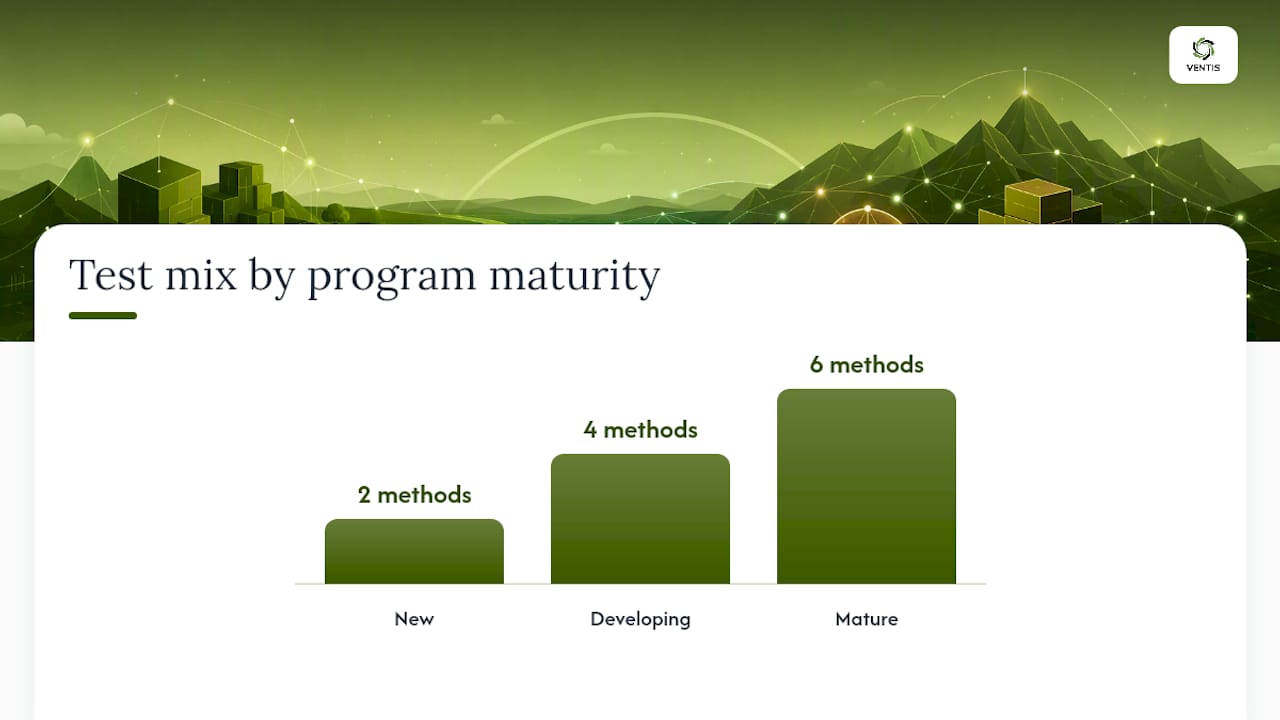
Maturity determines the mix. New programs lean on tabletops and walkthroughs. Developing programs add functional drills and sandbox tests. Mature programs generally include a mix of tests on critical systems, with more frequent smaller exercises throughout the year.
How Do You Prepare for a Disaster Recovery Test?
Preparation is where most tests quietly fail before they even start. Build your checklist around these steps:
- Refresh inventory and dependency maps against the current business impact analysis. Systems get added, retired, or migrated faster than documentation gets updated.
- Verify backup integrity by confirming snapshot currency, replication lag, and that secure backup copies actually restore, not just that a backup job reports "success."
- Confirm credentials and vendor contacts. Test accounts expire, on-call numbers change, and vendor support tiers get downgraded without anyone noticing until the outage.
- Keep an offline runbook copy. If your primary documentation lives in a system you're testing the recovery of, you need a printed or offline-accessible version.
- Write the test script with specific actions, expected results, and designate an independent observer who isn't executing steps.
- Define emergency stop conditions in advance, so anyone on the team can halt the test the moment something threatens production.
Pro Tip: Assign the observer role to someone outside the IT team whenever possible. A fresh set of eyes catches assumptions the builders no longer notice. This preparation discipline connects directly to your cybersecurity posture, since a compromised credential or an unpatched failover node undermines the entire exercise before it begins.
How Do You Run a Disaster Recovery Test Step by Step?
Execution needs a clear chain of authority and an ordered sequence, or you end up with five people doing the same recovery step and nobody validating the result.
- Declare the test formally. One named authority, usually the business-line owner or IT director, announces the start time and confirms all participants are ready.
- Activate the runbook in sequence: network connectivity first, identity and authentication second, storage and data layer third, application stack fourth, DNS and routing last.
- Run validation checks at each layer, not just at the end. An application that boots but can't reach its database isn't recovered.
- Confirm end-to-end business process function, not just system uptime. Have a real user attempt the actual workflow, whether that's processing an order or pulling a report.
- Capture evidence continuously: timestamped logs, screenshots of dashboards, and notes on any deviation from the script.
- Execute rollback or cutback procedures once validation is complete, returning systems to their normal state cleanly.
Timing discipline here is what separates a real test from a demonstration. NIST SP 800-53 guidance stresses that even sandbox or isolated tests need a verified rollback procedure planned before execution starts, not improvised afterward. Skipping that step is how a controlled test turns into an actual outage.
What Should a Disaster Recovery Test Report Include?
The test itself only matters if it produces something an auditor, insurer, or executive can actually use. FFIEC guidance on testing and evidence is direct on this point: documented proof, not a successful recovery alone, is what regulators expect to see.
Your report needs:
- Target versus actual RTO/RPO for every system in scope, stated plainly rather than buried in a log file.
- An evidence index linking each claim to its supporting artifact: screenshot, log excerpt, or signed observer checklist.
- A documented list of exceptions where the runbook failed, was skipped, or produced results outside tolerance.
- A remediation tracker assigning each gap an owner, a due date, and a retest date, with closure proof required before the item is marked resolved.
- An executive summary written for a non-technical audience, translating technical results into business risk language leadership can act on.
Build the evidence package as you go rather than reconstructing it afterward from memory. Auditors and insurers want a package they can review independently, and a documented incident response process that ties into your DR evidence trail strengthens both stories at once.
How Often Should You Test Your Disaster Recovery Plan?
FDIC guidance recommends testing at least annually, with complexity increasing over time rather than repeating the same tabletop year after year. A practical calendar looks like this:
- New programs: quarterly tabletops, one functional drill annually.
- Developing programs: quarterly tabletops or walkthroughs, two functional drills, one sandbox test annually.
- Mature programs: monthly automated backup verification, quarterly tabletops, semiannual functional drills, one full-scale or parallel test annually.
Beyond the calendar, certain events force an immediate retest regardless of schedule: a major architecture change, a vendor swap on a critical system, a ransomware incident, or significant staff turnover on the recovery team. Layering automated daily backup checks under periodic larger exercises converts testing from a once-a-year scramble into an ongoing operational habit.
Why Do Disaster Recovery Tests Fail?
Most failures trace back to a handful of repeat offenders, and every one of them is preventable with basic discipline.
- Outdated inventories cause teams to discover mid-test that a system moved, was renamed, or was retired months ago.
- Missing credentials or firewall rules are a leading cause of test failure, since dependencies like a service account password rarely make it onto anyone's radar until they're needed.
- No business validation means IT declares success the moment a server boots, while the actual business process never gets confirmed as working.
Pro Tip: Rotate which team members run each test. A recovery process that only one person understands isn't a recovery process, it's a single point of failure with a runbook attached. After any organizational or technical change, revalidate assumptions in the runbook rather than trusting last quarter's test results still apply.
What Ventis Consulting Group Sees in Real DR Testing Engagements
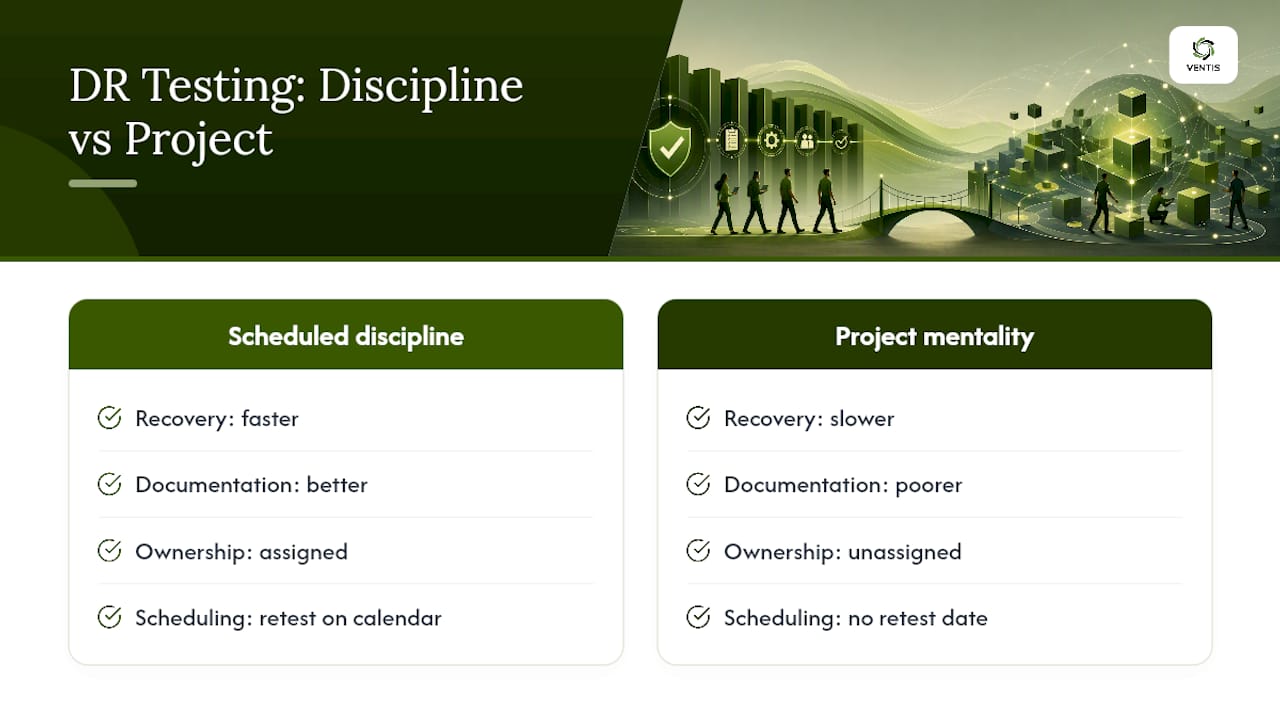
Most disaster recovery testing plan failures we encounter with Pittsburgh-area businesses have nothing to do with technology and everything to do with ownership. A plan sits in a shared drive, nobody's calendar has a retest date on it, and the business owner who should be signing off has never seen the document.
A consulting group builds runbooks, facilitates tabletop and functional drills, and assembles the evidence packages clients hand to auditors and insurers. The pattern holds across engagements: companies that treat DR testing as a scheduled discipline recover faster and document it better than companies that treat it as a project they'll get to eventually.
— Greg
Run Your Next DR Test Without the Internal Scramble
Building a disaster recovery testing plan from scratch takes real hours: mapping dependencies, writing runbooks, coordinating business owners, then documenting everything well enough to survive an audit. A consulting group runs that entire cycle for small and mid-sized businesses in the Pittsburgh area and surrounding regions, so your team isn't pulled off daily work every time a test comes due.

We manage the testing calendar, facilitate the drills, verify backup and failover mechanics through our network as a service infrastructure, and build the evidence packages your auditors and insurers actually want to see, complete with remediation tracking so gaps get closed instead of forgotten. Communication planning during a test matters too, and our unified communications support keeps your team connected when primary systems are offline. If your last DR test was a checklist nobody signed, get a scoped testing plan built around your systems and your actual recovery targets.
Where to Go Deeper on Disaster Recovery Testing Standards
- FFIEC IT Examination Handbook covers ownership and test program structure.
- FDIC BCP Booklet sets cadence and documentation expectations.
- NIST disaster recovery guidance defines test types and TT&E structure.
- Ready covers backup security and verification.
Sources
- FFIEC IT Examination Handbook InfoBase - VII.A Exercise and Test Program
- Business Continuity Planning Booklet
- NIST glossary and SP guidance references for disaster recovery planning
- Azure well-architected disaster recovery design guide
FAQ
What Are the Five Types of Disaster Recovery Testing?
The five most commonly cited types are tabletop exercises, walkthroughs, simulation or functional drills, parallel tests, and full-scale tests, with sandbox (bubble) testing often added as a sixth isolated-environment option.
What Does a Disaster Recovery Plan Example Look Like?
A typical example names an RTO and RPO for each critical system, lists ordered recovery steps by layer (network, identity, storage, applications), assigns an owner to each step, and includes contact information and rollback criteria.
How Often Should a Disaster Recovery Plan Be Tested?
At minimum, test annually, with mature programs adding quarterly tabletops and immediate retests triggered by major system changes, vendor swaps, or security incidents.
What Are the Five Steps of Disaster Recovery Planning?
The core steps are conducting a business impact analysis, setting RTO/RPO targets, building the recovery runbook, testing the plan, and documenting results for continuous improvement.
Who Should Own Disaster Recovery Testing, IT or the Business?
Business-line management should retain accountability for testing outcomes, while IT executes the technical mechanics and provides the evidence for review.