

Yes, local businesses need dedicated IT. Without it, you face avoidable downtime, undetected cyber threats, and unpredictable repair bills that hit harder than a monthly managed service ever would. The U.S. Chamber of Commerce found that most small business owners say their business would struggle to survive without access to technology platforms. That dependency makes professional IT management a necessity, not a luxury.
Here is what dedicated IT delivers for your business:
- Predictable monthly cost instead of emergency repair invoices that arrive at the worst possible time
- Continuous monitoring and patching that catches vulnerabilities before attackers do, as proactive management tools identify and resolve issues before they cause outages
- Faster incident response with documented runbooks and clear escalation paths so recovery is measured in hours, not days
Your immediate next step: schedule a 30–60 minute scoping call with a local provider to assess your current exposure and map a 90-day coverage plan.
Table of Contents
- What does dedicated IT actually include?
- Why reactive IT leaves your business exposed
- What cybersecurity and compliance basics do you need?
- How is dedicated IT priced, and what ROI should you expect?
- How do you choose a dedicated IT provider?
- Your practical first 90 days: an implementation checklist
- Key Takeaways
- A local provider's perspective on what actually matters
- Ventis Consulting Group: managed IT for Pittsburgh-area businesses
- Useful sources and references
What does dedicated IT actually include?
Dedicated IT, often delivered as a managed IT service, covers the full stack of day-to-day and strategic technology needs your business runs on. Here is what a solid provider delivers:
- 24/7 monitoring and alerting so problems surface at 2 AM, not when your team arrives Monday morning
- Managed backups and disaster recovery with tested restores, not just files sitting on a drive nobody checks
- Endpoint protection and patch management across every laptop, desktop, and server on your network
- Helpdesk support for staff issues, from password resets to application errors
- vCIO (virtual CIO) strategy sessions that align your technology spending with actual business goals
- Network and Wi-Fi management covering switches, firewalls, and access points
- Unified communications and VoIP so your phones, video, and messaging work as one system
- Cloud services and email security including Microsoft 365 management and spam/phishing filtering
Organizations with dedicated IT report faster ticket resolution, better patching cadence, and fewer repeat outages compared with ad-hoc support. Ventis Consulting Group adds local presence to this mix, meaning a technician who knows your building and your team can show up when remote support is not enough. Tailored scopes of work and quarterly vCIO sessions are standard, not upsells.
Why reactive IT leaves your business exposed
Waiting for something to break before calling for help is the single most expensive IT strategy a local business can run. Simple antivirus and occasional patching are routinely bypassed by automated, sophisticated attacks. The failure modes are predictable: missed patches create open doors, orphaned backups fail silently, and credential compromise goes undetected for weeks.
Downtime cost reality: A single unplanned outage can cost a small business thousands of dollars in lost revenue, staff idle time, and emergency labor fees. A monthly managed IT investment is typically a fraction of that single-incident cost.
Picture this: a local retail shop runs basic antivirus and calls an IT contractor when something breaks. One Tuesday night, an automated script scans thousands of IP addresses and finds an unpatched remote-access port on the shop's server. By Wednesday morning, ransomware has encrypted the point-of-sale system and the backup drive attached to the same machine. Recovery takes four days and costs the owner a week of revenue plus a ransom negotiation. Layered defenses and continuous monitoring catch exactly this kind of off-hours anomaly before it escalates.
What cybersecurity and compliance basics do you need?
The short answer: basic protections plus a documented incident response plan reduce breach impact significantly. You do not need a compliance attorney to get started, but you do need a clear baseline.
For U.S. local businesses, the relevant frameworks depend on what data you handle. If you take card payments, PCI DSS applies. If you handle any health information, HIPAA governs your data practices. State privacy laws, including those in California, Virginia, and Colorado, are expanding and may apply depending on your customer base. The FTC's Safeguards Rule also covers certain financial-data holders.
Your security baseline should include:
- Endpoint protection on every device, not just desktops
- Multi-factor authentication (MFA) on email, cloud apps, and remote access
- Managed backups with tested restores on a documented schedule
- Employee phishing awareness training at least twice a year
- Privileged-access controls so staff only reach the systems their role requires
Pro Tip: Test your backup restores quarterly and verify that your most critical business applications, not just raw files, come back cleanly. A backup that restores data but not your accounting software's database structure is not a working backup.
Ventis Consulting Group builds incident response planning and managed detection and response (MDR) into its standard engagements, along with documented backup and DR proof you can show auditors or insurers.
How is dedicated IT priced, and what ROI should you expect?
Pricing is almost always subscription-based, either per user, per device, or a hybrid of both with project fees layered on top. Here is how the common models compare:
| Pricing Model | What It Covers | Best Fit |
|---|---|---|
| Per-user flat rate | All devices per employee, helpdesk, monitoring | Growing teams with variable device counts |
| Per-device flat rate | Fixed cost per managed endpoint | Stable environments with predictable hardware |
| Tiered packages | Bundled services at entry, mid, and full coverage | Businesses wanting a defined starting point |
| Hybrid (flat + project) | Core managed services plus one-off projects billed separately | Businesses with periodic infrastructure needs |
ROI shows up quickly when you compare a single downtime incident against your monthly managed cost. If four hours of downtime costs your business $2,000 in lost productivity and emergency labor, and your monthly managed IT investment is less than that, the math favors proactive coverage from month one. Tech budget planning that accounts for avoided incident costs almost always shows a positive return within the first year.
Expect onboarding to follow this timeline:
- Days 1–7: Discovery, asset inventory, and baseline security assessment
- Days 8–30: Critical patching, backup configuration, and quick-win remediation
- Days 31–60: Monitoring tuning, MFA rollout, and helpdesk integration
- Days 61–90: Policy documentation, staff training, and first vCIO planning session
How do you choose a dedicated IT provider?
Evaluate providers by measurable trust signals, not marketing claims. Here is what to ask on your first call:
- What does your SLA guarantee for response time and resolution time, in writing?
- Can you show me a recent backup restore report for a client similar to my business?
- What certifications does your team hold (CompTIA, CISSP, Microsoft partner)?
- Do you have local references in my industry or region?
- What does your incident response plan look like, and how do you communicate during an outage?
- How often do vCIO strategy sessions happen, and what do they cover?
- What is your escalation path when a tier-1 technician cannot resolve an issue?
Owners should request SLA examples, backup restore reports, certifications, and client case studies to verify a provider's claims before signing anything.
Red flags to watch for:
- Vague SLAs with no defined response or restore timeframes
- No documented incident response plan
- No local references or case studies
- Flat fees that seem unusually low with no written scope of work
- Resistance to a pilot project or trial engagement
A provider worth hiring will offer a clear written scope of work, reference clients you can actually call, and proof of certifications. Read more about evaluating managed IT providers before your first conversation.
Your practical first 90 days: an implementation checklist
A prioritized 90-day plan delivers real coverage quickly while keeping disruption to a minimum.

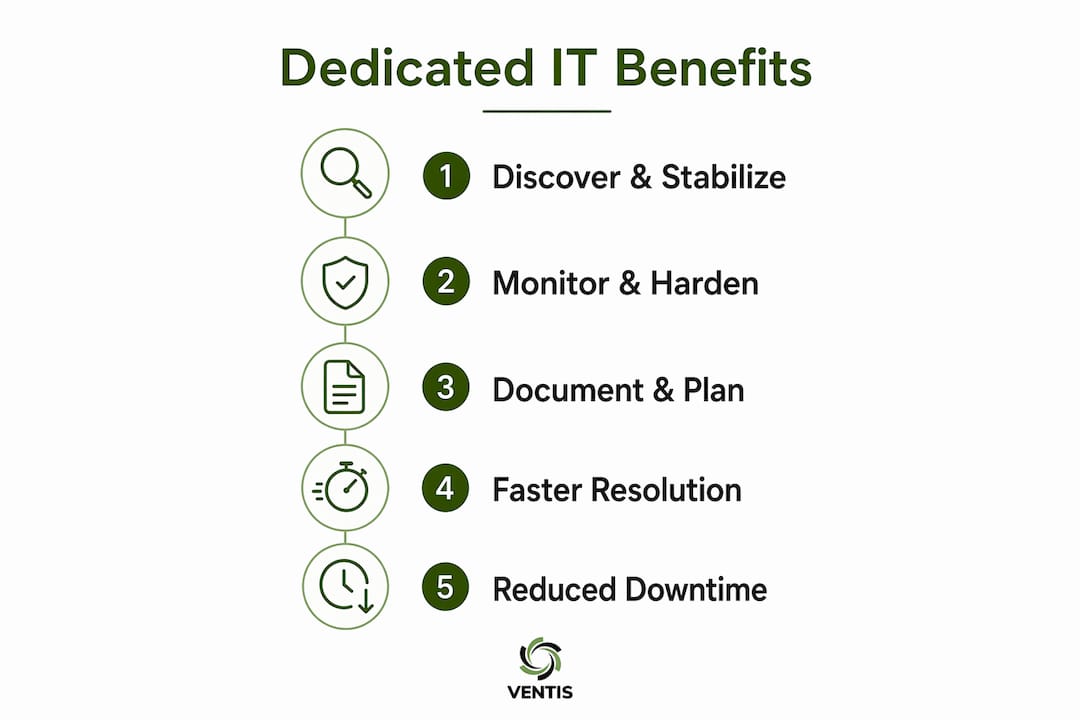
Days 0–30: Discover and stabilize. Your provider runs a full asset inventory, identifies unpatched systems, and configures managed backups. Your job: designate one internal point of contact, provide network access credentials, and share any existing vendor contracts. Success looks like zero critical unpatched vulnerabilities and a confirmed working backup.
Days 31–60: Monitor and harden. Monitoring alerts are tuned to your environment, MFA rolls out to all staff, and endpoint protection covers every device. Expect a short staff briefing on phishing and password hygiene. Success looks like active monitoring dashboards and MFA adoption across the team.
Days 61–90: Document and plan. Written IT policies, an incident response runbook, and your first vCIO session happen here. The vCIO session produces a 12-month technology roadmap tied to your business goals.
Follow the IT support checklist for small businesses to track progress at each milestone.
Key Takeaways
Dedicated IT is the most cost-effective way for local businesses to prevent downtime, contain cyber risk, and keep technology costs predictable.
| Point | Details |
|---|---|
| Dedicated IT is necessary | 7 in 10 small businesses say they would struggle to survive without technology platforms. |
| Reactive IT creates real risk | Missed patches and absent monitoring let automated attacks escalate into multi-day outages. |
| Pricing is subscription-based | Per-user or per-device models make costs predictable; one avoided incident often covers months of service. |
| Evaluate by trust signals | Ask for SLAs, backup restore reports, certifications, and local references before signing. |
| Ventis Consulting Group | Provides managed IT, cybersecurity, MDR, and vCIO services for SMBs in Pittsburgh and surrounding areas. |
A local provider's perspective on what actually matters
Most owners I talk to assume their biggest IT risk is a dramatic ransomware headline. The real exposure is quieter: a backup that has not been tested in eight months, a former employee's credentials still active in the system, or a firewall running firmware from two years ago. Those gaps do not make the news, but they are what attackers find first.
The businesses that recover fastest from incidents are not the ones with the most expensive tools. They are the ones with a documented runbook, a provider who picks up the phone at 11 PM, and staff who know what to do in the first 15 minutes of an outage. That combination comes from a relationship built over months, not a one-time fix.
Proactive cyber risk management is not about buying more software. It is about consistent process: patch, monitor, test, train, repeat. Local businesses that commit to that cycle stop being easy targets.
Ventis Consulting Group: managed IT for Pittsburgh-area businesses
If you would rather have a local partner handle the monitoring, patching, compliance documentation, and incident response while you focus on running your business, Ventis Consulting Group is built for exactly that. The team delivers managed IT, cybersecurity, MDR, backup and disaster recovery, vCIO strategy, and unified communications for small to mid-sized businesses in Pittsburgh and the surrounding region.

Onboarding starts with a no-obligation discovery call where Ventis maps your current environment, identifies your top three risk areas, and outlines a prioritized 90-day plan. You get a written scope of work, clear SLAs, and references from local businesses before you commit to anything. Ventis holds a 5-star rating from clients who value direct communication and follow-through, not just a ticket number.
Schedule your scoping call at ventisconsulting.com and find out exactly where your business stands.
Useful sources and references
These sources back the claims in this article and give you a solid starting point for further reading on U.S. small business technology policy, proactive IT management, and provider selection.
- U.S. Chamber of Commerce — The Impact of Technology on Small Business (2023): Small business technology dependency data cited in the opening section.
- SIIT — Why Local Businesses Need Proactive IT Management: Covers proactive monitoring, layered defenses, and automated attack risks.
- ExtNOC — Benefits of a Dedicated IT Support Team: Covers faster resolution, patching cadence, and provider trust signals.
- Ventis Consulting Group — How to Create a Cybersecurity Incident Response Plan: Step-by-step guide for building and testing your incident response plan.
- Ventis Consulting Group — IT Support Checklist for Small Business: Practical checklist to track your IT coverage milestones.
- Ventis Consulting Group — How to Choose a Managed IT Provider for Your SMB: Questions to ask and red flags to watch for when evaluating providers.
- Ventis Consulting Group — Proactive Cyber Risk Management Benefits for SMBs: Explains the business case for continuous monitoring and MDR.